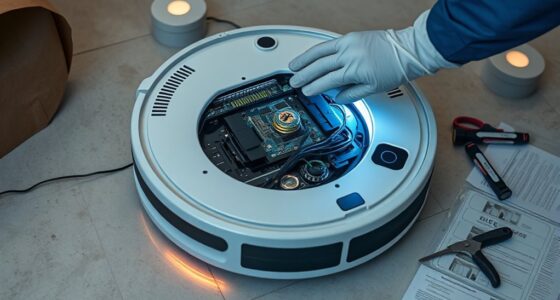
When replacing your robot vacuum’s battery, start by checking the warranty and following the manufacturer’s instructions carefully to avoid voiding coverage. Turn off the device, open the battery compartment, and disconnect the old battery. Install the new one securely, then run your vacuum on a full charge to ensure it works properly. Dispose of the old battery responsibly at designated recycling centers. If you want detailed steps and safety tips, keep exploring further.

Get cleaning gear delivered free with Prime
- Fast, free delivery on millions of items
- Prime Video, Amazon Music and more included
- Member-only deals all year
Key Takeaways
- Check warranty coverage and consult the user manual before replacing the battery to ensure proper handling and warranty preservation.
- Purchase the correct replacement battery specified by the manufacturer for compatibility and optimal performance.
- Follow the manufacturer’s installation instructions carefully to avoid damaging the device or voiding the warranty.
- Properly dispose of the old battery at designated recycling centers to prevent environmental harm.
- After installation, run the vacuum on a full charge and monitor performance to confirm successful replacement.
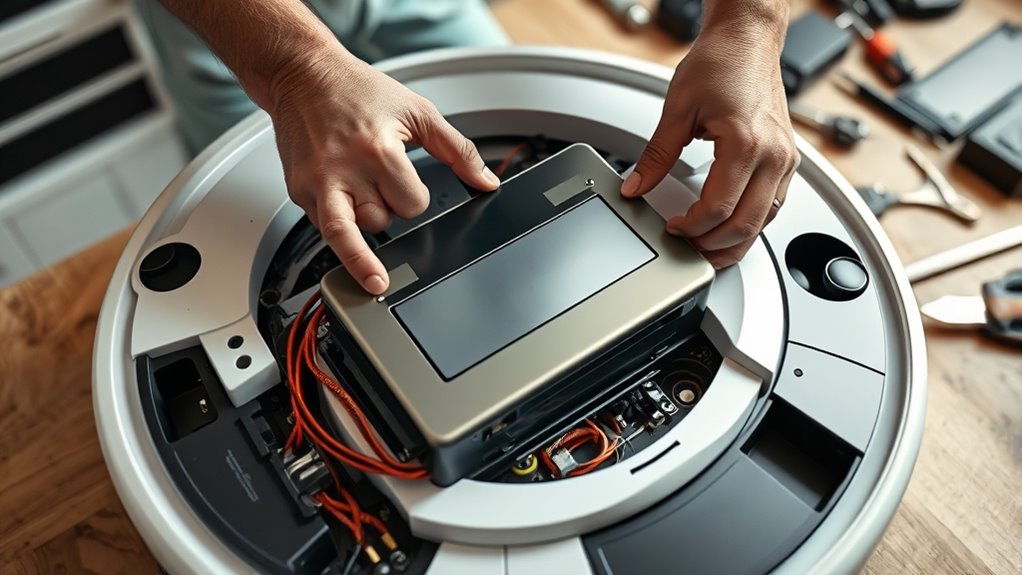
Replacing the batteries in your robot vacuum is a straightforward process that can extend the device’s lifespan and maintain its cleaning performance. Over time, batteries naturally degrade, leading to shorter run times and less effective cleaning. When you notice your vacuum isn’t holding a charge or is operating slowly, it’s time to think about swapping out the battery. Before you do, make sure to review your warranty coverage; some manufacturers include battery replacements as part of their warranty, which can save you money and hassle. If your warranty is still active, replacing the battery through an authorized service can ensure it’s done correctly and within the coverage terms.
Replacing your robot vacuum’s battery extends its lifespan and maintains optimal cleaning performance.
Once you decide to replace the battery, proper disposal of the old one is essential. Lithium-ion batteries contain hazardous materials that can harm the environment if thrown away improperly. Always look for local battery disposal programs or recycling centers that accept electronic waste, and never toss the old battery in your regular trash. Many retailers or municipal waste sites provide designated drop-off points for safe disposal, helping you adhere to environmental regulations and avoid potential fines. Responsible disposal not only protects the environment but also ensures you’re complying with safety standards, especially since damaged or leaking batteries can pose safety risks.
When installing a new battery, follow the manufacturer’s instructions carefully. Most robot vacuums have a simple design that allows you to remove the old battery and insert a new one with just a few steps. In many cases, you’ll need to open a compartment, disconnect the old battery, and connect the new one securely. Ensuring proper installation helps maintain warranty coverage—improper handling or damage during replacement could void the warranty, leaving you responsible for future repairs. If you’re unsure about the process, consulting the user manual or contacting customer support can prevent mishandling and preserve your warranty rights.
Additionally, considering the horsepower of electric dirt bikes can be relevant if you’re exploring the power and performance of rechargeable batteries for high-performance devices. After installation, run your robot vacuum on a full charge to verify the new battery’s performance. Keep an eye on how long it runs and how quickly it recharges; these are good indicators of a successful replacement. Remember, regular battery replacements can help you avoid unexpected breakdowns and maintain peak cleaning efficiency. By handling the battery replacement process responsibly—disposal, installation, and warranty considerations—you keep your robot vacuum running smoothly and extend its useful life. Proper maintenance not only saves you money but also ensures your device continues to perform reliably for years to come.
Products Worth Considering

Dyson V8 Cyclone Cordless Vacuum
Dyson Car+Boat Cordless Handheld Vacuum

Ring Alarm 14-Piece Kit
As an affiliate, we earn on qualifying purchases.
Frequently Asked Questions
How Long Does a Typical Robot Vacuum Battery Last Before Replacement?
A typical robot vacuum battery lasts about 1 to 2 years before you need to contemplate replacement. Battery longevity depends on usage, maintenance, and the quality of the battery itself. You should expect to replace the battery roughly every 300-500 charge cycles, which often translates to every 12-18 months for regular users. Keeping the battery properly maintained can help extend its lifespan and delay the need for replacement.
Can I Replace the Battery Myself or Should I Hire a Professional?
You can replace the battery yourself if you’re comfortable with DIY repair, but for safety and to avoid damage, hiring a professional service is often best. Many robot vacuums have straightforward battery replacements, yet some models require more technical skills. Consider your experience level and the complexity of the task before deciding. If unsure, it’s wiser to seek professional help to ensure proper installation and maintain your vacuum’s performance.
What Signs Indicate My Robot Vacuum’s Battery Needs Replacing?
If your robot vacuum’s battery health declines, you’ll notice it struggles to hold a charge or takes much longer to clean. Charging issues, like frequent disconnections or failure to start, also signal it’s time to replace the battery. Picture a once energetic device now sluggish and unreliable—these are clear signs your battery’s worn out and needs replacing, ensuring your vacuum performs like new again.
Are Third-Party Batteries Safe for My Robot Vacuum?
Third-party batteries can be safe for your robot vacuum if they match the original battery’s compatibility and quality standards. Check the battery compatibility carefully before purchasing, and make certain it’s from a reputable brand. Keep in mind that using third-party batteries may void your battery warranty, so weigh the risks. Always follow the manufacturer’s guidelines, and consider sticking with original batteries for peak performance and safety.
How Do I Properly Dispose of an Old Robot Vacuum Battery?
You should properly dispose of your old robot vacuum battery by taking it to a designated battery recycling center. Avoid throwing it in regular trash, as batteries contain hazardous waste that can harm the environment. Always handle the battery carefully, guaranteeing it’s stored in a non-conductive container if needed. Recycling helps prevent pollution and ensures the hazardous waste is safely managed. Check local guidelines for the nearest recycling locations.
Conclusion
Now, with a fresh battery, your robot vacuum is ready to glide smoothly across your floors once again. Imagine it quietly humming, reviving your space with each pass, like a gentle breeze sweeping away dust and clutter. Replacing the battery isn’t just a simple task; it’s giving your trusty helper new energy to keep your home sparkling. Soon, your floors will shine, and you’ll feel the satisfaction of a job well done, all thanks to your care.