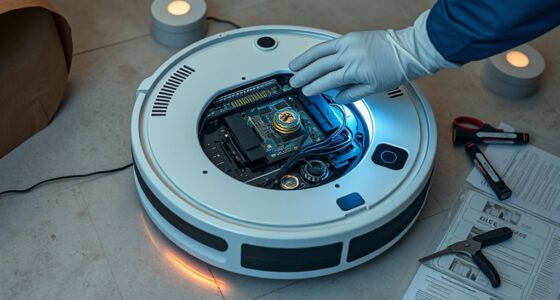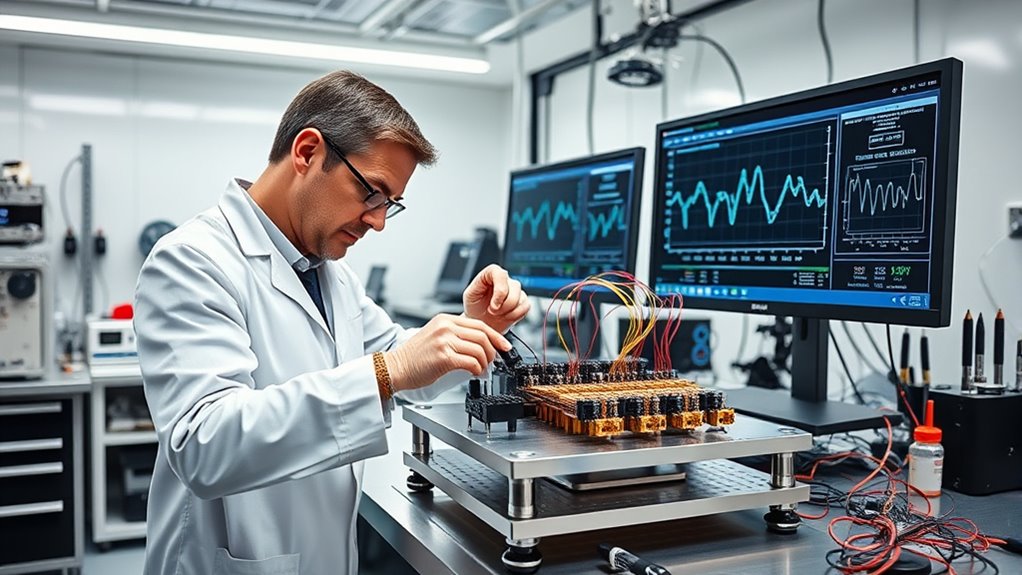

After a software update, it’s essential to recalibrate your sensors to maintain measurement accuracy and system reliability. Updates can introduce new algorithms or fix bugs that inadvertently shift sensor baselines, so calibration ensures your data stays precise. Follow the manufacturer’s procedures, use traceable reference standards, and document your results. Regular recalibration after updates prevents drift, keeps your system running smoothly, and safeguards data integrity. Keep going to discover detailed steps to optimize your calibration process.

Get cleaning gear delivered free with Prime
- Fast, free delivery on millions of items
- Prime Video, Amazon Music and more included
- Member-only deals all year
Key Takeaways
- Review update release notes to identify potential impacts on sensor performance before calibration.
- Recalibrate sensors using traceable reference standards to ensure measurement accuracy after updates.
- Conduct calibration under consistent environmental conditions to minimize external influences on readings.
- Compare current calibration data with previous records to detect and address any deviations or drift.
- Schedule regular calibration checks post-update to maintain sensor reliability and data integrity over time.

Have you ever wondered how sensors provide accurate data? It’s a critical question, especially after updates to your software. When you update your system, the way sensors interpret and process data can shift, which might lead to issues like sensor drift. Sensor drift occurs when a sensor’s measurements gradually become less reliable over time, causing inaccuracies that can compromise your entire operation. That’s why recalibrating sensors after a software update is essential. It guarantees that calibration accuracy remains high, so your data stays precise and trustworthy.
Recalibrating sensors after software updates ensures data accuracy and system reliability.
When you install a software update, it often introduces new algorithms, bug fixes, and performance improvements. While these updates are designed to enhance sensor performance, they can inadvertently affect the sensor’s baseline readings. This is where calibration becomes critical. If you skip recalibration, sensor drift might go unnoticed, leading to data that’s skewed or inconsistent. Over time, small discrepancies can compound, affecting decision-making, process control, and overall system reliability. Regular calibration checks after updates help catch these issues early, preserving the integrity of your measurements.
To guarantee calibration accuracy post-update, start by reviewing the update release notes. Manufacturers often specify if any changes could impact sensor performance. Next, conduct a thorough calibration process, ideally using traceable reference standards. This process aligns the sensor’s output with a known, accurate value, counteracting any drift that may have occurred. It’s also wise to document calibration results to track any patterns of sensor drift over time. When you compare these results with previous calibrations, you can identify if the update caused a significant deviation, prompting further adjustments or sensor replacements.
Another important aspect is to schedule regular calibration checks, especially after significant software updates. Doing so prevents gradual sensor drift from slipping under the radar. If you notice declining calibration accuracy, it might indicate that the sensor needs replacement or more in-depth maintenance. Keep in mind that environmental factors like temperature, humidity, and vibration can also influence sensor drift, so calibration should be performed under consistent conditions whenever possible. Additionally, understanding the relationships between environmental factors and sensor performance can help you develop more effective calibration protocols.
Ultimately, maintaining high calibration accuracy after software updates is essential for reliable data collection. It guarantees your sensors continue to perform at their best, providing you with precise measurements that drive informed decisions. By proactively addressing sensor drift through recalibration, you minimize errors, extend sensor lifespan, and uphold the integrity of your entire system. This simple step saves you time, reduces costs, and guarantees that your sensor data remains accurate and dependable, no matter how often your software evolves.
traceable calibration standards for sensors
As an affiliate, we earn on qualifying purchases.
As an affiliate, we earn on qualifying purchases.
Frequently Asked Questions
How Often Should Sensors Be Recalibrated After Updates?
You should recalibrate your sensors immediately after software updates and then follow the recommended calibration interval, typically every few months. Software updates can cause sensor drift, affecting accuracy. Regular recalibration ensures reliable readings and peak performance. Keep an eye on sensor drift indicators and adjust your calibration schedule accordingly. Staying consistent with recalibration helps maintain sensor precision and prevents costly errors or downtime.
Are There Specific Tools Required for Sensor Calibration?
You need specific sensor calibration tools to perform the calibration procedure accurately. These tools include calibration kits, multimeters, and software interfaces tailored to your sensor type. Using the correct tools guarantees precision and consistency during calibration. Always follow the recommended calibration procedure, which may involve connecting calibration tools correctly, adjusting sensor settings, and verifying readings. Proper tools and procedures help maintain sensor accuracy after software updates or routine maintenance.
Can Software Updates Cause Permanent Sensor Miscalibration?
Imagine a compass slowly veering off course, symbolizing sensor drift. Software updates can sometimes cause permanent sensor miscalibration if calibration errors aren’t addressed promptly, leading to inaccurate readings. While updates aim to improve performance, they might inadvertently disrupt sensor alignment. You should regularly check calibration after updates to prevent lasting inaccuracies, ensuring your sensors stay true and reliable, much like reorienting that compass to point north again.
What Are Common Signs of Sensor Calibration Issues?
You’ll notice sensor calibration issues when you see sensor drift, where readings become inconsistent or gradually deviate from expected values. Calibration accuracy drops, causing unreliable data or system errors. You might also experience unexpected system responses or alarms, indicating the sensor isn’t functioning correctly. Regularly checking for these signs helps you identify calibration problems early, ensuring your sensors provide precise data and maintain peak performance.
Is Professional Calibration Necessary After Each Software Update?
Imagine your sensor as a finely tuned instrument, always ready to perform. After a software update, professional calibration isn’t always necessary, but it’s wise to think about sensor maintenance and calibration frequency. If you notice readings drifting or inconsistent data, it’s time for expert calibration. Regular checks ensure your sensors stay precise, especially after updates that might subtly influence their accuracy. Trust your instincts and maintain ideal performance through proper calibration routines.
As an affiliate, we earn on qualifying purchases.
Conclusion
Remember, calibrating sensors after software updates ensures your device stays accurate, even if it seems unnecessary at first. You might think it’s just an extra step, but neglecting calibration can lead to false readings and reduced performance. By taking a few minutes to recalibrate, you’ll maintain reliability and extend your device’s lifespan. Don’t overlook this small task; it’s an essential step that safeguards your investment and keeps everything running smoothly.
digital calibration reference standards
As an affiliate, we earn on qualifying purchases.
As an affiliate, we earn on qualifying purchases.
As an affiliate, we earn on qualifying purchases.
Fall Picks
fall essentials
As an affiliate, we earn on qualifying purchases.