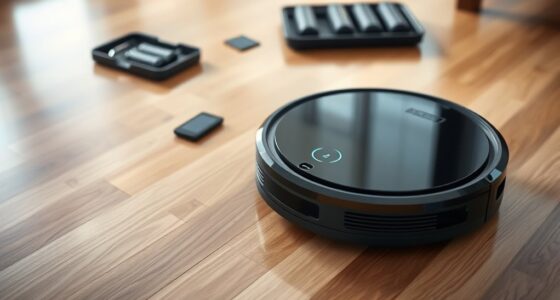
If your robot vacuum is overheating, start by checking the battery health since aging batteries can cause excess heat. Next, inspect and clean all filters and vents to guarantee proper airflow, and remove any debris from brushes, wheels, or pathways that might cause motor strain. Avoid prolonged use on high-power modes and give your unit regular breaks to prevent overheating. For more detailed solutions, you’ll find helpful tips that can keep your vacuum running smoothly.
Key Takeaways
- Regularly clean and replace filters to ensure proper airflow and reduce motor strain.
- Remove debris from brushes, wheels, and vents to prevent obstructions and overheating.
- Monitor battery health and replace aging batteries to minimize heat caused by increased workload.
- Avoid long cleaning sessions on high-power mode; break tasks into shorter, lower-intensity runs.
- Keep the charging area well-ventilated and clean vents periodically for optimal airflow.

Robot vacuums can sometimes overheat, causing them to pause or shut down unexpectedly. When this happens, it’s easy to feel frustrated, but understanding what causes overheating is the first step toward fixing it. One common culprit is poor battery health. Over time, batteries lose their capacity to hold a charge, which makes the vacuum work harder to complete cleaning cycles. This extra strain generates excess heat, increasing the risk of overheating. If your robot’s runtime has shortened or it’s taking longer to finish cleaning, consider checking the battery’s condition. Replacing an aging battery can considerably reduce the chances of overheating and help your vacuum operate smoothly.
Another critical factor is filter maintenance. A clogged or dirty filter restricts airflow, forcing the vacuum’s motor to work harder than it should. This added effort results in heat buildup, which can trigger the overheating shutdown. Regularly inspecting and cleaning the filter ensures proper airflow and keeps your vacuum running efficiently. Most models recommend cleaning or replacing the filter every few months, but if you notice reduced suction or longer cleaning times, it’s a good idea to check the filter sooner. Clean filters not only prevent overheating but also improve overall cleaning performance.
Beyond battery health and filter maintenance, you should also ensure your robot vacuum isn’t trapped or blocked by debris. Obstructions can cause the motor to strain, leading to excess heat. Clear any hair, dust, or objects from the brushes, wheels, and vents. Additionally, make sure the charging dock and surrounding area are free of dust or clutter, as poor ventilation can contribute to overheating during charging or use.
Another often-overlooked cause is the cleaning schedule or terrain. Running your vacuum for extended periods on high-power modes or uneven surfaces increases heat generation. If your vacuum tends to overheat after long sessions, try breaking up the cleaning into shorter runs or switching to a lower power setting. This reduces the motor’s workload and minimizes heat buildup.
Furthermore, proper airflow is essential, so regularly cleaning vents and internal pathways can prevent dust accumulation that blocks airflow and causes overheating. Dust and debris tend to accumulate inside, blocking airflow. Gently cleaning these areas with a soft brush or compressed air can improve ventilation and prevent overheating. Regular maintenance of these components, combined with monitoring battery health and keeping filters clean, will help your robot vacuum stay cool and work efficiently for years to come.

Robot Vacuum and Mop, Upgraded Bagless Robot Vacuum Cleaner with Self-Emptying, 6000Pa Robotic Vacuum with LiDAR Navigation, Smart Mapping, Schedule, App/Alexa Control for Carpet/Pet Hair, Q20 Ultra
𝙍𝙚𝙡𝙞𝙖𝙗𝙡𝙚 𝘾𝙪𝙨𝙩𝙤𝙢𝙚𝙧 𝙎𝙪𝙥𝙥𝙤𝙧𝙩 - Airzeen offers professional 24/7 customer support and a 1-year warranty for worry-free use. If...
As an affiliate, we earn on qualifying purchases.
Frequently Asked Questions
Can Overloading the Robot Vacuum Cause It to Overheat?
Yes, overloading your robot vacuum can cause it to overheat. When you push it to clean too much at once, it may experience a power surge or debris clog, both of which can increase the motor’s temperature. To prevent this, avoid overloading it with too many tasks or large debris, and regularly check for clogs. Proper maintenance guarantees your vacuum runs smoothly without overheating.
How Does Battery Age Affect Overheating Risks?
You might think battery age doesn’t matter, but as batteries degrade, their power efficiency drops. This can cause the robot vacuum to overheat because it works harder to perform tasks, especially if the battery struggles to supply consistent energy. Over time, battery degradation increases overheating risks, so replacing aging batteries helps maintain peak performance and prevents excess heat build-up during cleaning.
Do Certain Floor Types Contribute to Overheating?
Certain floor types and surface textures can influence your robot vacuum’s tendency to overheat. If you have thick carpets or rough surfaces, your vacuum works harder, generating more heat. Smooth, hard floors like tile or hardwood are easier to clean, reducing strain and overheating risk. Keep in mind, adjusting cleaning settings for different surface textures helps prevent your vacuum from overheating and prolongs its lifespan.
Is It Safe to Use the Vacuum While It’S Overheating?
Using your overheated vacuum is like walking on thin ice; it’s risky. You shouldn’t run it while it’s overheating because of safety concerns and potential device damage. Overheating can cause malfunctions or even permanent harm, so it’s safer to turn it off and let it cool down. Ignoring these signs risks safety issues and costly repairs, so always prioritize letting your robot vacuum cool before resuming use.
How Can Ambient Temperature Impact Robot Vacuum Overheating?
Ambient temperature plays a big role in robot vacuum overheating. If the room’s too hot, your vacuum’s cooling system struggles to keep it cool, increasing the risk of overheating. Make certain airflow isn’t obstructed by placing your vacuum in a well-ventilated area, away from direct sunlight or heat sources. Keeping the ambient temperature moderate helps your vacuum operate efficiently and prevents it from overheating during cleaning sessions.
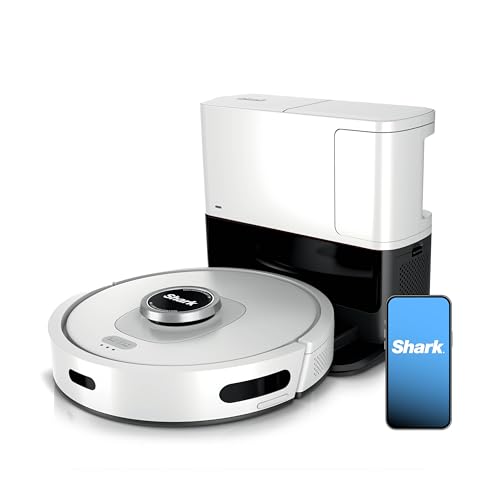
Shark Matrix Clean | Robot Vacuum Cleaner with Powerful Suction for Pet Hair, Rugs, Carpets & Hard Floors | Self-Empty Base | 60-Day Capacity | Voice Control | LiDAR Navigation | Cool Grey | AV2511AE
HIGH SUCTION POWER: Shark's powerful suction captures dirt, debris, and pet hair across all surfaces—carpets and hard floors...
As an affiliate, we earn on qualifying purchases.
Conclusion
So, next time your robot vacuum seems to overheat, remember it’s just trying to work harder for you. Ironically, pushing it too much can cause it to overheat, defeating the purpose. Keep an eye on its workload and give it breaks. After all, even the smartest machines need a breather. Sometimes, the best way to keep your vacuum running smoothly is to let it rest—proving that even robots can teach us a thing or two about self-care.

Robot Vacuum and Mop with LiDAR Navigation, 5000Pa Robot Vacuum Cleaner with Self-Emptying, 90-Day Hands-Free,Mapping, Wi-Fi/App/Alexa Control, Ideal for Pet, Hard Floors, Carpet
🪠【90Days Hands-Free Cleaning】 BL20Pro Robot Vacuum and Mop has a large-capacity dust collection station, which can quickly dump...
As an affiliate, we earn on qualifying purchases.

ROPVACNIC Robot Vacuum Cleaner Robot Vacuum and Mop Combo with 5200Pa Suction, Personalized Cleaning Adjustments, Self-Charging Robotic Vacuum Cleaner, Advanced Obstacle Avoidance
【2-in-1 Mopping and Vacuuming】 The ROPVACNIC Robot S1 integrates advanced electronically controlled mopping technology, significantly enhancing both cleaning...
As an affiliate, we earn on qualifying purchases.