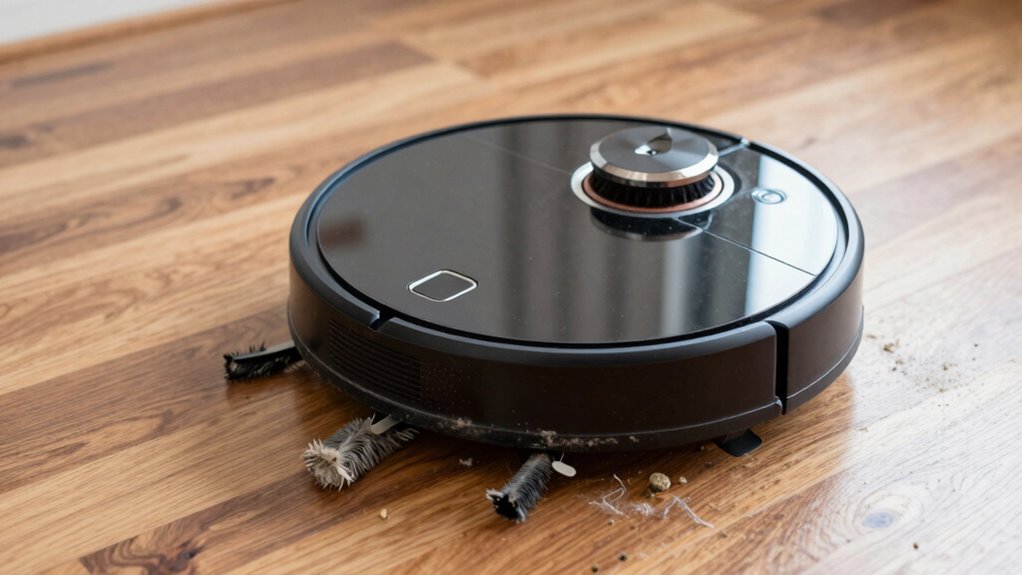

If your robot vacuum is louder than usual, it’s often caused by worn or damaged brush rolls, clogged filters, or debris stuck around wheels and axles. Loose belts or broken axles can also create more noise. Hair, dirt, or dust buildup inside the vacuum may strain the motor and increase sound levels. Fixing or replacing these parts can quiet your vacuum again—explore further to pinpoint and solve the specific issue.
Open a free Amazon Business account
Business pricing, bulk buying and tax-exempt orders.
As an affiliate, we earn on qualifying purchases.
Key Takeaways
- Worn or damaged brush rolls and belts can cause rattling and increased noise during operation.
- Debris, hair, or tangled hair around the brushes and wheels create strain and grinding sounds.
- Loose or broken axles and damaged wheels lead to vibrations and rattling noises.
- Dirty filters and clogged vents strain the motor, resulting in louder operation.
- Faulty sensors or malfunctioning motors may produce unusual or excessive noise.
Why Is Your Robot Vacuum Louder Than Before: and How to Fix It

If your robot vacuum suddenly becomes noisier, it’s often a sign that something is wrong with its parts or setup. One common cause is neglecting brush maintenance. Over time, hair and debris can tangle around the brush roll, causing it to spin unevenly and create more noise. Regularly inspect and clean the brush to keep it running smoothly. Additionally, a clogged or dirty filter can increase motor strain, leading to louder operation. Replacing the filter as recommended ensures proper airflow and reduces noise. Both brush maintenance and timely filter replacement are simple steps that can markedly quiet your vacuum. Keeping these components in check helps prevent unnecessary strain on the motor and keeps your device operating quietly. Properly functioning vacuum parts are essential for maintaining optimal noise levels and performance. Regularly checking component integrity can also help identify potential issues before they cause increased noise.
Could Worn Brush Rolls Be Causing the Noise? Here’s How to Check

Worn brush rolls can create more noise during cleaning. To check, start by inspecting the condition of the brushes for signs of wear or damage. Make sure to remove any debris and hair tangled around the brushes, and replace them if they’re worn out. Additionally, ensuring the proper alignment of the brush rolls can help reduce unnecessary noise and improve overall performance. Regularly cleaning and maintaining the robot vacuum components can also prevent excess noise and extend the lifespan of your device. Being attentive to wear and tear and understanding the mechanical parts involved ensures your vacuum operates quietly and efficiently over time. Monitoring component integrity can further help identify potential issues before they affect noise levels.
Inspect Brush Roll Condition
A common cause of noise in your robot vacuum is a worn or damaged brush roll. To inspect it, first, turn off your vacuum and remove the brush roll housing. Check for signs of brush wear, such as frayed bristles or uneven rotation. A worn brush can lead to increased noise as it struggles to spin smoothly. Also, examine the belt tension—if the belt is loose or worn, it may slip or cause rattling sounds. Ensure the belt is tight enough to keep the brush roll spinning properly without being overstretched. Proper belt tension is essential for optimal performance and noise reduction. Fixing or replacing a worn brush or adjusting belt tension can considerably reduce noise and improve your vacuum’s performance. Regular inspection helps catch issues early before they cause further damage. Safety tips are essential when performing these checks to prevent injury or damage to the device.
Remove Debris and Hair
Over time, debris and hair can accumulate around the brush roll, causing noise and reducing cleaning efficiency. Pet hair often tangles around the bristles, while dust buildup can create a stiff, uneven surface. To fix this, remove the brush roll and carefully clear away any hair, pet hair, and debris. Use scissors or a brush to cut through stubborn hair tangles. Make sure to clean out any dust that might have collected in the brush housing or around the bearings. Regularly removing debris keeps the brush roll spinning smoothly and quietly. Neglecting this step can lead to increased noise and less effective cleaning. Additionally, inspecting the brush roll components for wear or damage can help prevent noise issues. For optimal performance, consider checking the motor and belt for signs of wear or damage as well. Keeping the brush roll clear is a simple way to maintain your vacuum’s performance and reduce unwanted sounds.
Replace Worn Brush Parts
If your vacuum is making louder or rattling noises despite cleaning the brush roll, worn brush parts could be the culprit. Over time, brush replacement becomes necessary as bristles wear down or get damaged, causing uneven contact with the floor. Worn brush rolls can lead to increased noise because they struggle to spin smoothly. To check, remove the brush roll and inspect for cracks, missing bristles, or buildup of debris. Replacing damaged or worn parts can restore the brush’s effectiveness and considerably reduce noise. Regularly maintaining and swapping out worn brush components ensures your robot vacuum operates quietly and efficiently. Additionally, understanding measurement accuracy can help you evaluate the condition of your vacuum parts more precisely, ensuring timely replacements. Proper brush replacement not only cuts down on noise but also prolongs your vacuum’s lifespan and cleaning performance. Keeping an eye on wear patterns can help you identify when parts need replacement before they cause more significant issues. Considering sensor functionality can also prevent unnecessary noise caused by misaligned or dirty sensors.
Do Dirty Filters Make Your Vacuum Sound Louder? What You Need to Know

When your robot vacuum starts making louder noises, a dirty filter could be the culprit. Over time, dust and debris clog the filter, forcing the motor to work harder and produce more noise. Regular filter maintenance helps keep your vacuum running smoothly and quietly. A clogged filter also impacts air quality, reducing the vacuum’s efficiency and spreading dust instead of trapping it. Cleaning or replacing the filter as recommended by the manufacturer restores proper airflow and reduces noise levels. Keep in mind that neglecting filter upkeep can lead to increased strain on the motor, causing louder operation and potential damage. Proper filter maintenance not only quiets your vacuum but also extends its lifespan and enhances overall performance. By maintaining a clean filter, you not only quiet your vacuum but also improve its overall performance and the air quality in your home. Additionally, understanding the importance of airflow optimization can help prevent future issues and ensure your vacuum operates at its best. Regularly checking and adjusting your vacuum’s components can further prevent breakdowns and maintain a quieter operation. Maintaining optimal airflow is essential for energy efficiency and prolonging your vacuum’s life.
Are Obstructed Wheels or Axles Making Your Vacuum Noisier? Find Out

If your robot vacuum is getting noisier, the wheels or axles might be the culprit. Check for any obstructions or debris that could be be blocking movement, and inspect the axles for damage. Regular cleaning and maintenance can keep your vacuum running smoothly and quietly. Paying attention to battery care and ensuring your vacuum is used within recommended settings can also help prolong its quiet operation. Additionally, inspecting the smart lock mechanisms or office gear components may prevent other sources of noise or operational issues. Remember, proper home safety practices, such as keeping the area clear of hazards, can help maintain optimal performance. Being aware of device maintenance routines can further reduce unnecessary noise and extend the lifespan of your vacuum. Staying informed about AI-driven solutions in home appliances can also provide insights into improving device longevity and noise reduction.
Check Wheel Obstructions
Obstructed wheels or axles are a common cause of increased noise in your robot vacuum. When debris or hair get caught around the wheels, it can cause grinding or rattling sounds during operation. To check for wheel obstructions, carefully examine each wheel and axle for any debris or tangled fibers. If you find any, perform obstruction removal by gently pulling out or brushing away the debris. Make sure the wheels spin freely after cleaning; stuck or jammed wheels can lead to louder noise and reduced performance. Regularly inspecting and clearing these obstructions helps maintain quieter operation and prevents further damage. Keeping the wheels clean and free from obstructions ensures your vacuum runs smoothly and quietly. Additionally, wheel maintenance can extend the lifespan of your vacuum and improve its overall efficiency. For optimal results, consider routine inspections to catch issues early before they escalate.
Inspect Axle Damage
Damaged axles can substantially increase noise levels in your robot vacuum, often making it sound louder than usual during operation. When the axle is bent or broken, it disrupts the wheel’s alignment, causing uneven rotation and excessive noise. Check the wheels carefully for signs of axle damage, such as wobbling or sticking. Misaligned wheels due to axle issues can make the motor work harder, generating more sound. If you notice unusual vibrations or grinding, inspect the axle for cracks or bends. Replacing a damaged axle restores proper wheel alignment, reducing noise and improving overall performance. Regularly inspecting the axles helps prevent further damage and keeps your vacuum operating quietly and efficiently.
Clean Debris Regularly
Regularly cleaning debris from your robot vacuum’s wheels and axles can markedly reduce noise during operation. Incorporate this task into your maintenance schedule to prevent obstructions that cause increased sound levels. When debris accumulates, it can strain the motor, leading to louder operation and potentially affecting battery performance over time. Keep the wheels and axles free of dust, hair, and dirt by wiping them with a damp cloth or using a small brush. This simple step not only quiets your vacuum but also ensures smoother movement and prolongs its lifespan. Regular maintenance helps your robot work efficiently, minimizes unnecessary wear, and keeps noise levels low, making your cleaning sessions less disruptive.
Is the Belt Loose or Damaged? Signs and How to Fix It

If your robot vacuum is making unusual noises or not moving smoothly, the belt might be loose or damaged. Check the belt tension first; if it feels slack or slips off, it’s likely too loose. A loose belt can cause grinding or squeaking sounds and reduce suction power. Inspect the belt for cracks, tears, or signs of wear—these indicate damage. If you notice any issues, it’s time for a belt replacement. Replacing the belt is usually straightforward: turn off the vacuum, remove the brush cover, and carefully install a new belt, ensuring it’s properly aligned and taut. Maintaining the correct belt tension helps keep your vacuum running quietly and efficiently. Regularly checking the belt can prevent noise issues and extend its lifespan.
How Can You Tell if Your Vacuum’s Motor Is Struggling? Key Signs

If your vacuum isn’t cleaning like it used to, pay attention to signs of a struggling motor. You might notice reduced suction or strange noises coming from the motor area. These clues can help you determine if your motor needs attention before it fails completely.
Signs of Reduced Suction
When your robot vacuum isn’t cleaning as effectively as it used to, it’s often a sign that the motor is struggling. Reduced suction is a key indicator. First, you might notice a decline in cleaning performance, especially on carpets or thick debris. Second, check for dust accumulation around the intake and filters—clogged filters or blocked vents can impair suction. Third, consider your battery health; a weakening battery may cause inconsistent power delivery, reducing the vacuum’s suction strength. If you see these signs, it’s time to inspect and clean filters, clear blockages, and possibly replace the battery or motor components. Recognizing these cues early can help maintain ideal suction and prolong your vacuum’s lifespan.
Unusual Motor Noises
Unusual motor noises are often the first audible sign that your robot vacuum’s motor is struggling. If you notice grinding, whining, or screeching sounds, it could indicate motor strain or debris clogging the parts. A declining battery lifespan can make the motor work harder, increasing noise levels. Additionally, outdated software updates might cause the vacuum’s motor to operate inefficiently, leading to abnormal sounds. If your robot is noiseier than usual despite a full battery, it’s a sign that the motor may be struggling. Regularly check for firmware updates to guarantee peak performance. Pay attention to these noises, as they can help you diagnose issues early and prevent further damage to the motor or other components.
Why Debris and Hair Buildup Inside Your Vacuum Can Increase Noise

Debris and hair buildup inside your vacuum can substantially increase noise because they get trapped in the moving parts and obstruct airflow. Dust accumulation and hair buildup can cause the brushes and motors to work harder, creating additional sound. When debris clogs these components, it forces the vacuum to strain, resulting in louder operation. To prevent this, regularly check and clear these parts. Specifically:
- Brushroll and brush bearings — hair and debris wrap around the brushes, increasing resistance.
- Airflow pathways — dust buildup blocks vents and filters, forcing the motor to exert more effort.
- Fan blades — debris can get lodged, causing imbalance and vibrations that amplify noise.
Keeping these areas clean ensures smoother operation and quieter performance.
Troubleshooting Common Parts That Make Your Robot Vacuum Noisier
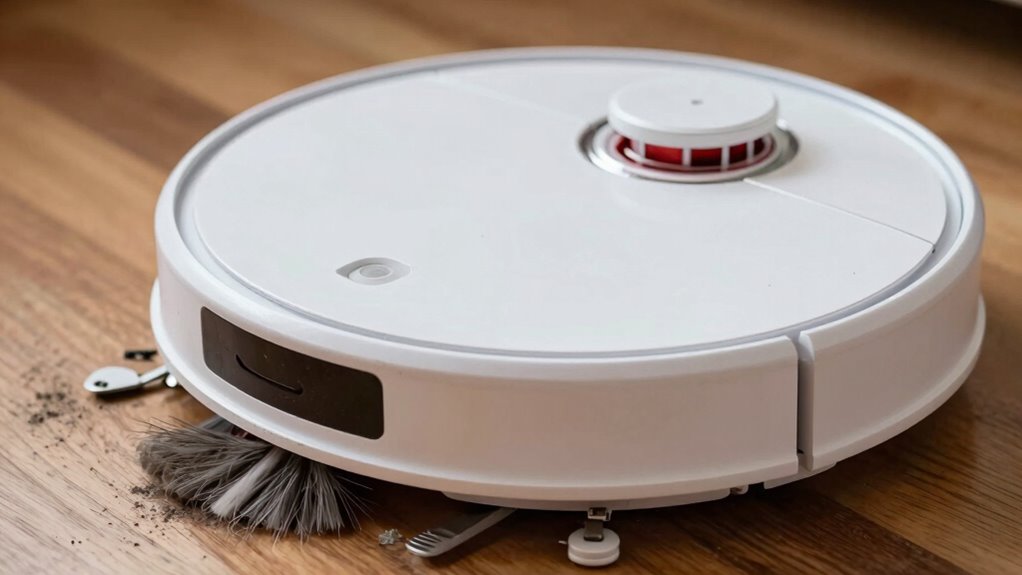
If your robot vacuum suddenly becomes louder than usual, several parts might be causing the increased noise. Start by checking the battery, as poor battery maintenance can lead to irregular power delivery, causing motor strain and noise. Confirm the battery is properly charged and replace it if it’s old or damaged. Next, consider firmware updates; outdated software can lead to inefficient motor operation, resulting in abnormal sounds. Regularly updating your vacuum’s firmware helps optimize motor performance and reduce noise. Additionally, inspect the brush rollers and wheels for debris or wear, as these can cause extra vibrations and sound. By maintaining the battery and keeping firmware current, you can minimize noise caused by mechanical or electronic issues, keeping your vacuum running smoothly and quietly.
Should You Repair or Replace Parts When Your Vacuum Gets Louder?

When your vacuum starts making more noise than usual, deciding whether to repair or replace parts depends on the severity of the issue. If the noise is due to minor problems, consider fixing it yourself, like tightening loose components. For more serious issues, replacing parts may be necessary. Here are your options:
- Battery replacement: If your vacuum’s battery is old or swelling, replacing it can restore power and reduce noise caused by strain.
- Software update: Sometimes, updating the vacuum’s firmware can fix noise issues related to malfunctioning controls or motor errors.
- Component repair: If a motor or brush is damaged, repairing or replacing that specific part is often more cost-effective than a full replacement.
Assess the problem carefully before deciding, and don’t hesitate to seek professional help if needed.
Tips to Keep Your Robot Vacuum Quiet and Running Smoothly

Maintaining your robot vacuum’s quiet operation and smooth performance involves regular care and mindful habits. To extend battery life, avoid letting it completely drain often and keep the charging contacts clean. Proper user maintenance, like emptying the dustbin frequently and checking for tangled debris, prevents strain on the motor and reduces noise. Regularly inspect brushes and wheels for buildup, as tangled hair or dirt can cause extra noise and hinder performance. Keep sensors clean to ensure smooth navigation, preventing unnecessary bumping or repetitive passes. Additionally, schedule routine checks on filters and replace them when dirty. Staying proactive with these simple maintenance tips helps your vacuum run quietly and efficiently, prolongs its lifespan, and minimizes unexpected loud noises caused by neglected parts.
Frequently Asked Questions
How Often Should I Replace Parts to Prevent Noise Escalation?
You should replace parts regularly to prevent noise escalation. Check your battery lifespan and replace the battery if it’s losing power, usually every 1-2 years. Perform brush maintenance every 1-3 months, cleaning or replacing brushes as needed. This keeps your vacuum running smoothly and quietly. Regular upkeep prevents strain on motors and components, reducing noise and extending your vacuum’s overall lifespan.
Can Software Updates Reduce My Robot Vacuum’s Noise?
Yes, software updates can help lessen your robot vacuum’s noise. They often include benefits like improved noise reduction techniques and optimized motor control. Regularly updating your vacuum’s software ensures it runs more efficiently and quietly. By keeping the firmware current, you can minimize noise issues and enhance overall performance. Make it a habit to check for updates regularly to enjoy quieter cleaning sessions and better device longevity.
What Tools Are Needed for Tightening Loose Components?
You need a screwdriver set and pliers to tighten loose components. Think of it as keeping everything in tip-top shape—don’t let loose parts cause more noise. Use the screwdriver set to tighten screws, while pliers help grip and secure stubborn components. Always turn off your vacuum and unplug it before working inside. With these tools, you can keep your robot vacuum running smoothly and quietly, saving you time and frustration.
Does Vacuum Age Affect Noise Levels Significantly?
Yes, vacuum age can markedly affect noise levels. Over time, worn parts may cause your vacuum to produce more noise, making it seem louder. To reduce this, you can use noise reduction techniques like cleaning or replacing worn components, tightening loose parts, and lubricating moving pieces. Regular maintenance keeps your vacuum running smoothly and quietly, preventing unnecessary noise caused by aging or damaged parts.
Are There Specific Brands With Quieter Robot Vacuum Models?
If you’re after quieter robot vacuums, brands like Eufy and iRobot stand out for noise reduction. While Dyson offers powerful models, they tend to be louder, contrasting with the quieter operation of Roborock. Comparing brands helps you find the best balance between performance and noise levels, so you can enjoy cleaning without the constant hum. Look for these brands if noise is a top priority in your choice.
Conclusion
So, next time your robot vacuum sounds like a jet taking off, remember—it’s probably just throwing a tantrum. Treat it to some TLC, clear out the hair, and check those belts. Or, hey, maybe it’s time for a new one—after all, even robots need a break from the noise. Keep it quiet, keep it happy, and spare your ears from the sonic boom. Your neighbors will thank you, or at least pretend to.
NFL season / tailgating Picks
team gear
As an affiliate, we earn on qualifying purchases.