If your mop system stops dispensing water, start by checking if it’s properly plugged in and receiving power. Make sure the water reservoir is filled and securely attached, then inspect the nozzles for clogs or debris. Also, examine the pump and water lines for blockages, kinks, or damage. Regular maintenance helps prevent issues, so if these steps don’t work, there’s more to explore to get your mop back in action.
Key Takeaways
- Ensure the mop is plugged in securely and the outlet is functioning properly.
- Check the water reservoir is filled, properly attached, and free of clogs in nozzles.
- Inspect water lines and pump for kinks, blockages, or leaks.
- Confirm the water quality is suitable, and clean or replace filters and seals if needed.
- Perform routine maintenance, including cleaning water lines and testing the system for faults.
Common Reasons Why Your Mop Stops Dispensing Water
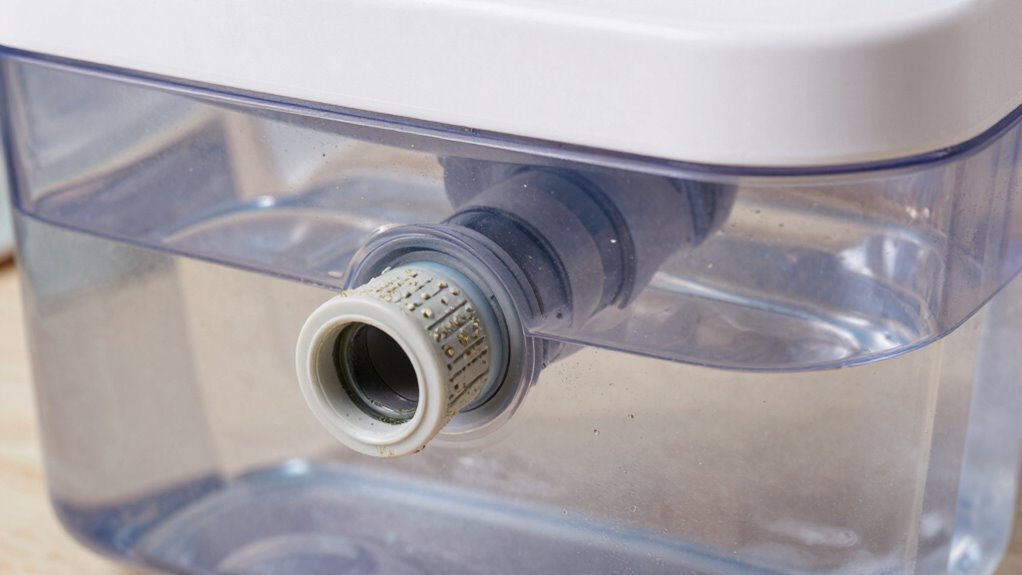
If your mop suddenly stops dispensing water, several common issues could be at fault. One key factor is battery life; if the battery is drained or worn out, the water pump may not operate properly. Check if your mop’s battery needs charging or replacing. Additionally, water quality plays a role—poor water quality, such as mineral buildup or debris, can clog the dispensing system. Hard water deposits can block the pump or nozzles, preventing water flow. Regularly using filtered or distilled water can help prevent these issues. Also, ensure that the water tank is properly seated, and inspect for any visible blockages. Addressing these issues should restore your mop’s ability to dispense water effectively. Understanding the importance of water quality and proper maintenance can significantly extend the lifespan of your appliance. Maintaining the cleanliness of filters and components according to manufacturer guidelines can further improve functionality. Being aware of routine maintenance practices can help prevent future blockages and ensure consistent performance. Additionally, keeping an eye on water levels can help you identify and address issues before they impact the device’s operation.
Check Power and Make Sure Your Mop Is Plugged In

Before troubleshooting other issues, make sure your mop is properly plugged in and receiving power. Battery issues can cause your mop to stop functioning, especially if it relies on a rechargeable battery. Check that the power cord is securely connected to both the outlet and the mop. Inspect the outlet for electrical faults—try plugging in another device to confirm it works. If your mop has a battery, ensure it’s charged; a dead or faulty battery can prevent operation. Sometimes, loose connections inside the plug or damaged wiring can also cause power problems. Addressing these electrical faults and confirming your mop is plugged in correctly can often resolve the water dispensing issue before moving on to other troubleshooting steps. Additionally, consider the smart lock and other security features of your device, as some models include safety mechanisms that might interfere with operation if triggered. Ensuring the electrical connection is secure and intact is crucial for proper functioning. You may also want to verify the power source for consistent voltage, as fluctuations can impact device operation. Proper maintenance of the electrical system can prevent future power issues and extend your device’s lifespan.
Ensure Water Reservoir Is Filled and Nozzles Are Clear
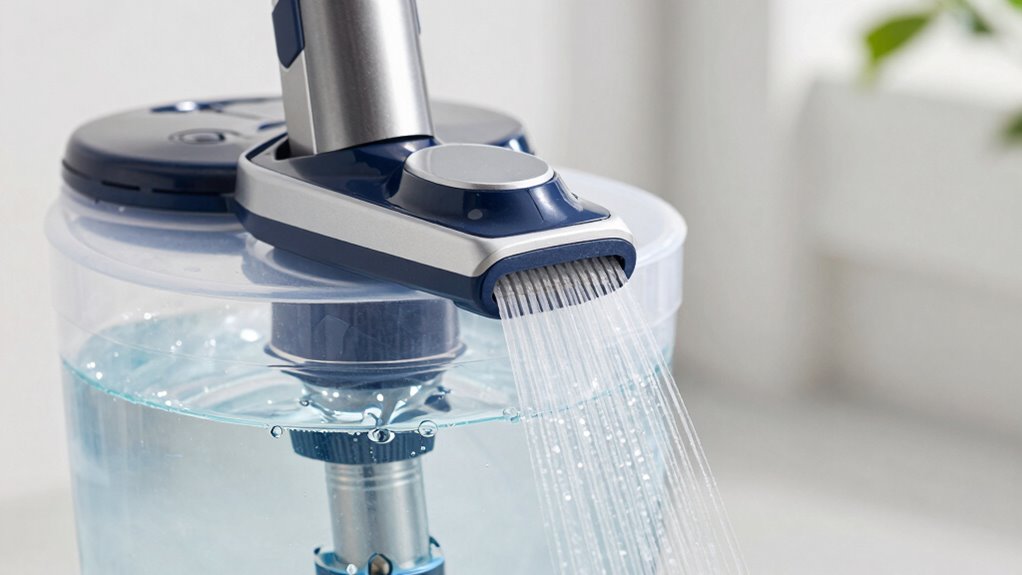
To guarantee your mop dispenses water properly, start by checking that the water reservoir is filled to the recommended level. A low water level can prevent the system from functioning correctly. Ensure the reservoir is securely attached and filled with enough water for your cleaning session. Next, examine the nozzles for clogs. A nozzle clog can block water flow, causing dispensing issues. Use a pin or needle to carefully clear any debris or buildup from the nozzles. Make sure the nozzles are free of obstructions and properly aligned. Additionally, regular maintenance can help prevent future blockages and ensure optimal performance. Performing routine inspections can identify potential problems early and extend the lifespan of your equipment. Regularly inspecting water flow components can further help identify issues before they impact overall performance. To further safeguard your equipment, ensure that filtering and suction systems are clean and functioning correctly, as blockages here can also impede water flow. If the water level is adequate and nozzles are clear, but the problem persists, consider other components. However, starting with these simple checks often resolves water dispensing issues quickly.
Inspect the Pump and Water Lines for Blockages or Damage
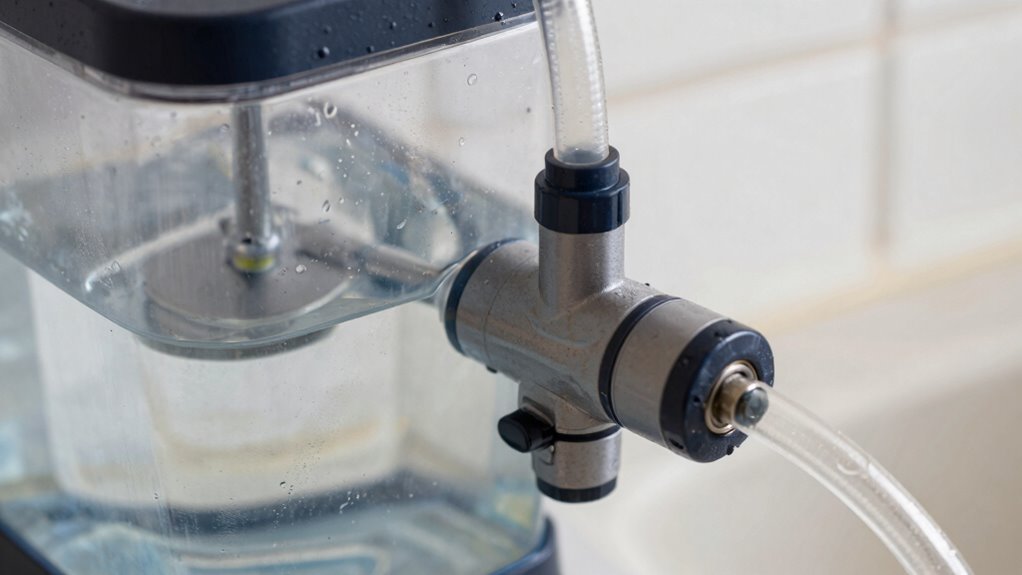
Begin by inspecting the pump and water lines for any blockages or signs of damage. Start with a blockage inspection to guarantee nothing is obstructing the water flow. Carefully look at the water line connected to the pump for kinks, cracks, or leaks that could hinder water movement. If you notice a blockage in the water line, clear it out promptly to restore proper water flow. Damage to the pump or water line, like cracks or broken fittings, can prevent dispensing. If you find any damage, replace the damaged parts before attempting to use the system again. Ensuring the pump and water lines are clear and intact is essential for consistent water dispensing and efficient cleaning performance. Regularly inspecting airless paint spraying equipment can help prevent such issues from occurring. Additionally, proper maintenance practices can extend the lifespan of your system and improve its reliability. Paying attention to system components and their condition can further prevent future malfunctions. Conducting routine system checks is also recommended to identify potential problems early.
Perform Routine Maintenance to Keep Your Mop Working Smoothly

Regular maintenance is key to keeping your mop system functioning smoothly and preventing unexpected issues. To guarantee reliable water dispensing, perform routine checks and cleaning. Use chemical cleaning solutions periodically to clear mineral buildup or residue that can clog the system. Additionally, inspect replacement parts like seals, filters, and hoses for wear and tear, replacing them as needed. Here are four essential maintenance steps:
- Regularly clean water lines with appropriate solutions.
- Replace worn or damaged parts promptly.
- Check for blockages or leaks in the pump and water lines.
- Schedule periodic chemical cleaning to prevent buildup.
- Consider the benefits of preventive maintenance to enhance longevity and performance of your equipment. Performing system diagnostics can help identify potential issues early, saving time and repair costs. Incorporating routine inspections into your maintenance schedule can further ensure that your mop system remains in optimal condition. Paying attention to early warning signs can help you address problems before they become more serious.
Frequently Asked Questions
How Often Should I Clean the Nozzles for Optimal Performance?
You should perform nozzle maintenance and clean the nozzles every one to two weeks for ideal performance. Regular cleaning prevents clogs and buildup that can hinder water flow. If you notice reduced spray or uneven dispensing, increase the cleaning frequency. Use a small brush or pin to clear any debris, ensuring your mop system works efficiently. Consistent nozzle maintenance keeps your cleaning system effective and prolongs its lifespan.
Can Using Tap Water Damage My Mop System?
Using tap water can potentially damage your mop system over time, especially if it contains minerals or impurities. These minerals can cause damage buildup inside the nozzles and tubing, leading to clogs or reduced performance. To avoid this, consider using distilled or filtered water, which minimizes mineral deposits and keeps your system running smoothly. Regularly cleaning and inspecting your mop system also helps prevent damage caused by tap water.
What Safety Precautions Should I Take During Maintenance?
Think of maintenance as dancing with fire—safety first! Always unplug your mop before starting. Wear protective gear like gloves and goggles to prevent splashes or contact with cleaning solutions. Keep electrical safety in mind by avoiding water contact with plugs or outlets. Ventilate the area well, and handle parts carefully. Following these precautions guarantees you stay safe and ensures your mop stays in top shape.
Is There a Recommended Storage Procedure to Prevent Clogging?
To prevent clogging, follow proper storage tips for your mop system. Always empty and rinse the water tank after use, especially if you’re done for the day. Store the system in a cool, dry place to avoid mold or buildup. Keep nozzles and hoses clear of debris, and avoid storing the system with leftover water. These clog prevention steps help guarantee your mop system remains functional and ready for next use.
How Do I Reset the Mop System After a Malfunction?
To reset your mop system after a malfunction, start by turning it off and unplugging it. Inspect the nozzle for clogs and perform regular nozzle cleaning based on the recommended frequency to prevent issues. Once cleaned, plug it back in and power it on. If problems persist, consult the troubleshooting guide, as proper nozzle cleaning frequency is key to maintaining best performance and avoiding recurring malfunctions.
Conclusion
When your mop’s water stops flowing, think of it as a garden hose with a kink—unclog the nozzles, check the pump, and make sure it’s powered up. Regular maintenance is like tending to a well-loved garden, keeping the flow smooth and vibrant. With a little attention, your mop will glide like a gentle stream, ready to tackle messes with ease. Keep everything clear, and your cleaning flow will never dry up.