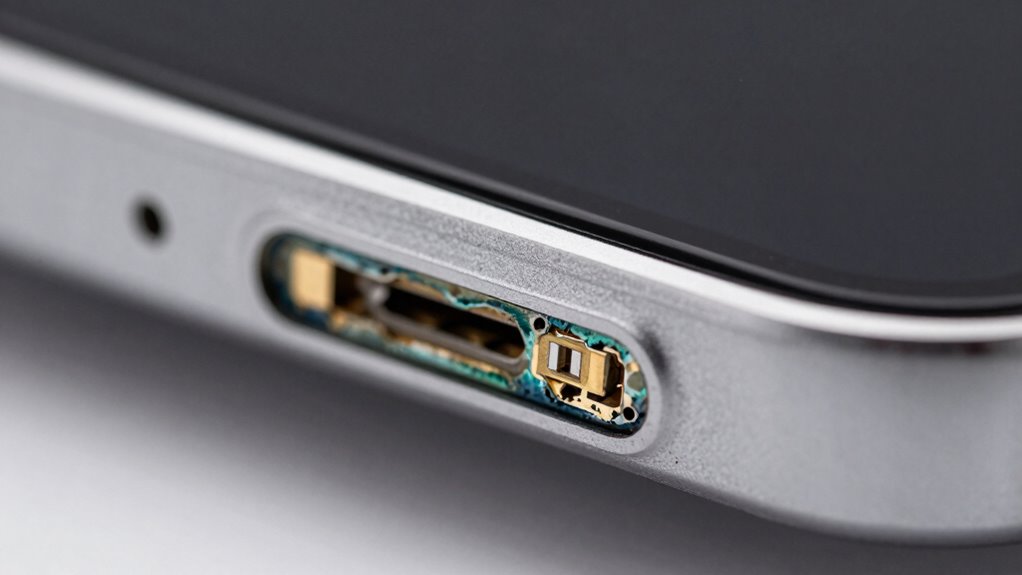

Corrosion on your charging pins can cause slow or failed charges by blocking proper contact and disrupting power transfer. To clean safely, power off your device, use a soft brush or cotton swab with isopropyl alcohol to gently remove rust and debris, avoiding excess liquid. Keep your ports dry and protected to prevent future corrosion. If you’d like to learn step-by-step tips and prevention methods, keep exploring for more helpful guidance.
Key Takeaways
- Turn off and unplug the device before cleaning to prevent electrical damage.
- Use isopropyl alcohol and a cotton swab to gently remove corrosion from charging pins.
- Avoid excessive liquid; dab the swab rather than submerging the device or ports.
- Use soft brushes or plastic tools to carefully dislodge stubborn corrosion without scratching.
- Regularly inspect and keep ports dry and clean to prevent future corrosion buildup.
Why Corrosion on Charging Pins Causes Charging Problems

Corrosion on charging pins disrupts the flow of electricity between your device and the charger, leading to charging issues. When corrosion forms, it creates a barrier that hampers proper contact, reducing charging efficiency. This interference can cause your device to charge slowly or not at all, affecting overall performance. Over time, persistent corrosion can also impact the battery lifespan, as inconsistent charging strains the battery and accelerates wear. Poor contact caused by corrosion prevents a stable power transfer, making it harder for your device to reach full charge. Regularly maintaining and cleaning your charging pins helps ensure a reliable connection, maintaining ideal charging efficiency and prolonging your device’s battery lifespan. Proper care keeps your device charging smoothly and efficiently. Additionally, understanding the importance of connection quality can help you better prevent and address corrosion issues. Using proper cleaning techniques and avoiding harsh chemicals can further prevent corrosion buildup from reoccurring. To further safeguard your device, consider preventative measures such as keeping charging ports dry and clean. Regular inspections and gentle cleaning can help you detect early signs of corrosion, ensuring your device remains in optimal condition.
How to Spot Rust and Other Signs of Corrosion

Look closely at your charging pins for any visible rust or reddish-brown spots. Discoloration or pitting on the metal surface can also indicate corrosion. Spotting these signs early helps prevent charging issues down the line. Additionally, understanding the net worth of individuals involved in related fields can provide context for their experiences with technology and maintenance. For example, knowing the horsepower of electric dirt bikes can help determine if your bike’s electrical connections are functioning properly. Regular inspections and professional fuel injection cleaning can also extend the lifespan of your vehicle’s components. Maintaining clean and corrosion-free charging pins is essential for a clutter-free and efficient charging process. Furthermore, utilizing professional architectural consulting services can assist in designing solutions that mitigate corrosion risks in electrical systems.
Visible Rust Formation
Rust often reveals itself through a reddish-brown discoloration on the surface of charging pins, making it one of the easiest signs to spot. This visible rust indicates metal oxidation caused by prolonged exposure to moisture buildup, which accelerates corrosion. You might notice rough or flaky patches on the pins, showing that corrosion is developing. Be alert for signs like discoloration that doesn’t wipe away or a powdery residue around the contact points. To confirm rust formation, check for these key indicators:
- Reddish-brown spots on metal surfaces
- Flaking or peeling coating
- Powdery or crusty deposits
- Unusual discoloration or streaks
Spotting these signs early helps prevent further damage and ensures safe, efficient charging. Additionally, understanding the corrosion process can help in choosing the best cleaning methods to preserve your charging pins. Being aware of environmental factors that contribute to metal oxidation can also help in preventing future corrosion issues. Regular inspection and maintenance can further mitigate the impact of moisture buildup on your charging components. Recognizing the environmental influences that promote corrosion can enable more effective preventative measures.
Discoloration or Pitting
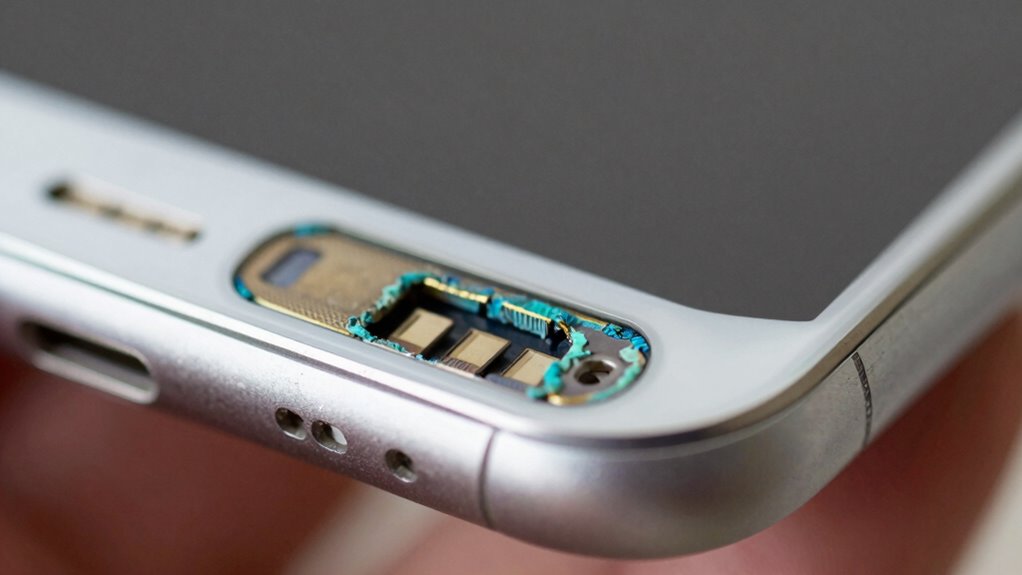
Discoloration and pitting are clear signs that your charging pins are corroding beyond superficial rust. These issues indicate underlying surface damage that can hinder proper charging. Discoloration often appears as dull, dark, or uneven patches, while pitting manifests as small holes or indentations on the metal surface. Recognizing these signs early helps prevent further deterioration. To better understand, see the table below:
| Sign | Description | Impact |
|---|---|---|
| Discoloration | Uneven or dark patches | Reduced conductivity |
| Pitting | Small holes or indentations | Structural weakening |
| Surface Damage | Visible scratches or dents | Increased corrosion risk |
Addressing discoloration or pitting promptly can extend your charging port’s lifespan and ensure safe, efficient device charging. Being aware of electrochemical corrosion can help you take more informed preventative measures.
What Tools and Supplies You Need to Clean Charging Pins
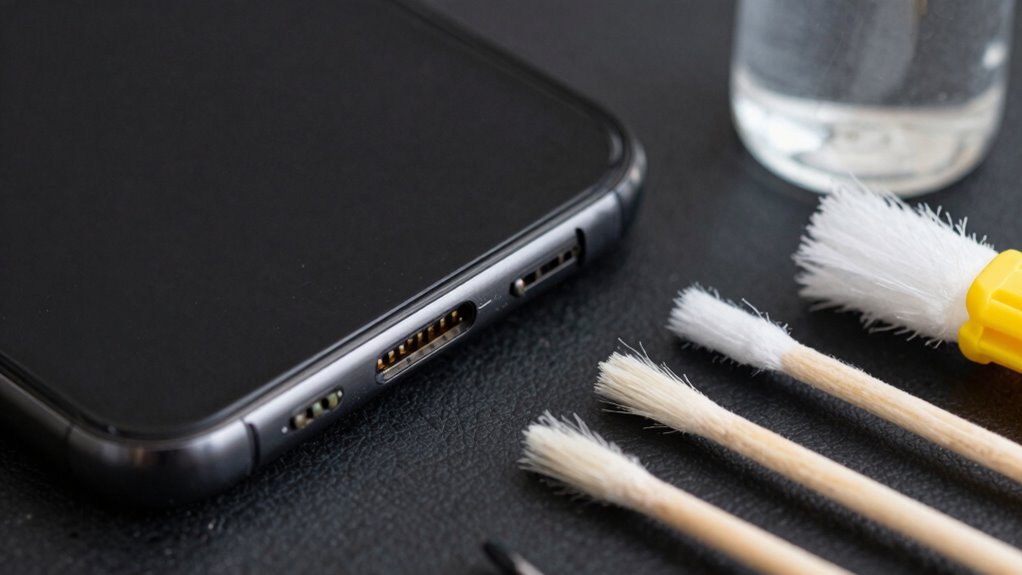
To clean your charging pins effectively, you’ll need some basic supplies like rubbing alcohol, a soft-bristled brush, and a microfiber cloth. Make sure you have tools such as plastic prying tools or tweezers to remove corrosion safely. Gathering these supplies beforehand guarantees a smooth cleaning process without risking damage to your device. Additionally, understanding caregiver emotional health can help you stay patient and calm during maintenance tasks. Being aware of device maintenance best practices can also guide you in performing thorough and safe cleaning procedures. It’s also helpful to familiarize yourself with corrosion prevention techniques to maintain your device’s longevity. Practicing proper tool handling safety ensures you avoid accidental damage or injury while cleaning. Staying informed about long-term device care can further help you prevent future issues and extend your device’s lifespan.
Cleaning Supplies Needed
Cleaning charging pins effectively requires gathering the right tools and supplies beforehand. Having the proper items guarantees you can perform cleaning techniques safely and avoid further corrosion. To prevent damage, use gentle cleaning materials designed for electronic components. Essential supplies include:
- Isopropyl alcohol (preferably 90% or higher)
- Cotton swabs or soft-bristled brushes
- Microfiber cloths
- Anti-corrosion sprays or protectants
These supplies help you remove corrosion while maintaining the integrity of your charging pins. Isopropyl alcohol dissolves grime without leaving residue, and soft brushes help scrub away corrosion gently. Using proper cleaning supplies supports corrosion prevention and ensures your device stays in excellent condition. Having everything ready makes the cleaning process smoother and more effective.
Tools for Safe Removal
When removing corrosion from charging pins, having the right tools is essential to guarantee safety and effectiveness. You’ll need a soft-bristled brush or toothbrush to gently scrub away buildup without damaging the pins. Isopropyl alcohol or a specialized contact cleaner helps dissolve corrosion and disinfects the area, supporting proper battery maintenance. Cotton swabs are useful for reaching tight spots, ensuring thorough cleaning. For stubborn corrosion, a plastic or wooden pick can lift debris without scratching the metal. Always use gloves and eye protection to avoid contact with harmful residues. Proper tools not only make cleaning safer but also prevent future corrosion, aiding in corrosion prevention. Using appropriate cleaning methods can help maintain the integrity of your device and extend its lifespan. Incorporating knowledge about sound vibrations and their effects on cellular functions can also contribute to better device care by understanding how environmental factors impact corrosion. Investing in these supplies ensures your charging pins stay functional and prolongs your device’s lifespan.
How to Safely Clean Your Charging Pins Step-by-Step

Are you wondering how to clean your charging pins safely without causing damage? Start by turning off your device and unplugging it to protect your battery health. Use a soft brush or a lint-free cloth to gently remove loose debris. Dampen a cotton swab with a small amount of isopropyl alcohol—never submerge your device. Carefully clean the pins, avoiding excess liquid that could seep inside. Regular maintenance can prevent corrosion and debris buildup, which can impair charging efficiency and cause soundproofing issues. Be mindful of heat buildup around the charging port during cleaning, as excessive heat can damage internal components. Remember: – Always power off before cleaning – Use minimal liquid to prevent damage – Be gentle to avoid bending pins – Focus on removing corrosion for maximum charging speed Following these steps ensures you clean effectively without harming your device, helping maintain battery health and ensuring fast, reliable charging.
How to Prevent Future Corrosion and Keep Ports Healthy
To prevent future corrosion and keep your ports healthy, it’s essential to protect them from moisture, dirt, and dust. Moisture prevention is key to extending your charging port lifespan and avoiding corrosion buildup. Always keep your device in a dry environment and avoid exposing it to water or high humidity. Use a protective cover or case that shields the port when not in use, especially in humid or dusty settings. Regularly inspect and clean the port to remove debris that can trap moisture. Avoid forcing chargers into the port; gentle insertion prevents damage and dirt accumulation. Additionally, understanding vetted survival gear and the influence of additives like chicory can enhance your overall experience with beverages, reminding us of the importance of proper maintenance and care. By maintaining a clean, dry environment and handling your device carefully, you ensure your charging port stays corrosion-free and functions at its best for a longer time.
Troubleshooting Charging Issues After Cleaning
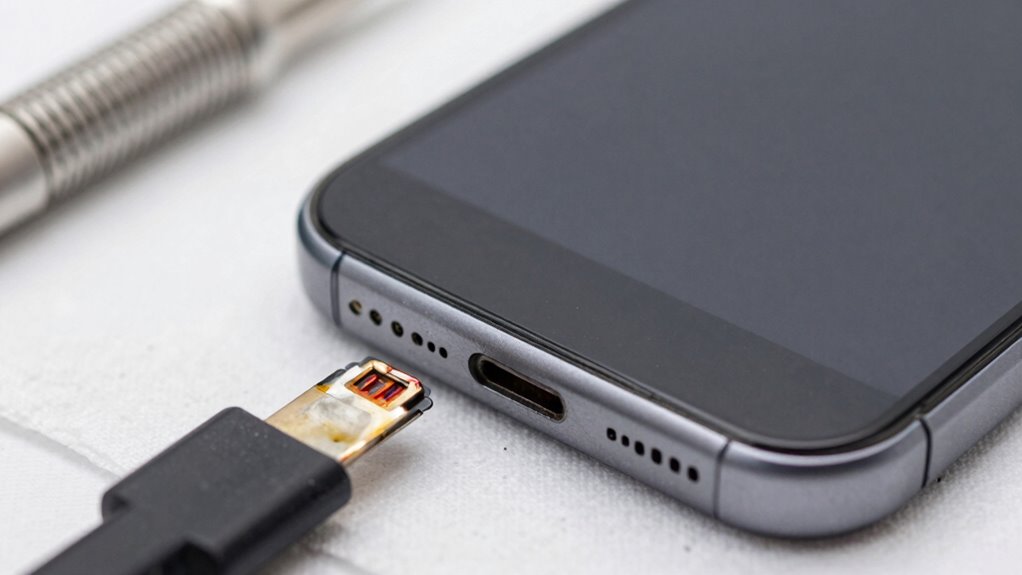
Cleaning your charging port can resolve many issues, but it can also sometimes lead to new problems if not done carefully. If you experience charging problems after cleaning, first check for loose or misaligned charging pins. Dirt or debris left behind can interfere with proper contact, so inspect the port thoroughly. Make certain you didn’t accidentally damage the pins during cleaning. To troubleshoot:
Cleaning your charging port can fix issues, but do so carefully to avoid damaging pins or causing new problems.
- Reinstall the charging cable firmly
- Inspect for corrosion or debris
- Test with a different cable or charger
- Avoid frequent cleaning to prevent damage
Proper charging pin maintenance is key to corrosion prevention and maintaining reliable charging. If issues persist, consider professional cleaning or replacing damaged pins. Taking gentle, deliberate steps helps keep ports healthy and prevents future corrosion.
Frequently Asked Questions
Can Using Water Damage My Electronic Device?
Yes, using water can harm your electronic device if not done carefully. Water damage can cause corrosion and short circuits, risking your device’s safety. To protect your electronics, avoid direct water contact and opt for safer cleaning methods like isopropyl alcohol or specialized electronic cleaners. Always turn off and unplug your device before cleaning, and make certain it’s completely dry before turning it back on, prioritizing electronic safety.
Are There Any DIY Cleaning Methods to Avoid?
Yes, there are DIY cleaning methods you should avoid because of home remedies and DIY risks. Using harsh chemicals or abrasive materials can damage your device’s charging pins or internal components. Instead, stick to safe cleaning options like isopropyl alcohol and a soft brush. Avoid home remedies like vinegar or baking soda, which might cause corrosion or electrical issues. Always follow manufacturer guidelines or seek professional help to prevent costly damage.
How Often Should I Clean My Charging Pins?
You should clean your charging pins every few months to keep your device in top shape. Regular battery maintenance prevents corrosion and extends device longevity, so don’t wait until it’s too late. If you notice any dirt or buildup, give the pins a quick clean. Think of it as giving your device a spa day — a little upkeep now saves you headaches later. Stay proactive to keep everything running smoothly.
What Are the Signs of Severe Corrosion?
Severe corrosion signs include significant rust, greenish or white powdery deposits, and visible pitting or damage on the pins. You’ll notice poor charging performance or intermittent connections, indicating the corrosion severity. To evaluate the severity, check how deep the corrosion has penetrated and whether the pins are still intact or compromised. If corrosion is extensive, it’s best to replace the charging port or pins to ensure safe, reliable device operation.
Is Professional Cleaning Necessary for Stubborn Corrosion?
Did you know that 40% of device failures are caused by poor charging connections? For stubborn corrosion, professional cleaning isn’t always necessary, but it can be very effective. If cleaning at home doesn’t improve the connection, seeking professional cleaning helps guarantee thorough removal of corrosion without damaging the pins. This approach can save you money and prolong your device’s lifespan, making it a smart choice for persistent issues.
Conclusion
By keeping your charging pins clean, you not only prevent corrosion but also extend the life of your device. Regular maintenance can be surprisingly simple—sometimes a quick clean is all it takes. Coincidentally, the same care you give your tech can help avoid unexpected charging issues when you need them most. Stay vigilant, clean wisely, and enjoy hassle-free charging whenever you need it. After all, a little effort now saves headaches later.