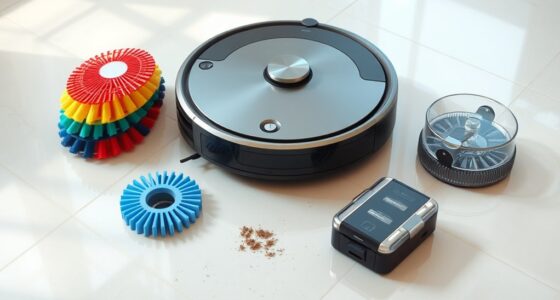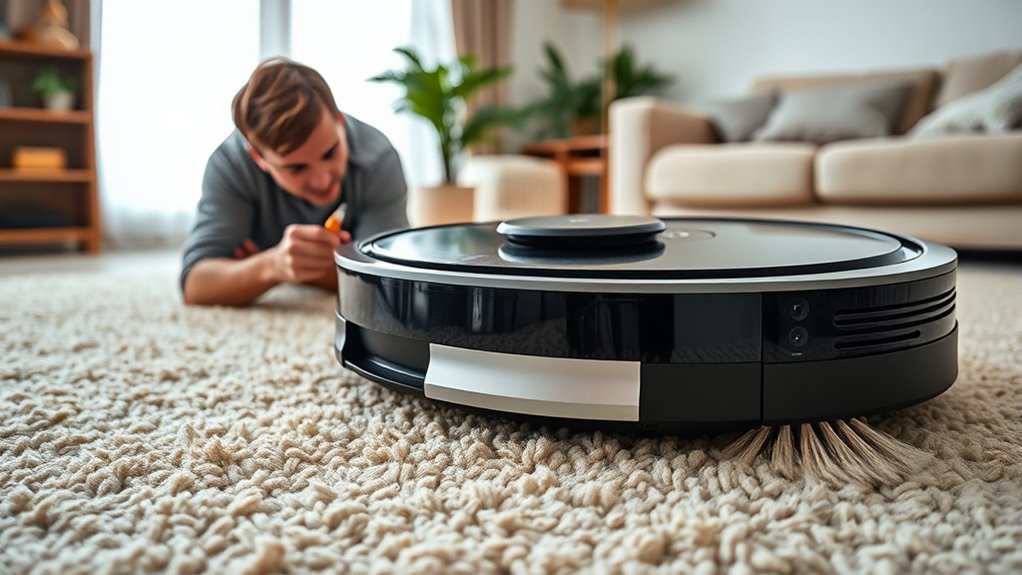
If your robot vacuum makes loud noises, start by checking for debris or tangled hair around the brush roll and wheels, which can strain the motors. Also, inspect the battery for signs of damage or failure, as a worn-out battery can cause increased noise. Make certain all parts are properly installed and free of obstructions. Addressing these common issues can often reduce noise, and exploring further will help you identify even more solutions.
Key Takeaways
- Check for battery degradation or improper seating, as failing batteries often cause increased noise and reduced runtime.
- Inspect the brush assembly for debris, tangled hair, or damage that can lead to rattling or grinding sounds.
- Ensure wheels and motor components are free of debris and properly aligned to prevent abnormal noises.
- Look for loose or worn internal parts, such as motor mounts, which can contribute to loud or irregular sounds.
- Regularly clean components and replace damaged parts promptly to maintain quiet operation and prevent noise escalation.

Robot vacuums are a convenient way to keep your home clean, but they can sometimes run into issues that disrupt their performance. One common problem is unexpected loud noises during operation, which can be frustrating and confusing. Understanding what causes these sounds is key to troubleshooting effectively. Often, loud noises stem from battery issues or problems with the brush assembly.
Robot vacuums may produce loud noises due to battery or brush assembly issues.
If your robot vacuum suddenly becomes noisier than usual, start by checking the battery. A degraded or failing battery can cause the motor to strain, resulting in louder operation. Over time, batteries lose their capacity to deliver consistent power, forcing the motor to work harder and produce more noise. If you notice your vacuum’s runtime has decreased or it struggles to complete its cleaning cycle, consider inspecting or replacing the battery. Ensuring the battery is properly seated and free of corrosion can also help. Sometimes, a simple reset or cleaning of the battery contacts restores normal noise levels.
Next, examine the brush assembly. The brushes are crucial for picking up dirt and debris, but they can also be the source of loud sounds if they’re damaged or obstructed. Debris, hair, or tangled fibers can get wrapped around the brush roll, causing it to spin unevenly or loudly. Turn off the vacuum and carefully remove the brush assembly to inspect it. Remove any debris and check for signs of wear or damage. If the brush is cracked, broken, or excessively worn down, replacing it is often necessary to restore quiet operation. Also, verify that the brush is properly installed; misalignment can lead to rattling or grinding noises. Additionally, 4K resolution projectors can deliver sharper images, but dust and debris in your vacuum’s brush assembly can diminish your cleaning efficiency and cause noise issues.
Sometimes, the noise isn’t solely from the battery or brush assembly but from a combination of small issues. For example, debris caught in the wheels or motor components can amplify noise. Regularly cleaning the vacuum’s components, especially the brush assembly and wheel axles, helps prevent unusual sounds and keeps the vacuum running smoothly. If you’ve checked these parts and the noise persists, consider whether the motor itself may be failing or if internal parts are loose or worn out. In such cases, consulting the manufacturer’s troubleshooting guide or contacting customer support might be necessary.
Frequently Asked Questions
Can Robot Vacuums Make High-Pitched Squealing Noises?
If you’re wondering whether a robot vacuum can make a high-pitched noise, the answer is yes. A robot squealing or a high-pitched noise often indicates a problem, like a worn-out belt, debris caught in the brush, or motor issues. You should inspect the brushes and wheels, remove any debris, and check for loose parts. Addressing these issues can often stop the robot squealing and restore quiet operation.
Why Does My Robot Vacuum Smell Burnt When It Runs?
Your vacuum’s smell of burnt rubber is like a warning siren, signaling trouble. It likely results from dust buildup inside the motor or brushes, causing it to overheat and emit that burnt odor. When the motor overheats, it struggles to run smoothly, which can also lead to strange noises. To fix this, turn off your vacuum, clean out dust and debris, and check for any signs of damage.
Is It Normal for a Robot Vacuum to Beep Constantly?
You might notice your robot vacuum beeping constantly, which isn’t usually normal. Check its beeping patterns to identify issues—repeated beeps often signal battery alerts or errors. Your vacuum’s manual can help decode these patterns. If it keeps beeping, it could mean the battery is low, or there’s a clog or obstacle. Address these issues promptly to keep your vacuum running smoothly and prevent further problems.
How Do I Stop My Robot Vacuum From Rattling Loudly?
To stop your robot vacuum from rattling loudly, start by checking the vacuum filter and clean or replace it if it’s dirty. Next, examine the brush assembly for debris or loose parts, and clear any obstructions. Confirm the brush is properly attached and spins freely. Regular maintenance like this reduces rattling and keeps your vacuum running smoothly, making your cleaning sessions quieter and more efficient.
Why Does My Robot Vacuum Make Grinding Noises During Cleaning?
That grinding noise your robot vacuum makes isn’t just annoying—it’s like nails on a chalkboard! It could be caused by serious brush problems or battery issues that need immediate attention. When brushes get tangled or worn out, they grind against the floor or housing. Battery issues might cause motor strain, leading to grinding sounds. Check and clean brushes, and consider replacing the battery to restore smooth, quiet operation.
Conclusion
Remember, even the most diligent robot vacuums have their off days. A little tweaking can often turn a noisy nuisance back into your quiet cleaning companion. Think of it as giving your robot a gentle nudge in the right direction—sometimes, a simple adjustment is all it needs to get back to humming happily. With patience and a touch of care, you’ll keep your floors spotless and your robot’s spirits high.