
Wi-Fi and Bluetooth both connect your devices wirelessly but serve different needs. Wi-Fi offers faster speeds and longer range, perfect for high-speed internet, streaming, and large data transfers across multiple devices. Bluetooth is ideal for short-range, low-power connections like headphones, fitness trackers, or quick file sharing. Choosing the right depends on what you want to do and how close your devices are—explore further to see how each can work best for you.
Key Takeaways
- Wi-Fi provides high-speed internet access over large areas, suitable for streaming and large data transfers.
- Bluetooth is ideal for short-range, low-power device connections like earbuds or fitness trackers.
- Wi-Fi offers higher data transfer rates, reaching several Gbps, whereas Bluetooth maxes out around 3 Mbps.
- Wi-Fi covers hundreds of feet, supporting multiple devices, while Bluetooth typically works within 10 meters.
- Wi-Fi is better for secure, broad connectivity; Bluetooth excels in quick, low-power device pairing.
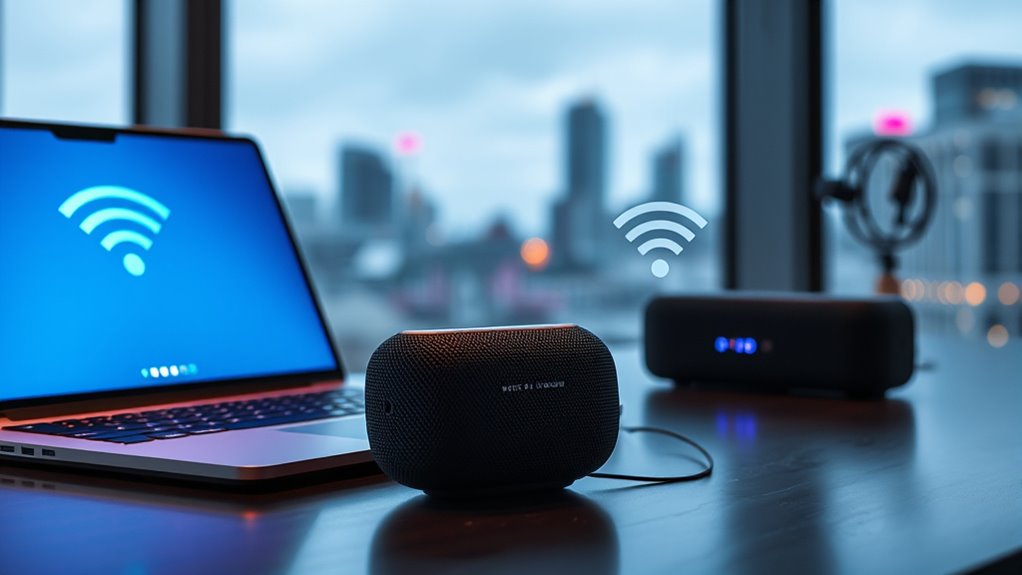
When choosing between Wi-Fi and Bluetooth, understanding their differences can help you make the right decision for your needs. Both technologies enable wireless communication, but they serve distinct purposes and operate in different ways. One key factor to contemplate is network security. Wi-Fi connections generally involve more complex security protocols, such as WPA3, which protect your data from unauthorized access when you’re connected to a network. Bluetooth, on the other hand, uses pairing and encryption methods that are sufficient for short-range device communication but can be more vulnerable if not properly secured. If you’re transferring sensitive information or connecting to a public network, Wi-Fi offers a more robust security framework. Conversely, for quick, casual device pairing, Bluetooth’s security features are usually adequate. Additionally, the types of devices compatible with each technology can influence your choice, as certain gadgets are designed to work better with one over the other.
Another aspect to ponder is data transfer rates. Wi-Fi typically boasts much higher transfer speeds, ranging from hundreds of Mbps to several Gbps, making it ideal for streaming high-definition videos, online gaming, or large file downloads. Bluetooth’s transfer rates are considerably slower, usually maxing out around 2 to 3 Mbps with the latest versions like Bluetooth 5.0. This makes Bluetooth better suited for small data exchanges, like sending a contact or streaming audio to wireless earbuds. If you need to transfer large files or require stable, fast internet access, Wi-Fi is the clear choice. However, for simple tasks like connecting peripherals or sharing small pieces of data between devices, Bluetooth’s lower speed isn’t a major drawback.
Range is another critical difference. Wi-Fi networks can cover larger areas—up to hundreds of feet—allowing you to connect multiple devices across a home or office. Bluetooth, in contrast, has a much shorter range, typically around 10 meters (about 30 feet), which is perfect for close-proximity device connections like headsets, keyboards, or fitness trackers. If you want a network that supports multiple devices over a larger space, Wi-Fi is preferable. For personal, close-range device pairing, Bluetooth keeps things simple and convenient. Moreover, the horsepower of electric dirt bikes can influence how portable and versatile your connectivity options can be in outdoor or mobile settings.
Ultimately, your choice depends on your specific needs. If you’re looking for high-speed internet, network security, and broad coverage, Wi-Fi is the better option. But if you need quick, low-power connections between nearby devices with minimal setup, Bluetooth is more suitable. Both technologies complement each other and are often used together, each serving their own specialized role in making your wireless experience seamless and efficient.

TP-Link AX1800 WiFi 6 Router (Archer AX21 V5) – Dual Band Wireless Internet, Gigabit, Easy Mesh, Works with Alexa – A Certified for Humans Device, Free Expert Support
DUAL-BAND WIFI 6 ROUTER: Wi-Fi 6(802.11ax) technology achieves faster speeds, greater capacity and reduced network congestion compared to…
As an affiliate, we earn on qualifying purchases.
As an affiliate, we earn on qualifying purchases.
Frequently Asked Questions
Can Wi-Fi and Bluetooth Be Used Simultaneously on the Same Device?
Yes, you can use Wi-Fi and Bluetooth simultaneously on the same device. Most modern devices are compatible with both, allowing you to connect to the internet and pair devices like headphones or keyboards at the same time. Keep in mind, though, that using both can impact device performance and connection speed. Your device’s compatibility and hardware capabilities determine how smoothly you can run both connections together without issues.
How Secure Are Wi-Fi Connections Compared to Bluetooth?
You wonder about Wi-Fi and Bluetooth security. Wi-Fi connections generally use stronger encryption standards like WPA3, making them more secure against hacking vulnerabilities. Bluetooth, on the other hand, often has weaker encryption, which can make it more susceptible to hacking if not properly secured. To stay safe, always update your device’s firmware and use strong passwords, especially when connecting to Wi-Fi networks.
Which Is More Energy-Efficient for Long-Term Device Use?
You might think Bluetooth is more energy-efficient for long-term device use, and you’re right. Bluetooth consumes less power, which helps extend your device’s battery life and reduces overall power consumption. While Wi-Fi offers faster data transfer, it uses more energy, draining your battery faster over time. So, if you want better battery life, Bluetooth is your go-to option for low power consumption and longer device usage.
Do Wi-Fi and Bluetooth Interfere With Each Other?
You might wonder if Wi-Fi and Bluetooth interfere with each other. They operate on different radio frequency bands—Wi-Fi on 2.4 GHz or 5 GHz, and Bluetooth mainly on 2.4 GHz. However, signal overlap can cause radio frequency interference, leading to slower connections or dropped signals. To minimize this, devices often incorporate interference mitigation techniques, but some interference is still possible, especially if many devices share the same space.
Can Both Technologies Be Used for Internet Sharing?
Yes, both Wi-Fi and Bluetooth can be used for internet sharing, but they serve different purposes. Wi-Fi is ideal for sharing wireless data over larger distances, supporting device compatibility with various gadgets like laptops and tablets. Bluetooth, on the other hand, is better for short-range wireless data transfer between devices. While Bluetooth can tether internet to a phone, Wi-Fi provides faster, more reliable internet sharing for multiple devices simultaneously.

BlomFlami Wireless Earbuds Bluetooth 5.0 Headphones Noise Cancelling Airpods Pro (2nd Generation) 3D Stereo in-Ear Ear Buds with Deep Bass Earphones Sport Headsets Effortless Setup for iOS/Android
【3D Stereo Sound Quality】 Supported by a powerful 13mm speaker driver unit and semi-in-ear acoustic structure, dual Bluetooth…
As an affiliate, we earn on qualifying purchases.
As an affiliate, we earn on qualifying purchases.
Conclusion
Now that you understand the differences, imagine Wi-Fi as a bustling highway, carrying large data loads swiftly across distances, while Bluetooth is like a cozy, close-knit chat, perfect for nearby devices. Whether you’re streaming a movie or sharing a photo, choosing the right connection feels like selecting the perfect tool for the job. With these options in your toolkit, you’re ready to navigate your tech world effortlessly—connecting seamlessly, no matter the distance or device.
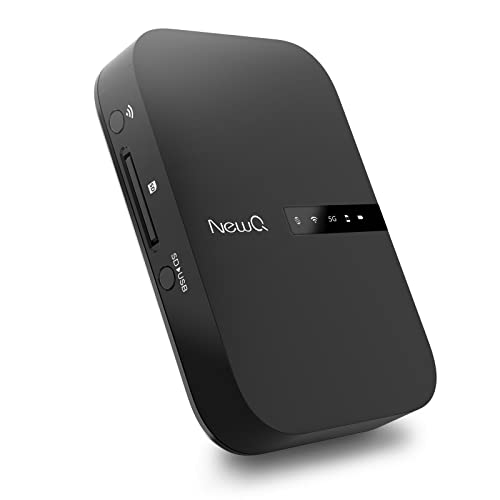
NewQ Filehub AC750 Travel Router: Portable Hard Drive SD Card Reader & Mini WiFi Range Extender for Travel | Wireless Access External Harddrive & USB Storage Device to Backup Photo & Files from iPhone
Portable Wireless Router – The basic function of this device is used as a portable wireless wifi router;…
As an affiliate, we earn on qualifying purchases.
As an affiliate, we earn on qualifying purchases.

TP-Link AC1200 WiFi Extender – 1.2Gbps Home Signal Booster, Dual Band 5GHz/2.4GHz, Up to 1600 Sq.ft and 32 Devices, EasyMesh Compatible, One Ethernet Port (RE315)
𝐒𝐭𝐫𝐨𝐧𝐠𝐞𝐫 𝐖𝐢-𝐅𝐢 𝐢𝐧 𝐄𝐯𝐞𝐫𝐲 𝐂𝐨𝐫𝐧𝐞𝐫 – Enjoy extended coverage with strong performance powered by Adaptive Path Selection and…
As an affiliate, we earn on qualifying purchases.
As an affiliate, we earn on qualifying purchases.