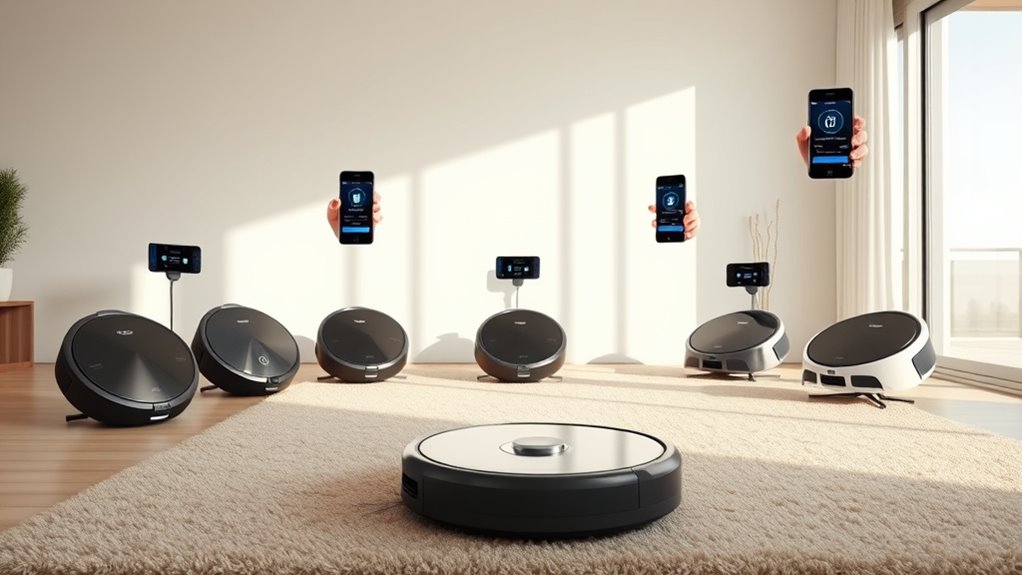

Robot vacuums with smartphone pairing let you start, schedule, and often guide cleaning from an app, but app control varies widely between basic remote functions and detailed room maps. The Roborock Robot Vacuum and Mop is my best overall pick for its LiDAR navigation and self-emptying dock, while the ILIFE A30s stands out for strong listed suction and mapping features, and the Shark AI Ultra suits buyers who want a long-capacity self-emptying base. The main tradeoffs are how much control the app offers, how well the vacuum navigates, and how much upkeep its dock and mop require. A high suction figure alone does not tell you how reliably a robot will clean around furniture or follow a schedule. Read on for the full breakdown and guidance on matching phone controls to your home.

Get cleaning gear delivered free with Prime
- Fast, free delivery on millions of items
- Prime Video, Amazon Music and more included
- Member-only deals all year
Complete the kit


Key Takeaways
- LiDAR mapping sets the strongest navigation-focused options apart: the Roborock, ILIFE A30s, and several self-emptying models list mapping features, which can support more deliberate room-by-room app control than basic navigation.
- A self-emptying dock changes upkeep more than phone pairing does. It appears on several picks, including the Roborock, MONSGA, H6 Pro, and Shark AI Ultra, but dock capacity and bagless design affect maintenance differently.
- The ILIFE A30s leads on listed suction at 10,000Pa, while the 6500Pa E8S emphasizes a 200-minute runtime; neither specification alone guarantees better app control or whole-home coverage.
- Some product listings give clearer evidence of app-led control than others. Models that specify app control alongside mapping or no-go zones offer more visible control options than listings that only name the product or mention general smart features.
- Simple models may suit narrower needs better than feature-heavy combos. The Lefant M210 is a straightforward vacuum option, while mop-and-map models are a better fit for buyers who want more control over mixed floor routines.


| robot vacuums with smartphone pairing | Suction power | Navigation | Runtime |
|---|---|---|---|
| 3-in-1 Robot Vacuum and Mop wi | 5000Pa | — | Up to 120 minutes |
| E8S 2-in-1 Robot Vacuum and Mo | — | Gyro inertial with infrared sensors | 70–200 minutes depending on mode |
| iRobot Roomba 415X Robot Vacuu | 20,000Pa | — | — |
| Tikom G8000 Max Robot Vacuum a | 5000Pa | — | Up to 150 minutes |
| Bagless Robot Vacuum and Mop w | 6000Pa | LiDAR with smart mapping (up to 5 maps) | 150 minutes |
| Tikom Robot Vacuum and Mop | 6000Pa | LiDAR | — |
| iRobot Roomba 505X Robot Vacuu | — | LiDAR with SmartScrub and AI obstacle avoidance | — |
| Robot Vacuum Cleaner and Mop C | 5200Pa | — | — |
| ILIFE A30s Robot Vacuum with 1 | — | LiDAR with SLAM | Up to 150 minutes |
| Lefant M210 Robot Vacuum Clean | — | — | Up to 120 minutes on low suction |
| Kilgone Robot Vacuum and Mop C | — | — | — |
| MONSGA Robot Vacuum and Mop Co | 8000Pa | LiDAR smart mapping | — |
| Roborock Robot Vacuum and Mop | 10,000 Pa | PreciSense LiDAR | — |
| H6 Pro Robot Vacuum and Mop wi | 6000Pa | 360° LiDAR | 150 minutes |
| Shark AI Ultra Robot Vacuum wi | — | 360° LiDAR with object detection | Up to 90 minutes |
More Details on Our Top Picks
3-in-1 Robot Vacuum and Mop with 5000Pa Suction, App and Voice Control
This is the simplest entry point in the lineup for buyers who want simultaneous vacuuming and mopping without paying for navigation tech. The 5000Pa suction with automatic carpet boost handles pet hair and crumbs respectably, and the app supports scheduling, zone preference via modes, and both Alexa and Google Assistant voice pairing — something the E8S below can’t fully match, since that model skips Alexa entirely. Compared with the Tikom G8000 Max, the tradeoff is capacity: a 250 ml dustbin and 200 ml water tank mean more frequent emptying on larger homes. Navigation is also basic bump-and-turn rather than systematic, so coverage is reliable but less efficient. For apartments and small homes, though, those compromises barely register against the price.
Pros:- Vacuums and mops simultaneously with automatic carpet boost
- Works with both Alexa and Google Assistant, plus app and remote control
- Five cleaning modes give decent flexibility without complexity
- Self-charging with a two-year warranty for peace of mind
Cons:- 250 ml dustbin and 200 ml water tank need frequent emptying and refilling
- No systematic navigation, so cleaning paths overlap and miss spots
Best for: Apartment dwellers and first-time robot vacuum buyers who want app and voice control plus mopping on a tight budget
Not ideal for: Owners of homes over 1,400 square feet — the small dustbin and 120-minute runtime require frequent intervention
- Suction power:5000Pa
- Dustbin capacity:250 ml
- Water tank capacity:200 ml
- Runtime:Up to 120 minutes
- Coverage:Up to 1,400 sq ft
- Controls:App, remote, voice (Alexa, Google Assistant)
- Warranty:2 years
Our verdict“A sensible low-cost choice for small homes that want full app and voice pairing without premium features.”
E8S 2-in-1 Robot Vacuum and Mop with 6500Pa Suction, Gyro Navigation, and 200-Minute Runtime
The E8S earns its spot through raw endurance and suction: 6500Pa at max mode and up to 200 minutes in Eco mode, which outlasts every budget option here, including the Tikom G8000 Max’s 150 minutes. Its gyro inertial navigation produces systematic zigzag passes rather than the random bumping of the 3-in-1 budget pick, so coverage of its 1,290 sq ft rating feels more thorough in practice. The four suction modes let you trade runtime for power intelligently — 70 minutes at Max, 200 at Eco. Drawbacks are real: the app only works on 2.4GHz Wi-Fi, which will annoy owners of mesh routers, and Google Assistant is the only voice assistant supported. The battery protection switch on the side is another small friction point for less tech-savvy households.
Pros:- 6500Pa max suction with four power modes and carpet boost
- Up to 200 minutes of runtime, the longest in this batch
- Gyro navigation cleans in efficient zigzag rows instead of random paths
- Infrared sensors for obstacle, stair, and fall avoidance
Cons:- 2.4GHz Wi-Fi only, with no Alexa support
- Battery protection switch must be activated before first use, which can confuse owners
Best for: Buyers with larger single-floor homes who prioritize runtime and systematic cleaning over smart-home ecosystem support
Not ideal for: Alexa-centric households and 5GHz-only networks — voice control is Google-only and connectivity is 2.4GHz limited
- Max suction:6500Pa (four modes from 800Pa)
- Runtime:70–200 minutes depending on mode
- Navigation:Gyro inertial with infrared sensors
- Coverage area:1,290 sq ft
- Dustbin / water tank:300 ml / 200 ml
- Controls:Tuya Smart app, remote, Google Assistant
- Warranty:12 months
Our verdict“The strongest pick here for big floor plans that need long battery life and methodical coverage on a mid-range budget.”
iRobot Roomba 415X Robot Vacuum & Mop Combo
This is the most automated machine in the batch. With 20,000Pa suction, a 90-day self-emptying dock, and a dock that washes and dries its own mop pads at 113°F, it demands dramatically less attention than anything else here — the bagless LiDAR model with self-emptying still requires you to rinse its bin by hand. The tangle-free rubber brushes make it the standout for pet households, and the 46% slimmer profile versus the Roomba 105 gets under furniture the taller Tikom G8000 Max can’t reach. The cost of that convenience is literal: it’s the priciest pick, the feature set takes time to learn, and the 10mm rug lift limits it to hard floors and low-pile carpet. Buyers with plush rugs should look elsewhere.
Pros:- 20,000Pa suction, the most powerful in this lineup
- 90-day self-emptying plus self-cleaning and self-drying mop pads
- Tangle-free rubber brushes excel at pet hair
- Slim design reaches under low furniture
Cons:- Premium price is a real barrier compared with budget rivals
- Feature depth creates a learning curve for the app
- Not suited to medium- or high-pile carpeting
Best for: Pet owners and busy households willing to pay premium for near-zero-maintenance vacuuming and mopping
Not ideal for: Homes with high-pile or plush carpet — the 10mm rug lift and mop system are built for hard floors and low-pile rugs
- Suction power:20,000Pa
- Self-emptying duration:90 days
- Self-cleaning and drying:Yes, dock washes at 113°F
- Mop pad type:DualClean dual pads
- Brushes:Tangle-free rubber
- Rug lift height:10mm
- Obstacle avoidance:Yes
Our verdict“The pick for buyers who want to touch their robot vacuum as rarely as possible and will pay for that privilege.”
Tikom G8000 Max Robot Vacuum and Mop Combo
The G8000 Max splits the difference between the budget 3-in-1 pick and the premium Roomba 415X better than anything else in this batch. Its 450 ml dustbin and 300 ml water tank are the largest here, meaning fewer stops mid-clean than the E8S or the 3-in-1 model, and its 45 dB quiet operation makes it one of the few robots you can run during dinner or nap time. Four control methods — app, remote, voice, and button — give every household member a way to use it, even without a smartphone. Suction matches the budget pick at 5000Pa, so it won’t deep-clean like the E8S in Max mode, and there’s no mapping or self-emptying. Runtime sits at a solid 150 minutes with automatic recharge.
Pros:- Largest dustbin (450 ml) and water tank (300 ml) in this batch
- Very quiet at 45 dB, suitable for running around people and pets
- Four control options including a physical remote for non-smartphone users
- Slim 2.99-inch height with HEPA filtration and anti-collision sensors
Cons:- No smart mapping or self-emptying, unlike similarly priced LiDAR rivals
- Carpet cleaning is limited to short- and medium-pile rugs
Best for: Families who want a quiet, low-maintenance vacuum-mop combo with big tanks and flexible controls at a mid-range price
Not ideal for: Buyers who want room mapping or self-emptying — this model has neither, so it requires hands-on bin and tank management
- Suction power:5000Pa
- Runtime:Up to 150 minutes
- Dustbin capacity:450 ml
- Water tank capacity:300 ml
- Noise level:45 dB
- Height:2.99 inches
- Controls:App, remote, voice, button
- Filter:HEPA
Our verdict“The most balanced everyday choice for households that value capacity, quiet, and simple app pairing over advanced navigation.”
Bagless Robot Vacuum and Mop with Self-Emptying, 6000Pa Suction, LiDAR Navigation, Smart Mapping, App/Alexa Control
This model brings LiDAR navigation and multi-floor mapping to a price tier below the Roomba 415X, making it the smartest per-dollar option for buyers who care about targeted cleaning. With support for up to 5 saved maps, it’s the only pick here suited to multi-story homes — you can send it to specific rooms from the app instead of whole-floor runs. Its self-emptying bagless base with a rinseable bin undercuts the ongoing bag costs of the Roomba’s 90-day system, though you trade away the 415X’s self-washing mop pads and monster 20,000Pa suction. At 6000Pa it sits between the E8S and the Roomba for raw power. Note the 2.4GHz Wi-Fi requirement and remember to remove the mop tank before carpet runs, or you’ll dampen rugs.
Pros:- LiDAR navigation with smart mapping and up to 5 saved floor plans
- Self-emptying base with a reusable, rinseable dustbin — no bag purchases
- 6000Pa suction with both Alexa and Google Assistant support
- 150 minutes of runtime with combined vacuum and mop function
Cons:- Requires 2.4GHz Wi-Fi for app and voice features
- Mopping attachment must be removed before carpet cleaning to avoid wet rugs
Best for: Multi-story homeowners who want LiDAR room-level mapping and self-emptying without Roomba-level pricing
Not ideal for: Buyers who want zero manual maintenance — the rinseable bin and detachable mop tank still need regular hands-on care
- Suction power:6000Pa
- Runtime:150 minutes
- Navigation:LiDAR with smart mapping (up to 5 maps)
- Self-emptying:Yes, bagless with rinseable bin
- Water tank:Included (removable)
- Controls:App, Alexa, Google Assistant
Our verdict“The most affordable path to genuine smart mapping and self-emptying, ideal for multi-floor homes that don’t need premium suction.”
Tikom Robot Vacuum and Mop, 6000Pa Self-Emptying, LiDAR Navigation, Home Mapping, Pet Hair & Carpet Cleaning
The Tikom L8000 Plus is a strong fit for homes where app control needs to cover several floors: its LiDAR mapping can save up to five maps, so I can set room routines without remapping after each move. Its 6000Pa suction, 3L self-emptying base, and 150-minute runtime make it more hands-off than the slim Lefant M210, which is designed for simpler daily vacuuming and has no mop. The Tikom also supports both 2.4GHz and 5GHz Wi-Fi, plus Alexa voice control. The tradeoff is that mopping takes more setup: I need to remove the mop holder around carpet, and its many app settings may take time to learn. I’d choose it for mapped, mixed-floor routines, but skip it if I want a very simple setup.
Pros:- Stores up to five LiDAR maps for multi-floor cleaning
- 3L self-emptying base reduces routine bin emptying
- 150-minute runtime supports longer cleaning sessions
- App and Alexa controls include customizable settings
Cons:- Mop holder must be removed when mopping to avoid wetting carpet
- Numerous features can make initial setup less straightforward
Best for: Households with multiple floors that want saved maps, app scheduling, and vacuuming plus mopping.
Not ideal for: Buyers who want a simple robot with minimal setup or seamless carpet-and-mop transitions.
- Suction power:6000Pa
- Dustbin capacity:3L
- Battery life:Up to 150 minutes
- Navigation:LiDAR
- Mapping:Up to 5 maps
- Wi-Fi:2.4GHz and 5GHz
- Water flow settings:3 levels
- Voice control:Alexa compatible
Our verdict“Choose the Tikom if saved multi-floor maps and app-led vacuuming and mopping matter more than a simple setup.”
iRobot Roomba 505X Robot Vacuum & Mop Combo
The Roomba 505X makes the most sense when smartphone pairing should manage more than start and stop commands. Through the Roomba Home App, I can choose vacuuming, mopping, combo, or vacuum-then-mop routines, while LiDAR navigation and AI obstacle avoidance help it handle room-based tasks. Its dock can empty debris for up to 75 days and refresh mop pads, giving it a more maintenance-focused setup than the Tikom L8000 Plus, whose listing describes a self-emptying base but not automatic mop-pad care. The Roomba also works with Alexa, Siri, and Google Assistant. Its tradeoffs are its large footprint and a more involved feature set; the supplied data gives no suction figure in Pa, making direct power comparisons difficult. I’d pass if space or simpler app controls matter most.
Pros:- App supports vacuum, mop, combo, and vacuum-then-mop modes
- Self-emptying dock is described as lasting up to 75 days
- LiDAR and AI obstacle avoidance support targeted room cleaning
- Works with Alexa, Siri, and Google Assistant
Cons:- Large size may be awkward in homes with tight clearances
- Feature set may take time to learn
- Provided product data does not specify suction in Pa
Best for: Busy households that want app-managed vacuum and mop routines with reduced dock and pad maintenance.
Not ideal for: People with tight storage space or buyers who prefer a simpler, smaller robot and dock.
- Suction:70x stronger than Roomba 600 series, per product description
- Self-emptying duration:Up to 75 days
- Mop pad refresh:Up to 4 weeks
- Navigation:LiDAR with SmartScrub and AI obstacle avoidance
- Cleaning modes:Vacuum, mop, combo, vacuum then mop
- App:Roomba Home App
- Voice assistants:Alexa, Siri, Google Assistant
Our verdict“Pick the Roomba 505X if app-controlled mop routines and reduced maintenance outweigh its size and learning curve.”
Robot Vacuum Cleaner and Mop Combo with 5200Pa Suction, Self-Charging, and Obstacle Avoidance
The ROPVACNIC Robot S1 suits buyers who want smartphone control for routine vacuuming and mopping without the more elaborate dock features of the Roomba 505X. Its app offers customizable cleaning modes and water flow, while self-charging lets it return to its dock between runs. The 5200Pa suction and dual side brushes are aimed at everyday debris and pet hair; the listed tangle-resistant design may reduce brush upkeep. Obstacle sensing adds a layer of autonomous navigation, though the product details do not identify LiDAR or saved maps, so I wouldn’t rank it ahead of the map-focused Tikom L8000 Plus for room-specific routines. The water tank and brushes still need regular care, and app-connected features can take some setup. This is a practical middle ground if adjustable app routines matter more than advanced mapping.
Pros:- Smartphone app provides customizable cleaning modes
- 5200Pa suction supports everyday dirt and pet hair cleanup
- Self-charging supports unattended routine operation
- Four-stage water adjustment gives control over mopping
Cons:- Product details do not specify LiDAR or saved home maps
- Water tank and brushes require regular maintenance
- App features may take time to configure
Best for: Pet owners seeking app-adjustable vacuum and mop routines with self-charging for daily upkeep.
Not ideal for: Buyers who need saved room maps, named-room scheduling, or detailed navigation controls.
- Suction power:5200Pa
- Cleaning modes:Multiple customizable modes
- Water tank:High capacity with four-stage adjustment
- Connectivity:Smartphone app, Alexa, Google Assistant
- Obstacle avoidance:Advanced sensing system
- Charging:Self-charging
- Pet hair design:No-entanglement design with dual side brushes
Our verdict“Choose the ROPVACNIC S1 for customizable app routines and basic autonomous cleaning without needing advanced mapping.”
For buyers who want smartphone control focused on vacuuming, the ILIFE A30s pairs LiDAR with SLAM mapping, no-go zones, and 10,000Pa suction. Those controls can help me direct stronger cleaning toward carpet or pet-hair areas and keep the robot away from rooms or spots I want excluded. Compared with the mopping Tikom L8000 Plus, the ILIFE gives up floor washing and self-emptying, but offers a higher stated suction figure and adds remote control alongside its app and voice options. The 150-minute runtime suits longer sessions, while anti-tangle brushes address a common pet-hair chore. Its app connection is limited to 2.4GHz Wi-Fi, and this model is vacuum-only. I’d choose it for mapped vacuuming, not if one machine needs to mop too.
Pros:- 10,000Pa stated maximum suction for carpet and hard-floor cleaning
- LiDAR with SLAM supports home mapping and no-go zones
- App, voice, and remote controls offer several ways to start cleaning
- Anti-tangle brushes are designed for pet hair
Cons:- Vacuum-only model with no mopping function
- App control requires 2.4GHz Wi-Fi
- No self-emptying dock is listed
Best for: Pet households with carpets that want strong mapped vacuuming and app-set no-go zones.
Not ideal for: Buyers who need mopping, a self-emptying dock, or a 5GHz Wi-Fi connection.
- Maximum suction:10,000Pa
- Navigation:LiDAR with SLAM
- Runtime:Up to 150 minutes
- Controls:App, voice, remote
- Voice assistants:Alexa, Google Assistant
- Wi-Fi:2.4GHz
- Floor types:Hard floors and carpet
- Mopping:No
Our verdict“Pick the ILIFE A30s if mapped, high-suction vacuuming is your priority and you can do without mopping.”
Lefant M210 Robot Vacuum Cleaner
The Lefant M210 is the compact, straightforward pick for app-paired daily vacuuming under furniture: at 2.99 inches high, it can reach beneath beds and sofas that may block taller models such as the Roomba 505X. Its brushless suction port is designed to avoid hair wrapping around a roller, and the app supports scheduling; Alexa and Google Assistant provide voice starts. Six cleaning modes add flexibility, though the M210 lacks the LiDAR mapping and room-specific control of the ILIFE A30s. Its 120-minute runtime is specified only for low suction, and zigzag mode should not be used on carpet, so it is better suited to hard-floor upkeep than intensive carpet cleaning. App pairing also requires the newer Lefant app; the older Lefant Life app may not connect.
Pros:- 2.99-inch height fits beneath many low-clearance furnishings
- Brushless suction port is designed to prevent hair tangling
- Six cleaning modes include scheduled and edge cleaning
- Supports app control and Alexa or Google Assistant
Cons:- 120-minute runtime applies only in low suction mode
- Zigzag mode should not be used on carpet
- Requires the newer Lefant app; the older app may not connect
Best for: People with low-clearance furniture and mostly hard floors who want scheduled app cleaning.
Not ideal for: Carpet-heavy homes or buyers who want LiDAR maps, mop functions, or a simple app migration.
- Diameter:11 inches
- Height:2.99 inches
- Runtime:Up to 120 minutes on low suction
- Battery:Lithium iron phosphate
- Cleaning modes:6
- Connectivity:Wi-Fi, app, Alexa, Google Assistant
- Suction structure:Brushless suction port
- Sensors:6D built-in anti-collision infrared sensors
Our verdict“Choose the Lefant M210 for scheduled hard-floor cleaning beneath low furniture, rather than mapped or carpet-focused cleaning.”
Kilgone Robot Vacuum and Mop Combo, Ultra Slim, Smart 3D Obstacle Avoidance, Tangle-Free Pet Hair Cleaner
Where most robots in this roundup stand 3.5 inches tall, the Kilgone’s 2.8-inch chassis is the whole point: it glides under beds, sofas, and media consoles that taller units like the MONSGA simply bump into. That slimness comes with real concessions, though. The 200ml dustbin is tiny compared with the multi-liter self-emptying stations elsewhere here, so pet owners will be emptying it constantly. The trade is straightforward — you give up automation depth for reach. Quiet 65dB operation and a tangle-free brush system make it a sensible choice for apartments with napping kids or skittish cats, and app plus voice pairing covers the basics without clutter.
Pros:- 2.8-inch height cleans where standard robots can’t fit
- Quiet 65dB operation suits homes with children and pets
- Tangle-free brush resists hair wrap
- App and voice control pairing at a simple feature set
Cons:- 200ml dustbin fills fast and needs manual emptying
- No self-emptying option, unlike most picks in this lineup
- Requires Wi-Fi for the smart features to function
Best for: Apartment dwellers and pet owners whose furniture sits low and who mainly need hard-floor and low-pile carpet coverage
Not ideal for: Households with heavy pet hair or large floor plans — the small dustbin and modest battery demand frequent hands-on attention
- Height:2.8 inches
- Dustbin Capacity:200ml
- Water Tank:250ml
- Run Time:Up to 120 minutes
- Coverage:Up to 1,290 sq. ft.
- Noise Level:65dB
- Battery:2600mAh
Our verdict“This pick makes the most sense for buyers whose top priority is cleaning under low furniture, provided they accept a small bin and hands-on maintenance.”
MONSGA Robot Vacuum and Mop Combo with Self-Emptying, 8000Pa Suction, LiDAR Mapping
The MONSGA is built around one promise: walk away for three months. Its 4L self-emptying base out-capacitates the Roborock’s 2.7L bag and pushes the emptying interval toward 90 days, while 8000Pa suction and LiDAR mapping with multi-floor memory keep cleaning itself competent across carpets and hard floors. Compared with the Kilgone, it trades away the under-furniture reach — at 3.5 inches tall it will bounce off low couches — but delivers far stronger automation. The drawbacks are real: setup is fiddlier than the Shark AI Ultra’s out-of-box experience, the dock eats storage space, and connectivity is limited to 2.4GHz Wi-Fi, which trips up households on newer mesh networks.
Pros:- 4L self-emptying bin stretches maintenance to around 90 days
- 8000Pa suction lifts embedded pet hair from carpet
- LiDAR mapping with multi-floor memory suits two-story homes
- 160-minute runtime covers large floor plans in one pass
Cons:- Setup and app pairing process is more involved than simpler rivals
- Dock is bulky for tight storage spaces
- 2.4GHz-only Wi-Fi may conflict with modern router configurations
Best for: Busy multi-floor households that want set-and-forget vacuuming and mopping for weeks at a time
Not ideal for: Small apartments or buyers with 5GHz-only networks — the bulky dock and 2.4GHz requirement create friction
- Suction Power:8000Pa
- Dustbin Capacity:4L (self-empty base)
- Water Tank:460ml
- Navigation:LiDAR smart mapping
- Battery Life:Up to 160 minutes
- Connectivity:2.4GHz Wi-Fi, app, Alexa, Google Assistant
- Warranty:2 years
Our verdict“For buyers who value months between maintenance touches over raw maneuverability, this is the lineup’s strongest hands-off option.”
Roborock Robot Vacuum and Mop with LiDAR Navigation and Self-Emptying Dock
This is the most balanced package in the batch. The Roborock pairs 10,000Pa suction — the strongest here alongside the ILIFE A30s — with a 2.7L self-emptying dock that lasts 7–9 weeks, LiDAR mapping with no-go zones, and a 12.8-inch cleaning path that covers ground faster than the narrower MONSGA. Where the Shark AI Ultra stops at vacuuming, this mops too, with three adjustable water-flow settings for different floor types. It isn’t flawless: the mop tank still needs manual filling and rinsing, and Wi-Fi is 2.4GHz only, a recurring annoyance across this category. Still, no other pick here combines this suction, navigation polish, and dock capacity without a glaring weakness.
Pros:- 10,000Pa suction leads the roundup for deep carpet cleaning
- Self-emptying dock holds 2.7L for 7–9 weeks
- Wide 12.8-inch path finishes large rooms faster
- PreciSense LiDAR supports no-go zones and real-time app monitoring
Cons:- Mop tank must be filled and maintained by hand
- 2.4GHz-only Wi-Fi limits router compatibility
- Premium feature set carries a premium footprint
Best for: Buyers who want top-tier suction, mopping, and weeks-long self-emptying in one well-rounded machine
Not ideal for: Budget-focused buyers or those wanting true hands-off mopping — the tank requires manual fill and upkeep
- Suction Power:10,000 Pa
- Dust Bag Capacity:2.7 L
- Battery Life:150 minutes
- Navigation:PreciSense LiDAR
- Cleaning Path Width:12.8 inches
- Water Flow Settings:3
- Surfaces:Wood, tile, marble, carpet
Our verdict“The strongest all-arounder here — this model suits households that want maximum cleaning power and app control without compromising on either vacuuming or mopping.”
H6 Pro Robot Vacuum and Mop with Self-Emptying Base, 6000Pa Suction, LiDAR Navigation
The H6 Pro hits the sweet spot between the Kilgone’s basic feature set and the Roborock’s premium price of admission. You get the same 90-day self-emptying convenience as the MONSGA via a 3L station, plus 360° LiDAR mapping with no-go zones, virtual walls, and multi-floor maps — app controls that genuinely shape how the robot behaves rather than just scheduling it. Its 6000Pa suction trails the Roborock’s 10,000Pa and the MONSGA’s 8000Pa, which shows mostly on thick carpet. The honest weak point is onboard capacity: the 250ml robot bin and 310ml tank mean the machine leans on its dock, and big mopping jobs will need a mid-task top-up.
Pros:- 3L self-empty station enables up to 90 days of hands-off operation
- Sweep, vacuum, and mop in a single pass
- LiDAR mapping with no-go zones, virtual walls, and multi-floor support
- Auto-recharge and resume finishes jobs after topping up
Cons:- Small 250ml onboard bin and 310ml tank limit standalone sessions
- Suction trails stronger rivals on dense carpet
- Feature reliability depends on careful dock placement and setup
Best for: First-time self-emptying buyers who want docking convenience and full app mapping features without paying flagship prices
Not ideal for: Large homes needing long mopping sessions — the small water tank needs refilling on bigger jobs
- Suction Power:6000Pa
- Navigation:360° LiDAR
- Runtime:150 minutes
- Self-Empty Station:3L, up to 90 days
- Water Tank:310ml
- Voice Control:Alexa, Google Assistant
- Functions:Sweep, vacuum, mop (3-in-1)
- Warranty:2 years
Our verdict“A smart middle-ground buy for anyone who wants self-emptying and rich app mapping at a more accessible tier than the Roborock or MONSGA.”
Shark AI Ultra Robot Vacuum with 60-Day Self-Emptying Base (AV2511AE)
Shark takes a different bet than everyone else here: skip mopping entirely and specialize in debris and hair. The self-cleaning brushroll actively resists hair wrap — a persistent pain point for the Kilgone and H6 Pro — while Matrix Clean makes multiple grid-pattern passes so pet hair doesn’t survive between the lines. The bagless self-emptying base holds 60 days of debris with no replacement bags to buy, an advantage over the Roborock’s bag-based dock. The tradeoffs matter: 90 minutes of runtime is the shortest in this batch, and there’s genuinely no mopping on this model. Pet-heavy homes that vacuum daily but mop rarely will find this specialization an advantage, not a limitation.
Pros:- Self-cleaning brushroll prevents hair wrap without manual cutting
- Bagless 60-day base eliminates ongoing bag costs
- Matrix Clean grid passes catch hair others leave behind
- LiDAR mapping works in the dark with app and voice scheduling
Cons:- No mopping function despite category expectations
- 90-minute runtime trails the 150–160 minute rivals here
- HEPA bagless base empties messier than sealed bag systems
Best for: Shedding-pet households that prioritize deep, multi-pass vacuuming and hate buying dust bags
Not ideal for: Buyers wanting mopping or covering very large homes — the 90-minute runtime and vacuum-only design fall short
- Model:AV2511AE
- Runtime:Up to 90 minutes
- Self-Empty Base:Up to 60 days, bagless
- Navigation:360° LiDAR with object detection
- Filtration:HEPA (bagless base)
- Assistants:Amazon Alexa, Google Assistant
- App:SharkClean
Our verdict“The clear choice for pet owners who want relentless hair removal and bag-free maintenance, provided mopping isn’t on the wishlist.”

How We Picked
I compared the 15 listings around the promise of smartphone pairing: whether they explicitly name app control, and whether their navigation and mapping features suggest useful ways to direct cleaning. I also weighed practical differences that shape daily use, including self-emptying, mop capability, runtime, obstacle handling, and whether a model appears suited to pet hair or mixed flooring. Product titles do not establish app compatibility, app quality, or how well a feature performs, so I treated unspecified details as unknown rather than assuming every robot offers the same phone experience.
The ranking favors options whose listed features make app-guided cleaning and lower-effort upkeep more plausible together. That puts the Roborock first for its stated LiDAR navigation and self-emptying dock, while the ILIFE A30s ranks highly for its explicit mapping and no-go zones. Models with useful individual strengths, such as long runtime or a large-capacity self-emptying base, follow according to how clearly those strengths support a phone-paired cleaning routine. Simpler or less fully specified listings rank lower because the available information gives buyers less evidence about what pairing lets them control.
Factors to Consider When Choosing Robot Vacuums With Smartphone Pairing
Pairing a robot with a phone can mean little more than starting a cleaning cycle, or it can give you a mapped view of rooms and targeted cleaning controls. I would match the app’s stated capabilities to the way you actually clean, then weigh navigation, maintenance, and floor type before treating a long feature list as an advantage.
Check What Pairing Lets You Control
“App control” can describe anything from a start button to room selection, schedules, cleaning zones, and no-go boundaries. Before choosing, look for the specific controls named in the listing and check whether they require a map or a compatible dock. A phone connection matters most when it saves a trip to the robot or lets you change a routine while away. If you only want to start a whole-home cycle, paying extra for detailed mapping may add little value. Buyers who need to avoid pet bowls, play areas, or a work zone should prioritize named zone controls over a broad “smart” label. Also check the app’s device and network requirements, since pairing can be limited by compatibility.
Treat Navigation as the Foundation for App Features
Room maps and targeted cleaning are only useful when the robot can build and follow a map consistently. LiDAR is listed on several models here, but the presence of that feature does not prove map quality or obstacle handling in a particular home. Compare the navigation method with your floor plan: a home with many rooms and thresholds asks more of route planning than a single open space. Check whether the listing names editable maps, multiple floors, or no-go zones rather than assuming those controls come with mapping. A common mistake is choosing by suction alone when the main frustration is missed rooms or repeated passes. When app-led control is the reason to buy, navigation deserves equal attention to cleaning power.
Decide Whether a Self-Emptying Dock Fits Your Routine
A self-emptying base can reduce how often you handle dust, but it does not make the robot maintenance-free. The base still needs attention, and any mop system may need water refills, pad cleaning, or other care depending on its design. Bagless and bag-based systems can also have different disposal routines, so verify what the product includes and how it is emptied. A dock takes up floor space and may limit where the robot can park, which matters in small apartments. Consider how often you want to interact with the machine: frequent cleaning across a pet-heavy home may make reduced bin handling valuable, while occasional runs may not justify a larger station. Don’t infer a dock’s capacity or service interval unless the listing states it.
Match Suction and Runtime to Your Floors
Pa figures and runtime claims help describe a robot, but they do not predict every cleaning result. Carpet, hard floors, rugs, hair, and room layout all affect how much work a run can cover. The ILIFE A30s has the highest stated suction figure in this group, while the E8S lists a 200-minute runtime; those are different strengths, not direct substitutes. For a larger home, runtime and whether the robot resumes after charging may matter more than a peak suction number. For mixed flooring, check whether the robot can adjust cleaning behavior and whether the mop can be kept off carpets. Choose the specification that addresses your home’s bottleneck instead of treating the largest number as a universal winner.
Check Mop Design Before Buying a Combo
A vacuum-and-mop label can cover very different levels of mopping, from a damp pad to a more involved water system. The listing should clarify whether the mop is removable, whether water flow is adjustable, and how the robot avoids wetting rugs. Without those details, app scheduling may send the robot out at a convenient time but still require you to prepare the floors first. Buyers with mostly carpet may get more from a vacuum-focused model than a combo they rarely use for mopping. In a hard-floor home, a combo can simplify routine upkeep if pad washing and tank care suit your habits. Check consumables and cleaning instructions before assuming the mop function will reduce total chores.
Plan Around Pets, Cables, and Clutter
Pet hair and floor clutter test a robot in ways that app controls cannot fix on their own. Look for specific claims about tangle resistance, obstacle avoidance, and pet hair rather than relying on a general smart-home label. Even obstacle avoidance features vary, and small cables or soft items can remain difficult for a robot to identify. A schedule can help keep up with shedding, but more frequent runs also mean more brush and filter care. If your home has scattered toys or charging cables, compare the robot’s stated avoidance features with how much tidying you are willing to do. For households with pets, maintenance access and replacement parts deserve attention alongside app pairing.
Frequently Asked Questions
Does smartphone pairing mean I can clean selected rooms?
No. Some paired robots may offer only basic start and schedule controls, while room selection usually depends on mapping and supported app features. Check the listing for named controls such as room cleaning, zone cleaning, or no-go areas. The ILIFE A30s explicitly lists mapping and no-go zones, while not every product title here describes those capabilities. If selective cleaning is essential, confirm that the app supports it for the exact model before buying.
Is LiDAR worth prioritizing if I mainly want app control?
LiDAR can support more structured navigation and mapping, which makes app features such as room targeting more useful when a model supports them. It is less compelling if you plan to press start for a whole-home clean and your layout is simple. A sensor name does not by itself confirm map editing, multiple-floor support, or dependable obstacle avoidance. Check which app controls the product explicitly includes, then decide whether its navigation fits your rooms. The Roborock and ILIFE A30s list LiDAR, giving them clearer mapping credentials than listings without that detail.
Should I choose a self-emptying robot if I have pets?
A self-emptying dock can reduce how often you empty the robot’s onboard bin, which may help in a home with frequent shedding. It does not eliminate brush cleaning, filter care, or dock maintenance, and hair can still tangle around parts of the robot. Compare pet-hair claims and brush access as well as the dock type. Several picks list both self-emptying and pet-hair handling, but the product names do not establish how often maintenance is needed. If you run the robot often, the dock may save more effort than it would for occasional cleaning.
Can a robot vacuum and mop clean carpets and hard floors in one scheduled run?
That depends on the mop design and the robot’s carpet handling. Some models may need the mop pad removed or floors prepared before a run, and not every listing explains how carpets are protected. Look for carpet detection, mop lifting, removable pads, or app controls that let you exclude carpeted areas. A combined vacuum-and-mop model is most useful when its setup works with your floor mix rather than forcing you to supervise every run. If most of your home is carpeted, a vacuum-only model may be easier to manage.
What should I verify before relying on app scheduling while away?
Confirm that the model supports schedules in its app and that pairing works with your home network and phone. Check whether scheduled runs can target rooms or only start a general cleaning cycle, and whether the robot returns to its dock after finishing. Homes with pets, cables, or thresholds may need more preparation than a schedule can handle. Also find out how the robot reports a stuck or interrupted run, since remote control is less useful if you cannot tell what happened. Start with a supervised run so you can spot obstacles and adjust the schedule to your layout.
Conclusion
For the strongest blend of app-relevant navigation and reduced bin upkeep, I would start with the Roborock Robot Vacuum and Mop as my best overall choice. The ILIFE A30s is my pick for buyers who want explicit mapping and no-go zones alongside a high stated suction figure, while the Shark AI Ultra suits households that put a long-capacity self-emptying base first. For a beginner who wants a simpler vacuum routine, the Lefant M210 is a more straightforward option, though its listing offers less detail about advanced app controls. Buyers seeking value should compare the simpler 3-in-1 or G8000 Max listings against their actual need for maps and docks before paying for features they may not use. Choose by the phone controls you’ll use, the maintenance you’ll accept, and the floor plan the robot must handle.
Halloween Picks
halloween
As an affiliate, we earn on qualifying purchases.