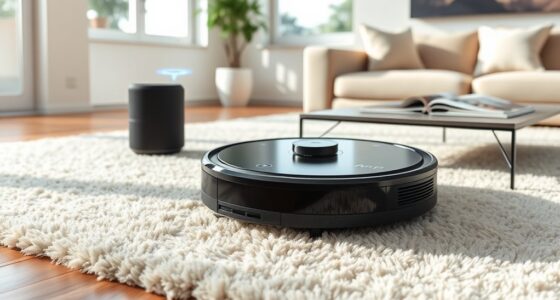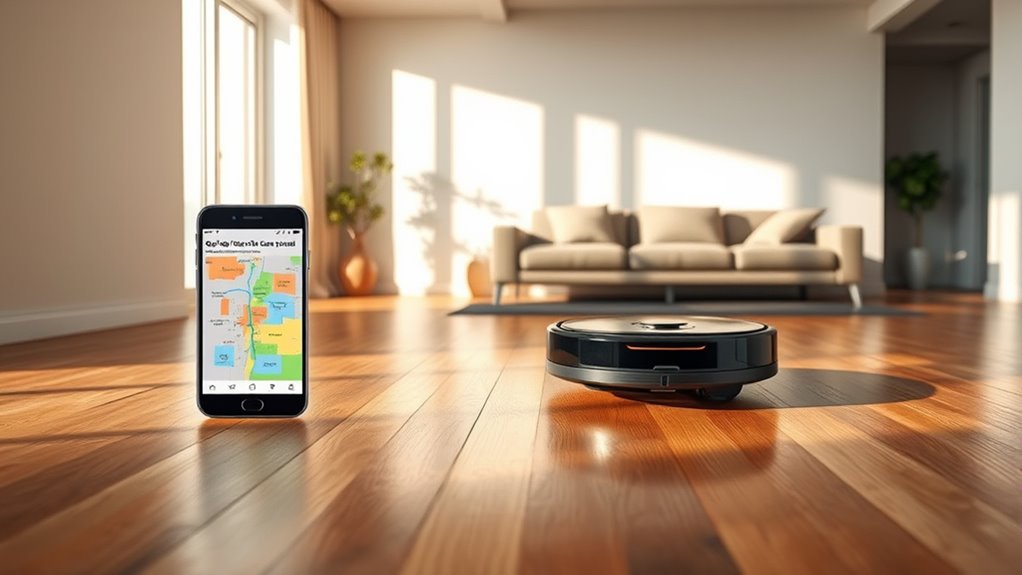

Robot vacuums with smartphone map editing let you set room boundaries, create no-go zones, and direct cleaning from an app. Roborock Saros 10R is my best overall pick for buyers who want a premium, feature-rich system, while Roborock Qrevo S5V and Tikom L8000 Pro stand out as alternatives for dock convenience and LiDAR-based mapping. The main tradeoffs are how much control the app offers, how much upkeep the dock needs, and whether premium features match your home. Mapping alone does not guarantee useful editing, so I compare the models by their navigation, app controls, and practical maintenance demands. Read on for the full breakdown and guidance on choosing the right fit.
Complete the kit


Key Takeaways
- App map editing is the defining feature: I give the most weight to whether a model’s mapping can support practical room boundaries and targeted cleaning, rather than treating navigation as a checkbox.
- Roborock dominates the named lineup: The Saros 10R, Qrevo S Pro, Qrevo S5V, and Qrevo 2 Pro offer several tiers to compare, so buyers can weigh premium capability against a more focused feature set.
- LiDAR appears across several distinct options: The Tikom L8000 Pro and an unnamed 6000Pa LiDAR model make mapping-focused alternatives worth comparing with the established brands.
- Self-emptying and mop docks change the upkeep equation: Models such as the Tapo RV50 Pro Omni, Dreame L40 Ultra Gen 2, and ECOVACS DEEBOT T90 PRO Omni pair mapping with more dock functions, bringing convenience alongside added maintenance.
- Brand and feature names do not settle app fit: Before choosing any model, check whether its app supports the map edits your home needs, such as room separation, no-go zones, or saved multi-floor layouts.
| Tikom L8000 Pro Robot Vacuum and Mop Combo, 6000Pa, Smart LiDAR Mapping |  | Best for Flexible Map Editing | Suction power: 6000Pa | Navigation: LiDAR mapping | Map storage: Up to 5 maps | VIEW ON AMAZON | See Our Full Breakdown |
| Wrydao S6 Pro Robot Vacuum and Mop with Self-Emptying Station |  | Best for Less Frequent Emptying | Suction power: 6000 Pa | Navigation: LiDAR | Dust bag capacity: 3 L | VIEW ON AMAZON | See Our Full Breakdown |
| Roborock Saros 10R Robot Vacuum and Mop, 22,000 Pa |  | Best Premium Mapping and Automation | Suction power: 22,000 Pa | Height: 3.14 inches | Navigation: StarSight Autonomous System 2.0 with 3D sensing | VIEW ON AMAZON | See Our Full Breakdown |
| Tapo RV50 Pro Omni Robot Vacuum and Mop with Self-Emptying Dock |  | Best for Long Cleaning Runs | Maximum suction: 15,000 Pa | Mop pad speed: 180 RPM | Clean water tank: 5 L | VIEW ON AMAZON | See Our Full Breakdown |
| Robot Vacuum and Mop with Self-Emptying Station, 6000Pa Suction and LiDAR Navigation |  | Best Value Map-Controlled Starter | Suction power: Up to 6000Pa | Navigation: 360° LiDAR | Battery life: 120 minutes | VIEW ON AMAZON | See Our Full Breakdown |
| Roborock Qrevo S Pro Robot Vacuum and Mop |  | Best for Low-Clearance Homes | Suction power: 18,500 Pa | Dust bag capacity: 2.7 L | Dust bag duration: 7–9 weeks | VIEW ON AMAZON | See Our Full Breakdown |
| Roborock Qrevo S5V Robot Vacuum and Mop |  | Best for Multi-Floor Map Editing | Suction power: 12,000 Pa | Mopping system: Dual spinning pads at 200 RPM with extendable FlexiArm | Mop lift: 10 mm | VIEW ON AMAZON | See Our Full Breakdown |
| H6 Pro Robot Vacuum and Mop with Self-Emptying Station |  | Best for Map-Based No-Go Zones | Suction power: 6,000 Pa | Navigation: 360° LiDAR with multi-level mapping | Cleaning functions: Sweeping, vacuuming, and mopping | VIEW ON AMAZON | See Our Full Breakdown |
| iRobot Roomba 115 Combo Robot Vacuum and Mop with AutoEmpty Dock |  | Best for Rug-Protecting Room Maps | Suction power: 15,000 Pa | Coverage per charge: Up to 900 sq ft | Dust bag capacity: 2.5 L | VIEW ON AMAZON | See Our Full Breakdown |
| ECOVACS DEEBOT T90 PRO Omni Robot Vacuum and Mop |  | Best Premium Roller Mop | Suction power: 30,000 Pa | Battery life: 200 minutes | Water capacity: 4 L | VIEW ON AMAZON | See Our Full Breakdown |
| Dreame L40 Ultra Gen 2 Robot Vacuum and Mop |  | Best for Corner Reach | Suction power: Up to 25,000 Pa | Battery capacity: 5,200 mAh | Runtime: Up to 231 minutes | VIEW ON AMAZON | See Our Full Breakdown |
| SHELIKI D60S MAX Robot Vacuum and Mop with Self-Emptying Base |  | Best for Multi-Floor Mapping | Navigation: 360° LiDAR with smart mapping | Maximum suction: 6,000 Pa | Runtime: Up to 220 minutes | VIEW ON AMAZON | See Our Full Breakdown |
| Roborock Qrevo 2 Pro Robot Vacuum and Mop |  | Best for Automated Floor Care | Suction power: 20,000 Pa | Noise level: 54 dB | Edge cleaning distance: As close as 1.85 mm along walls | VIEW ON AMAZON | See Our Full Breakdown |
| robot vacuums with smartphone map editing | Suction power | Navigation |
|---|---|---|
| Tikom L8000 Pro Robot Vacuum a | 6000Pa | LiDAR mapping |
| Wrydao S6 Pro Robot Vacuum and | 6000 Pa | LiDAR |
| Roborock Saros 10R Robot Vacuu | 22,000 Pa | StarSight Autonomous System 2.0 with 3D sensing |
| Tapo RV50 Pro Omni Robot Vacuu | — | LiDAR with dual-laser obstacle avoidance |
| Robot Vacuum and Mop with Self | Up to 6000Pa | 360° LiDAR |
| Roborock Qrevo S Pro Robot Vac | 18,500 Pa | — |
| Roborock Qrevo S5V Robot Vacuu | 12,000 Pa | PreciSense LiDAR with structured-light obstacle avoidance |
| H6 Pro Robot Vacuum and Mop wi | 6,000 Pa | 360° LiDAR with multi-level mapping |
| iRobot Roomba 115 Combo Robot | 15,000 Pa | ClearView LiDAR |
| ECOVACS DEEBOT T90 PRO Omni Ro | 30,000 Pa | — |
| Dreame L40 Ultra Gen 2 Robot V | Up to 25,000 Pa | — |
| SHELIKI D60S MAX Robot Vacuum | — | 360° LiDAR with smart mapping |
| Roborock Qrevo 2 Pro Robot Vac | 20,000 Pa | — |
More Details on Our Top Picks
Tikom L8000 Pro Robot Vacuum and Mop Combo, 6000Pa, Smart LiDAR Mapping
The Tikom L8000 Pro is a sensible pick for homes where control over rooms and restricted areas matters more than a hands-off dock. Its LiDAR mapping stores up to five maps, and the app lets you set no-go zones, schedules, and cleaning modes—useful for multi-floor homes or keeping the mop away from rugs. Compared with the Wrydao S6 Pro, it gives you both 2.4 and 5 GHz Wi-Fi support, while Wrydao adds a self-emptying station. The Tikom’s 6000Pa suction and automatic carpet boost cover mixed floors, but its 150-minute runtime is specified for quiet mode, so stronger settings may shorten runs. Its water tank and dustbin also need manual attention, making it less suited to buyers seeking minimal upkeep.
Pros:- Stores up to five LiDAR maps for multi-floor use
- App supports schedules, cleaning modes, and no-go zones
- Automatically increases suction on carpets
- Works with both 2.4 and 5 GHz Wi-Fi
Cons:- Quiet-mode runtime may not represent runtime at higher suction
- Dustbin and water tank require manual emptying and refilling
Best for: People in multi-floor homes who want app-based room boundaries and flexible vacuum-and-mop settings
Not ideal for: Buyers who want a self-emptying dock or extended hands-off mop maintenance
- Suction power:6000Pa
- Navigation:LiDAR mapping
- Map storage:Up to 5 maps
- Cleaning modes:Sweep only, mop only, sweep and mop
- Water tank capacity:300ml
- Dustbin capacity:450ml
- Runtime:Up to 150 minutes in quiet mode
- Wi-Fi:2.4GHz and 5GHz
Our verdict“Choose the Tikom L8000 Pro if editable maps and flexible app controls matter more than automatic dust and mop maintenance.”
Wrydao S6 Pro Robot Vacuum and Mop with Self-Emptying Station
The Wrydao S6 Pro pairs editable LiDAR maps with a self-emptying station, making it a practical fit for buyers who want room-by-room app control without emptying the robot after every run. Its app supports schedules and no-go zones, while the station’s 3 L dust bag is advertised for up to 90 days between changes. Compared with the Tikom L8000 Pro, Wrydao reduces dustbin chores but requires 2.4 GHz Wi-Fi; Tikom supports 5 GHz and stores up to five maps. The S6 Pro vacuums and mops, with three water-flow settings, though mopping is intended for sealed hard floors and the robot is specified for low-pile carpets. That makes it less versatile for homes with thick rugs or broad carpet coverage.
Pros:- Self-emptying station with a 3 L bag advertised for up to 90 days
- LiDAR mapping supports room selection and no-go zones
- Three water-flow settings for mopping
- Includes a 2-year warranty
Cons:- Requires 2.4 GHz Wi-Fi
- Mopping is intended for sealed hard floors
- Specified for low-pile carpets
Best for: Households with sealed hard floors and low-pile rugs that want scheduled room cleaning and fewer dustbin chores
Not ideal for: Homes dominated by thick or high-pile carpet, or networks that rely on 5 GHz Wi-Fi
- Suction power:6000 Pa
- Navigation:LiDAR
- Dust bag capacity:3 L
- Battery life:160 minutes
- Cleaning modes:Vacuum, mop, or both
- Water flow settings:3
- Wi-Fi requirement:2.4 GHz
- Warranty:2 years
Our verdict“Choose the Wrydao S6 Pro if you want editable room maps and less frequent dust disposal in a mostly hard-floor home.”
Roborock Saros 10R Robot Vacuum and Mop, 22,000 Pa
The Roborock Saros 10R is the premium choice here for buyers who want app-controlled cleaning backed by a feature-rich robot and dock. Its 3D sensing and obstacle detection are designed to route around household objects, while a 3.14-inch profile helps it reach under some low furniture. The dock handles dust collection, mop washing and drying, tank refilling, and detergent dispensing, so it automates more upkeep than the Tapo RV50 Pro Omni, whose listed dock also washes and dries pads but has large water tanks. The Saros adds 22,000 Pa suction and pet video calls, but the product details do not specify map storage count or map-editing tools such as no-go zones. Buyers focused specifically on editable maps should verify those app controls before choosing it; it also requires 2.4 GHz Wi-Fi.
Pros:- Dock washes and dries mops, collects dust, refills the tank, and dispenses detergent
- Low 3.14-inch profile can reach beneath some low furniture
- 3D sensing is designed to adapt to 108 obstacle types
- Tangle-resistant main brush and automatic mop lifting
Cons:- Requires 2.4 GHz Wi-Fi
- Provided product details do not specify map storage capacity or no-go-zone editing
- Feature-rich dock needs room for installation and maintenance
Best for: Buyers seeking a premium vacuum-and-mop system with automated dock care and obstacle sensing
Not ideal for: Shoppers who need confirmed multi-map storage or specific map-editing controls before buying
- Suction power:22,000 Pa
- Height:3.14 inches
- Navigation:StarSight Autonomous System 2.0 with 3D sensing
- Obstacle detection:Adapts to 108 obstacle types
- Obstacle clearance:Up to 4 cm
- Mop system:Dual spinning mops with automatic lifting
- Dock features:Mop washing and drying, dust collection, tank refilling, detergent dispensing, dock self-cleaning
- Connectivity:2.4 GHz Wi-Fi
Our verdict“Choose the Saros 10R for premium cleaning and dock automation, after confirming that its app’s map-editing tools fit your needs.”
Tapo RV50 Pro Omni Robot Vacuum and Mop with Self-Emptying Dock
The Tapo RV50 Pro Omni stands out for homes where long runs and reduced dock chores matter alongside map-based navigation. Its 250-minute maximum runtime is the longest specified among these five, and the dock has large clean- and dirty-water tanks plus a 3 L dust bag. LiDAR navigation and dual-laser obstacle avoidance support systematic cleaning, while carpet detection helps keep mop pads off rugs. Compared with the Roborock Saros 10R, Tapo lists a longer maximum runtime and explicit LiDAR navigation, while Saros offers a slimmer profile and more specified obstacle sensing. The Tapo’s dock measures 18.9 × 13.8 × 18.7 inches, so it needs a dedicated spot. The product details do not describe map storage or no-go-zone editing, so buyers should check the app’s map controls before treating it as a map-editing specialist.
Pros:- Maximum runtime listed at 250 minutes
- Dock empties dust, washes and dries mop pads, and refills water
- Large 5 L clean-water and 4 L dirty-water tanks
- Carpet detection helps prevent wetting rugs
Cons:- Large dock requires substantial floor space
- Product details do not specify map storage or map-editing controls
- Cleaning results may vary by home environment
Best for: Owners of larger, mostly hard-floor homes who value long runs and automated mop care
Not ideal for: Apartment dwellers short on dock space or buyers who need confirmed multi-map and no-go-zone controls
- Maximum suction:15,000 Pa
- Mop pad speed:180 RPM
- Clean water tank:5 L
- Dirty water tank:4 L
- Dust bag capacity:3 L
- Maximum runtime:250 minutes
- Navigation:LiDAR with dual-laser obstacle avoidance
- Robot dimensions:13.8 × 13.8 × 3.95 inches
Our verdict“Choose the Tapo RV50 Pro Omni for long cleaning runs and dock automation if its app supports the map edits your home needs.”
Robot Vacuum and Mop with Self-Emptying Station, 6000Pa Suction and LiDAR Navigation
This LiDAR robot vacuum and mop is the straightforward option for buyers who want room-based cleaning and custom boundaries alongside a self-emptying station. Its app supports scheduling and custom no-go zones, giving it a clear map-editing use case. The manufacturer advertises up to 90 days between dust-bag changes, though the product details do not provide the station’s bag capacity. Compared with the Wrydao S6 Pro, it has a shorter stated 120-minute battery life and less detail about water-flow controls, while Wrydao lists three settings and a 160-minute battery life. This model’s 250 ml robot dustbin is modest, but the station is intended to handle routine debris disposal. Its unspecified water-tank capacity and mopping adjustments make it a weaker fit for buyers who want precise control over wet cleaning.
Pros:- 360° LiDAR navigation supports systematic room cleaning
- App offers schedules and custom no-go zones
- Combines vacuuming, sweeping, mopping, and self-emptying
- Includes a 2-year warranty
Cons:- Battery life is listed at 120 minutes
- Water-tank capacity and mopping adjustments are not specified
- Robot dustbin capacity is 250 ml
Best for: First-time robot vacuum buyers who want app schedules, editable no-go zones, and an advertised self-emptying setup
Not ideal for: Buyers who need detailed mopping adjustments, a known water-tank capacity, or longer stated battery life
- Suction power:Up to 6000Pa
- Navigation:360° LiDAR
- Battery life:120 minutes
- Cleaning path width:8.88 inches
- Dustbin capacity:250 ml
- Battery type:Lithium-ion
- Control:Voice control and smartphone app
- Warranty:2 years
Our verdict“Choose this model for basic app-edited boundaries and self-emptying, but look to the Wrydao S6 Pro for more specified mopping controls and longer battery life.”
Roborock Qrevo S Pro Robot Vacuum and Mop
The Qrevo S Pro pairs a 3.8-inch profile with an all-in-one dock, making it a strong fit when you want mapped cleaning under furniture and less routine mop maintenance. Its app-based whole-home plans let you organize cleaning around your rooms, while the dock empties dust, washes pads at 167°F, and dries them with warm air. Compared with the Qrevo S5V, it has higher listed suction but lacks that model’s stated extendable mop arm and four-floor-plan support, so the S5V may suit edge-focused or multilevel routines better. The S Pro’s 10 mm mop lift may not clear thicker rugs, and its Wi-Fi works only on 2.4 GHz. I’d choose it for low furniture and automated upkeep, provided your rugs and network suit those limits.
Pros:- 3.8-inch height can reach under some low furniture
- Dock auto-empties dust, washes mops with hot water, and warm-air dries them
- 18,500 Pa suction and hair-resistant brush design suit mixed floors and pet hair
- Obstacle avoidance supports more hands-off mapped cleaning
Cons:- 10 mm mop lift may not keep mop pads clear of thicker rugs
- 2.4 GHz-only Wi-Fi can be incompatible with some home network setups
Best for: People with low-clearance furniture who want app-planned vacuuming, mopping, and dock maintenance handled together
Not ideal for: Homes with thick rugs or Wi-Fi networks that rely on 5 GHz, because the mop lift is limited and the robot supports only 2.4 GHz
- Suction power:18,500 Pa
- Dust bag capacity:2.7 L
- Dust bag duration:7–9 weeks
- Mop self-cleaning temperature:167°F
- Mop drying temperature:113°F
- Mop lift:10 mm
- Robot height:3.8 in
- Wi-Fi:2.4 GHz only
Our verdict“Choose the Qrevo S Pro if you want a low-profile mapped cleaner with a full-service dock and your rugs are low enough for its limited mop lift.”
Roborock Qrevo S5V Robot Vacuum and Mop
The Qrevo S5V is the clearest choice here for households that need to keep separate maps for multiple levels: it supports up to four floor plans and uses LiDAR mapping with structured-light obstacle avoidance. In the app, those maps give you a basis for setting room-by-room cleaning plans; the product details do not specify particular map-editing controls, so buyers should check the app’s current options if editing boundaries is essential. Its extendable FlexiArm and spinning pads add edge reach that the Qrevo S Pro’s listed feature set does not claim, while the S Pro lists higher suction at 18,500 Pa versus this model’s 12,000 Pa. The S5V makes more sense for map organization and edge mopping than maximum stated suction. Its 10 mm mop lift and 2.4 GHz-only Wi-Fi remain practical limits.
Pros:- Supports up to four floor plans for multilevel homes
- Extendable FlexiArm and dual spinning pads help reach edges
- Dock empties dust, washes and dries pads, and refills the water tank
- LiDAR and structured-light obstacle avoidance support organized navigation
Cons:- 12,000 Pa is lower than the Qrevo S Pro’s listed 18,500 Pa suction
- 10 mm mop lift may not clear thicker rugs
- Wi-Fi supports 2.4 GHz only
Best for: People in multilevel homes who want separate app maps and structured cleaning plans for up to four floors
Not ideal for: Buyers prioritizing the highest listed suction or homes with thick rugs that need more than a 10 mm mop lift
- Suction power:12,000 Pa
- Mopping system:Dual spinning pads at 200 RPM with extendable FlexiArm
- Mop lift:10 mm
- Dock features:Auto-emptying, mop washing, warm-air drying, and water refilling
- Dust storage:Up to 10 weeks
- Maximum cleaning area:3,552 sq ft
- Navigation:PreciSense LiDAR with structured-light obstacle avoidance
- Floor plans:Up to 4
- Wi-Fi:2.4 GHz
Our verdict“Pick the Qrevo S5V if managing up to four floor maps and cleaning along edges matter more to you than the Qrevo S Pro’s higher listed suction.”
H6 Pro Robot Vacuum and Mop with Self-Emptying Station
The H6 Pro centers its appeal on LiDAR mapping, multi-level navigation, and app-set restricted zones, which can help keep a robot away from areas you do not want cleaned. That makes it a straightforward option for buyers whose main map-related need is avoiding specific spaces rather than coordinating a more elaborate mop dock. Compared with the Qrevo S5V, it offers a simpler self-emptying station and less specified mapping detail: the supplied information does not confirm how many maps it stores or which map-editing tools are available. Its 3 L station is advertised for up to 90 days of debris, but actual emptying intervals depend on how much and how often it cleans. The 310 ml water tank also needs manual filling, and 6,000 Pa suction is far below the Roborock and ECOVACS options here.
Pros:- App supports schedules and restricted cleaning zones
- 360° LiDAR supports multi-level navigation
- Self-emptying station has a 3 L dust collection capacity
- Automatically recharges and resumes cleaning
Cons:- 6,000 Pa suction is much lower than the Qrevo S5V and DEEBOT T90 PRO Omni
- 310 ml water tank requires manual filling
- The supplied product details do not state map capacity or specific editing controls
Best for: Buyers who want app-scheduled cleaning with restricted zones and multi-level navigation, without needing an automated mop-washing dock
Not ideal for: Pet-heavy or large homes that need stronger listed suction, known multi-floor map storage, or hands-off water and mop care
- Suction power:6,000 Pa
- Navigation:360° LiDAR with multi-level mapping
- Cleaning functions:Sweeping, vacuuming, and mopping
- Dust collection station capacity:3 L
- Robot dustbin capacity:250 ml
- Water tank capacity:310 ml
- Runtime:Up to 150 minutes
- Controls:App, Alexa, and Google Assistant
- Warranty:2 years
Our verdict“Choose the H6 Pro if restricted app zones and LiDAR navigation cover your needs, and you can live with manual water filling and modest listed suction.”
iRobot Roomba 115 Combo Robot Vacuum and Mop with AutoEmpty Dock
The Roomba 115 Combo is a practical match for buyers who want mapped rooms and a stated way to keep mop passes off rugs: its ClearView LiDAR supports multi-room navigation, and No Mop Zones help direct where the robot should avoid mopping. That gives it a more explicit rug-protection story than the H6 Pro’s general restricted-zone controls, while the Qrevo S5V offers more explicit multi-floor support and a more automated mop dock. The Roomba’s AutoEmpty dock handles debris, but the washable microfiber pad does not come with the hot-water washing and drying system found on Roborock and ECOVACS docks. Its stated coverage is up to 900 sq ft per charge, so it better suits small and medium homes than extensive floor plans. Setup also requires 2.4 GHz Wi-Fi.
Pros:- ClearView LiDAR supports multi-room navigation
- No Mop Zones help keep the mop away from rugs
- Vacuums and mops in one pass with adjustable cleaning settings
- AutoEmpty dock has a 2.5 L bag that traps 99% of pollen and mold
Cons:- Coverage is limited to up to 900 sq ft per charge
- Dock does not list automatic mop washing or drying
- Setup requires 2.4 GHz Wi-Fi, and filters and brushes need replacement every 3–6 months
Best for: Small- to medium-home owners who want LiDAR room mapping and app-defined areas where the robot should not mop
Not ideal for: People with large floor areas, several levels to map, or a preference for a dock that washes and dries mop pads
- Suction power:15,000 Pa
- Coverage per charge:Up to 900 sq ft
- Dust bag capacity:2.5 L
- Navigation:ClearView LiDAR
- Mop pad:Washable microfiber
- Cleaning modes:Vacuum and mop; spot clean; SmartScrub
- Suction levels:4
- Mopping levels:3 water or solution levels
- Wi-Fi requirement:2.4 GHz for setup
Our verdict“The Roomba 115 Combo suits smaller homes where LiDAR room maps and defined No Mop Zones matter more than multi-floor support or automated pad washing.”
ECOVACS DEEBOT T90 PRO Omni Robot Vacuum and Mop
The DEEBOT T90 PRO Omni pairs 30,000 Pa suction with a self-washing roller, so it stands apart from the dual-pad Roborock models when hard-floor scrubbing is central to your cleaning plan. Its app and voice controls work with a broad set of assistants, and mapped cleaning can be paired with a carpets-first mode and 15 mm mop lift to reduce wet carpet contact. The Qrevo S5V specifies support for up to four floor plans, a map detail not listed for this DEEBOT, while the T90 PRO Omni specifies a larger mop lift than either Qrevo. The tradeoff is a bulkier care setup and limits on carpet use: compatibility is listed for low-pile short carpet only. Its 2.4 GHz-only Wi-Fi may also restrict setup options.
Pros:- 30,000 Pa listed suction for dust, hair, and debris
- Self-washing roller scrubs floors with fresh water
- OMNI station washes the roller with hot water, dries it with hot air, and supports auto-emptying and refilling
- 15 mm mop lift and carpets-first mode help reduce wet carpet contact
Cons:- Listed carpet compatibility is limited to low-pile short carpet
- Wi-Fi support is limited to 2.4 GHz
- At 60 dB, the listed noise level is higher than the Qrevo S Pro’s 55 dB
Best for: Hard-floor households that want a roller mop, high listed suction, and an app-controlled routine with carpet-aware cleaning
Not ideal for: Homes with medium- or high-pile carpet, 5 GHz-only Wi-Fi, or a priority on explicitly documented multi-floor map storage
- Suction power:30,000 Pa
- Battery life:200 minutes
- Water capacity:4 L
- Mop lift:15 mm
- Roller length:10.6 inches
- Maximum mop wash temperature:167°F
- Hot-air drying temperature:145°F
- Noise level:60 dB
- Wi-Fi:2.4 GHz only
Our verdict“Choose the DEEBOT T90 PRO Omni for mapped, app-controlled cleaning centered on hard floors and roller scrubbing, if your carpets are short pile.”
Dreame L40 Ultra Gen 2 Robot Vacuum and Mop
The Dreame L40 Ultra Gen 2 earns its place for buyers who want map-based room control alongside detailed edge and corner cleaning. Its extendable brushes and mops can reach beyond the robot’s body, while the app mapping and obstacle avoidance help tailor cleaning to a home’s layout. Compared with the SHELIKI D60S MAX, it offers much stronger stated suction and a more involved mop-cleaning dock, but the SHELIKI specifies storage for up to five maps and up to 14 no-go zones. The Dreame’s dock washes and dries its mops and empties dust, reducing upkeep; automatic cleaning-solution filling requires a separate module. Its long stated runtime and carpet modes add flexibility, though its 2.4 GHz, USA-only Wi-Fi limits where app control will work.
Pros:- Extendable brush and mop are designed to reach corners and edges
- Self-cleaning dock washes and hot-air dries the mop and empties dust
- Five suction levels and carpet-specific cleaning modes
- Up to 231 minutes of runtime and app, remote, and voice controls
Cons:- Wi-Fi is limited to 2.4 GHz and USA use
- Automatic cleaning-solution filling requires a separately purchased module
- The supplied data does not specify the number of saved maps or customizable no-go zones
Best for: Households with mixed hard floors and carpets that want app-based room mapping, corner reach, and a dock that handles mop washing and drying.
Not ideal for: Buyers outside the USA or with only 5 GHz Wi-Fi, and shoppers who want automatic solution filling without buying an extra module.
- Suction power:Up to 25,000 Pa
- Battery capacity:5,200 mAh
- Runtime:Up to 231 minutes
- Cleaning coverage:Up to 1,679 ft²
- Mop lifting height:0.41 in
- Dock features:Auto-emptying, mop washing, and hot-air drying
- Controls:App, remote, and voice control
- Wi-Fi:2.4 GHz; USA use only
Our verdict“Choose the Dreame if corner reach and automated mop care matter more to you than broad Wi-Fi compatibility or clearly specified map limits.”
SHELIKI D60S MAX Robot Vacuum and Mop with Self-Emptying Base
The SHELIKI D60S MAX is the clearest fit here for homes where saved maps and exclusion zones guide everyday cleaning. Its 360° LiDAR mapping stores up to five maps, and the app can set up to 14 no-go zones, giving buyers concrete controls for separate floors or rooms the robot should avoid. Compared with the Dreame L40 Ultra Gen 2, it has far lower stated suction and a simpler description of its mop and dock, but its multi-map capacity is explicitly stated. The self-emptying base is specified to hold debris for up to two to three months, while recharge-and-resume and up to 220 minutes of runtime suit larger layouts. Its main limits are 2.4 GHz-only Wi-Fi and carpet support limited to low-pile surfaces.
Pros:- Stores up to five maps for multi-floor layouts
- App mapping supports up to 14 no-go zones
- Self-emptying base is specified for up to two to three months of debris
- Up to 220 minutes of runtime with automatic recharge and resume
Cons:- Carpet compatibility is specified only for low-pile carpets
- Requires 2.4 GHz Wi-Fi
- Maximum suction is lower than the Dreame L40 Ultra Gen 2 and Roborock Qrevo 2 Pro
Best for: Owners of multi-floor homes who want to save separate LiDAR maps and define app-based no-go zones for rooms or areas.
Not ideal for: Households with high-pile rugs or buyers seeking powerful carpet cleaning and detailed automatic mop washing or drying.
- Navigation:360° LiDAR with smart mapping
- Maximum suction:6,000 Pa
- Runtime:Up to 220 minutes
- Coverage:Up to 2,500 sq. ft.
- Saved maps:Up to 5
- No-go zones:Up to 14
- Self-emptying capacity:Up to 2–3 months
- Connectivity:2.4 GHz Wi-Fi
Our verdict“Pick the SHELIKI if saved multi-floor maps and no-go zones are your main needs and your carpets are low pile.”
Roborock Qrevo 2 Pro Robot Vacuum and Mop
The Roborock Qrevo 2 Pro suits buyers who want smartphone maps paired with a dock that manages much of the vacuum-and-mop routine. Its customizable 3D maps and quick mapping help organize cleaning around a home, while the dock empties dust, refills water, and washes and warm-air dries the mop. Automatic carpet detection and a mop lift up to 15 mm help the robot adapt as it moves between floor types. Against the Dreame L40 Ultra Gen 2, the Qrevo offers a specified mop lift in millimeters and detailed dock temperatures, while the Dreame lists longer runtime and a higher stated suction figure. The Qrevo’s 20,000 Pa suction and anti-tangle brush design make it a compelling pet-household option, but its 2.4 GHz-only Wi-Fi may not fit every network.
Pros:- Customizable 3D maps and quick mapping support app-guided cleaning
- Dock automatically empties dust, refills water, and washes and warm-air dries the mop
- Anti-tangle brush system is designed for pet hair and long hair
- Automatic carpet detection and mop lift up to 15 mm
Cons:- Wi-Fi supports only 2.4 GHz
- The supplied data does not state runtime or coverage
- Its stated suction is below the Dreame L40 Ultra Gen 2
Best for: Pet owners with mixed flooring who want editable 3D maps, automatic carpet detection, and a dock that cleans and dries the mop.
Not ideal for: Households using only 5 GHz Wi-Fi or buyers who prioritize the highest stated suction and a specified long runtime.
- Suction power:20,000 Pa
- Noise level:54 dB
- Edge cleaning distance:As close as 1.85 mm along walls
- Mop lift:Up to 15 mm
- Dock features:Automatic dust emptying, water refilling, mop washing, and warm-air drying
- Mop washing temperature:149°F
- Mop drying temperature:113°F
- Wi-Fi:2.4 GHz only
Our verdict“Choose the Qrevo 2 Pro if you want editable 3D maps and hands-off mop care for a pet-friendly mixed-floor home.”

How We Picked
I ranked these 13 options around the promise of smartphone map editing: mapping and navigation matter because they form the basis for directing a robot room by room, while app usability determines whether those maps are helpful in daily use. I also considered the listed cleaning setup, including suction claims, mop functions, and whether a self-emptying or multifunction dock is included. These features affect how much hands-on work accompanies app control, but they do not replace the need for clear, reliable map editing.
The ranking favors models that combine mapping-oriented features with a useful overall cleaning and maintenance package. Premium models such as the Roborock Saros 10R and Dreame L40 Ultra Gen 2 have a stronger case for buyers who want more automation, while LiDAR options such as the Tikom L8000 Pro may suit buyers who want a more direct mapping-focused setup. Where the product information does not identify app editing functions in detail, I treat that as a point to verify before purchase rather than assume every map control is available. Each pick has a different role, and buyers should compare the map tools they need with the dock upkeep and complexity they are willing to accept.
Factors to Consider When Choosing Robot Vacuums With Smartphone Map Editing
Map editing is most useful when it solves a recurring problem in your home: a room the robot should skip, a space that needs extra passes, or a floor plan that changes. I would start with the app tasks you expect to use, then compare how each vacuum handles cleaning and upkeep around them.
Check What “Map Editing” Actually Includes
A saved map and an editable map are not the same thing. Before buying, check whether the app lets you split or merge rooms, draw no-go zones, and send the robot to a selected area. These controls matter more than a long list of mapping terms if you mainly want to keep the robot away from cords or pet bowls. A common mistake is assuming every LiDAR model has the same app tools. Check whether edits persist after a remap or software update, since repeated setup can erase much of the convenience. If the product listing does not spell out these functions, confirm them in the manual or app documentation.
Plan for Your Floor Plan and Number of Levels
Think about how many rooms and levels the vacuum needs to handle before comparing suction or dock features. A home with open spaces may need only a few zones, while a layout with narrow rooms and mixed flooring benefits more from accurate room boundaries. If you have multiple floors, look for support for saved maps and check whether the robot needs to be carried between levels. Do not assume a robot can identify every floor automatically or preserve every edit when it creates a new map. Door thresholds, dark surfaces, and frequently moved furniture can also affect how well a map matches daily reality. Choose around the layout you actually clean, not a hypothetical perfect map.
Separate Mapping Needs From Cleaning Power
Strong suction claims describe cleaning capacity, not how easy it is to control a route in the app. If your priority is sending the vacuum to a particular room, clear zoning may matter more than a headline suction figure. Homes with rugs, debris, and shedding pets may have stronger reasons to weigh suction and brush design alongside map controls. Mopping adds another decision: check whether the app can set different routines for carpeted and hard-floor areas. Avoid paying for an elaborate mop system if you mainly need scheduled vacuuming and occasional spot cleaning. Match the cleaning hardware to the messes you deal with and treat navigation as a separate requirement.
Account for Dock Upkeep
A self-emptying or multifunction dock can reduce routine handling, but it adds components and consumables to maintain. Consider where the dock will sit, how much clearance it needs, and whether you are comfortable cleaning mop parts or replacing bags and filters. A simpler dock can make sense if you prefer fewer maintenance tasks and do not mind emptying the robot yourself. A larger dock may be more appealing in a busy household where frequent intervention is inconvenient. Do not judge maintenance by the word “automatic”; check which tasks the dock handles and which still fall to you. The right choice depends on your tolerance for both hands-on cleaning and dock care.
Choose App Complexity That Fits Your Household
More app controls can help when different rooms need different schedules, boundaries, or cleaning modes. They can also take longer to set up and may be harder for other household members to use. Before buying, consider who will edit the map and whether everyone needs access to the same controls. Decide which settings you will use often, such as a no-go zone around a pet area, and which would be nice but unnecessary. It is easy to mistake a dense settings menu for useful control; the better app is the one that makes common tasks straightforward. For a first robot vacuum, a smaller set of clear options may be easier to live with than a feature-heavy interface.
Spend More Only for Features You Will Use
Premium models can bundle stronger cleaning claims, advanced docks, and extra navigation features, but those additions do not automatically improve map editing. I would pay more when the added automation addresses a real routine, such as frequent mopping or a busy home that needs less manual care. For occasional room targeting, a more focused LiDAR model may cover the core need without a complex dock. Compare what is included with what you would otherwise do by hand, including mop washing and bin emptying. Also check replacement parts and consumables before choosing a system built around a specialized dock. A feature has value when it reduces work you actually do.
Frequently Asked Questions
How can I tell whether a robot vacuum supports useful map editing?
Look for specific app functions in the product details or manual, such as room division, no-go zones, and targeted room cleaning. “Smart mapping” by itself does not say which edits are available. Check whether the app saves those changes and lets you edit each floor separately if your home has more than one level. If documentation is vague, treat map editing as unconfirmed before making your choice. That check can matter more than a suction figure if directing the route is your main reason for buying.
Is LiDAR enough to guarantee that I can edit the map in the app?
No. LiDAR is a navigation method that can help a robot build a floor map, but the app determines what you can change or control afterward. Features such as room labels, boundary drawing, and room-specific cleaning vary by model and software. Check the app feature list for the exact controls you need rather than relying on the sensor name. In this lineup, the Tikom L8000 Pro is explicitly described as using smart LiDAR mapping, but buyers should still confirm its available map-editing tools.
Should I choose a self-emptying dock if map editing is my main priority?
Only if reduced bin handling is also useful to you. A self-emptying dock affects upkeep, while map editing determines how you direct cleaning, so the two solve different problems. If you have a large or busy home, combining them may reduce both route management and routine intervention. If you mainly want to target rooms, start by verifying the app controls and then decide whether the dock functions justify the added footprint and care. A simpler model can be a better fit when the dock would add features you rarely use.
What should I check before using map editing in a multi-floor home?
Check whether the robot stores multiple maps and whether you can keep separate edits for each level. Find out how the vacuum handles being carried upstairs, since map recognition and dock availability may differ by floor. Think through which areas need permanent boundaries, such as stair approaches or rooms with fragile objects. A map can also need updates when furniture or room access changes, so consider how easy it is to correct the layout. Confirm these details for the specific model; multi-floor behavior should not be assumed from a general mapping claim.
When is a premium robot vacuum worth choosing over a simpler LiDAR model?
A premium model makes more sense when its extra cleaning or dock automation addresses tasks you would otherwise handle often. If you mostly need reliable room targeting and a few boundaries, a simpler LiDAR option may meet the central need with less system complexity. Compare the map editing tools first, then weigh mopping functions, dock maintenance, and the cleaning demands of your floors. Do not assume a more expensive feature bundle provides better app control unless that is documented. The right upgrade is the one that saves time in a routine you already have.
Conclusion
For the broadest premium feature set in this lineup, I would start with the Roborock Saros 10R as my best overall pick, while confirming its app tools match the map edits you need. Buyers seeking a more focused mapping setup can compare the Tikom L8000 Pro as a value-oriented option, and the Roborock Qrevo S5V is worth a look for shoppers prioritizing a dock-based vacuum-and-mop routine. For a beginner, I would choose the model whose app clearly documents room and boundary controls and whose maintenance feels manageable, rather than defaulting to the most complex dock. If your specific need is greater automation around mopping and dock care, compare the Dreame L40 Ultra Gen 2, Tapo RV50 Pro Omni, and ECOVACS DEEBOT T90 PRO Omni. Before deciding, verify map editing support for your exact floor plan; that feature is the reason to choose among these models.