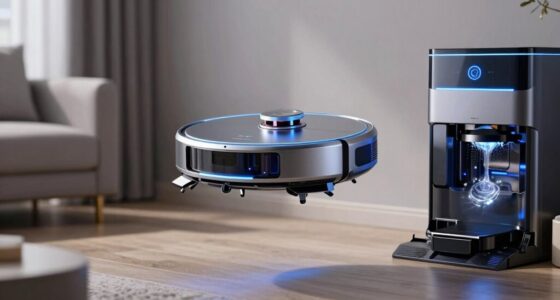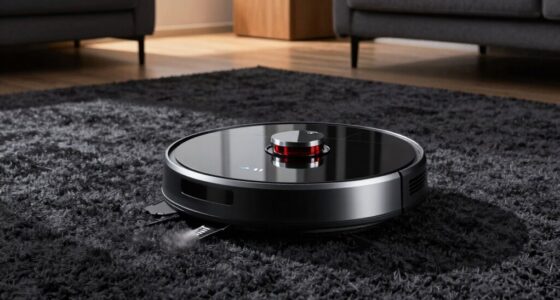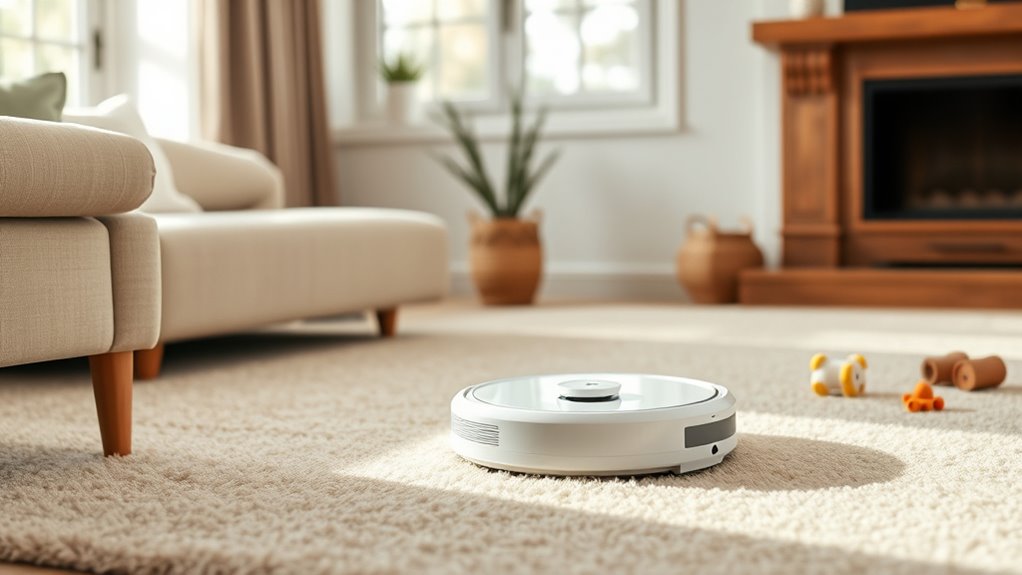
The best robot vacuums for seniors pair easy control with dependable cleaning and little hands-on maintenance. My best overall pick is the iRobot Roomba 105 Self-Emptying Robot Vacuum because its AutoEmpty dock reduces bin handling without adding mopping chores. The Tikom Robot Vacuum and Mop Combo is the stronger value choice for households that want both a remote and an app, while the eufy 11S MAX suits beginners who prefer straightforward vacuuming over advanced mapping. The main tradeoffs are simple controls versus deeper customization, low purchase price versus dock convenience, and vacuum-only operation versus the extra work that comes with mopping. Continue reading for my full breakdown of which control styles, navigation systems, and maintenance levels fit different buyers.

Get cleaning gear delivered free with Prime
- Fast, free delivery on millions of items
- Prime Video, Amazon Music and more included
- Member-only deals all year
Complete the kit


Key Takeaways
- Self-emptying mattered more than maximum suction in my ranking because fewer trips to the dustbin can make ownership easier for someone with limited mobility or hand strength.
- The iRobot Roomba 105 with AutoEmpty Dock earned the best-overall position by balancing a familiar brand ecosystem, reduced bin handling, and vacuum-only simplicity.
- The Tikom combo stood out on value because its included remote provides a practical fallback when an app, Wi-Fi connection, or voice assistant becomes frustrating.
- LiDAR models such as the VONKO and 6000Pa self-emptying option suit larger or divided homes, but their mapping features can create a steeper setup process than the eufy 11S MAX or ILIFE V2.
- Mopping and long-capacity docks reduce some chores but introduce others: the MONSGA 90-day station limits dust disposal, while combo models still need water, pad, and floor-preparation routines.
| iRobot Roomba 105 Robot Vacuum Cleaner |  | Best Overall | Suction Power: 70x more power-lifting suction | Navigation: LiDAR mapping and obstacle sensors | Cleaning System: 3-stage cleaning | VIEW ON AMAZON | See Our Full Breakdown |
| H6 Pro Robot Vacuum and Mop |  | Best for Multi-Level Homes | Navigation: 360-degree LiDAR | Suction Power: 6000Pa | Cleaning Modes: Sweep, vacuum, and mop | VIEW ON AMAZON | See Our Full Breakdown |
| VONKO Robot Vacuum and Mop |  | Best for Pet Owners | Suction Power: 8000Pa | Runtime: 180 minutes | Navigation: LiDAR 2.0 laser | VIEW ON AMAZON | See Our Full Breakdown |
| Tikom G8000 Max Robot Vacuum and Mop Combo |  | Best for Remote-Control Simplicity | Suction Power: 5000Pa | Battery Life: Up to 150 minutes | Dustbin Capacity: 450ml | VIEW ON AMAZON | See Our Full Breakdown |
| iRobot Roomba 105 Self-Emptying Robot Vacuum with AutoEmpty Dock |  | Best Low-Maintenance Pick | AutoEmpty Duration: Up to 75 days | Suction Power: 70x more power-lifting suction | Navigation: LiDAR mapping | VIEW ON AMAZON | See Our Full Breakdown |
| Robot Vacuum and Mop with 6500Pa Suction and Gyro Navigation |  | Best for Long Cleaning Sessions | Suction Power: 6500Pa | Runtime: 200 minutes | Navigation: Gyro navigation | VIEW ON AMAZON | See Our Full Breakdown |
| Robot Vacuum and Mop with 7000Pa Suction and Self-Emptying Station |  | Best Hands-Off Premium Pick | Suction Power: 7000Pa | Runtime: 180 minutes | Navigation: LiDAR laser mapping | VIEW ON AMAZON | See Our Full Breakdown |
| iMartine BR151 Robot Vacuum and Mop Combo |  | Best Lightweight Mop Combo | Runtime: 100 minutes | Water Tank Capacity: 230ml | Dimensions: 11.8 x 11.8 x 2.87 inches | VIEW ON AMAZON | See Our Full Breakdown |
| eufy 11S MAX Robot Vacuum Cleaner | 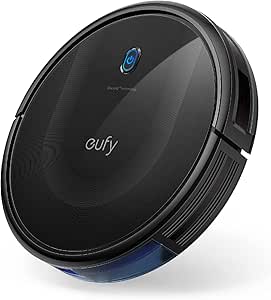 | Best for App-Free Simplicity | Runtime: 100 minutes | Control Method: Remote control | Dustbin Capacity: 600ml | VIEW ON AMAZON | See Our Full Breakdown |
| Bagotte Robot Vacuum and Mop Combo with 5000Pa Suction |  | Best Control Flexibility | Suction Power: 5000Pa | Runtime: 120 minutes | Battery Capacity: 2600mAh | VIEW ON AMAZON | See Our Full Breakdown |
| ILIFE V5s Max Robot Vacuum |  | Best Budget Control Flexibility | Suction power: 4000Pa | Control methods: App, voice, and remote | Navigation: Gyroscope | VIEW ON AMAZON | See Our Full Breakdown |
| ILIFE V2 Robot Vacuum Cleaner |  | Best for Beginners | Control method: Remote control | Runtime: 120 minutes | Cleaning modes: Auto, spot, and edge | VIEW ON AMAZON | See Our Full Breakdown |
| MONSGA Robot Vacuum and Mop |  | Best Overall for Minimal Upkeep | Suction power: 8000Pa | Runtime: 160 minutes | Navigation: LiDAR | VIEW ON AMAZON | See Our Full Breakdown |
| iRobot Roomba 105 Combo Robot Vacuum & Mop with AutoEmpty Dock |  | Best Premium Multi-Surface Pick | Dock capacity: Up to 75 days of debris | Suction claim: 70X more power-lifting suction | Navigation: LiDAR mapping | VIEW ON AMAZON | See Our Full Breakdown |
| ROPVACNIC Robot S1 Vacuum and Mop Combo |  | Best for Pet Owners | Suction power: 5200Pa | Cleaning functions: Vacuuming and mopping | Cleaning modes: Multiple customizable modes | VIEW ON AMAZON | See Our Full Breakdown |
| robot vacuums for seniors easy control | Suction Power | Navigation | Runtime | Control Methods |
|---|---|---|---|---|
| iRobot Roomba 105 Robot Vacuum | 70x more power-lifting suction | LiDAR mapping and obstacle sensors | — | — |
| H6 Pro Robot Vacuum and Mop | 6000Pa | 360-degree LiDAR | 150 minutes | — |
| VONKO Robot Vacuum and Mop | 8000Pa | LiDAR 2.0 laser | 180 minutes | App, voice, and touchpad |
| Tikom G8000 Max Robot Vacuum a | 5000Pa | — | — | App, remote, voice, and button |
| iRobot Roomba 105 Self-Emptyin | 70x more power-lifting suction | LiDAR mapping | — | — |
| Robot Vacuum and Mop with 6500 | 6500Pa | Gyro navigation | 200 minutes | App, remote, and voice |
| Robot Vacuum and Mop with 7000 | 7000Pa | LiDAR laser mapping | 180 minutes | — |
| iMartine BR151 Robot Vacuum an | — | — | 100 minutes | App, remote, and voice |
| eufy 11S MAX Robot Vacuum Clea | — | — | 100 minutes | — |
| Bagotte Robot Vacuum and Mop C | 5000Pa | — | 120 minutes | App, remote, voice, and onboard button |
| ILIFE V5s Max Robot Vacuum | 4000Pa | Gyroscope | — | App, voice, and remote |
| ILIFE V2 Robot Vacuum Cleaner | — | — | 120 minutes | — |
| MONSGA Robot Vacuum and Mop | 8000Pa | LiDAR | 160 minutes | App, voice, remote, and button |
| iRobot Roomba 105 Combo Robot | — | LiDAR mapping | — | App, voice assistant, and buttons |
| ROPVACNIC Robot S1 Vacuum and | 5200Pa | — | — | — |
More Details on Our Top Picks
iRobot Roomba 105 Robot Vacuum Cleaner
I rank the iRobot Roomba 105 first for its balanced mix of simple button, app, and voice controls. A senior can start basic cleaning from the vacuum, while a family member can manage mapped rooms through the app. LiDAR navigation gives it more orderly coverage than the sensor-based Tikom G8000 Max, and recharge-and-resume suits homes that cannot be cleaned on one charge. Unlike the Roomba 105 with AutoEmpty Dock, this version requires routine bin emptying, yet its smaller footprint is easier to place. The main catches are 2.4 GHz Wi-Fi, less sophisticated scheduling than higher-end models, and an unspecified runtime. I see it as the strongest all-around choice when recognizable controls matter more than mopping or a hands-off disposal dock.
Pros:- Buttons permit basic operation without opening an app
- LiDAR mapping supports organized room coverage
- Alexa, Siri, and Google Assistant compatibility offers broad voice-control choice
- Recharge-and-resume helps complete larger cleaning jobs
Cons:- Routine dustbin emptying may be difficult for users with limited hand mobility
- Full connected functionality requires a 2.4 GHz Wi-Fi network
- No stated runtime makes coverage planning harder
Best for: Seniors who want straightforward onboard controls plus optional voice or caregiver-managed app operation
Not ideal for: Buyers who cannot empty a dustbin regularly or want vacuuming and mopping in one machine
- Suction Power:70x more power-lifting suction
- Navigation:LiDAR mapping and obstacle sensors
- Cleaning System:3-stage cleaning
- Brushes:Edge-sweeping and bristle brushes
- Control:App, voice assistants, and buttons
- Voice Compatibility:Alexa, Siri, and Google Assistant
- Connectivity:2.4 GHz Wi-Fi
- Recharge and Resume:Yes
Our verdict“This is my first choice for seniors seeking easy everyday control without committing floor space to a large dock.”
H6 Pro Robot Vacuum and Mop
The H6 Pro earns its place through multi-level LiDAR mapping, which can reduce repeated setup in a home with more than one floor. Its 6000Pa suction exceeds the Tikom G8000 Max’s 5000Pa rating, while the mop adds hard-floor care that both Roomba 105 vacuum-only models lack. A 150-minute runtime and recharge support also limit manual intervention during longer jobs. I rank it below the standard Roomba 105 for easy control because initial mapping and app configuration may feel less approachable, and there is no supplied remote or onboard-button detail. The self-emptying design can reduce contact with dust, but the 250ml onboard bin is modest and the station needs dedicated space. This is a capable but more involved setup for seniors who have caregiver help available.
Pros:- Multi-level mapping supports homes with separate floor plans
- 6000Pa suction is suited to pet hair and tracked-in debris
- Self-emptying design reduces direct dustbin handling
- Vacuuming and mopping cover mixed hard-floor cleaning needs
Cons:- Mapping and app setup may present a learning curve
- The dock and robot may be awkward in tight living areas
- No remote control or physical-button functions are specified
Best for: Seniors in multi-story homes who have a relative or caregiver available to configure maps and cleaning routines
Not ideal for: People who want a simple remote or clearly documented onboard controls without completing app setup
- Navigation:360-degree LiDAR
- Suction Power:6000Pa
- Cleaning Modes:Sweep, vacuum, and mop
- Dustbin Capacity:250ml
- Water Tank Capacity:310ml
- Runtime:150 minutes
- Mapping:Multi-level
- Control:App, Alexa, and Google Assistant
- Warranty:2 years
Our verdict“I recommend the H6 Pro for a multi-floor household where someone can handle setup and the senior wants fewer routine cleaning chores.”
VONKO Robot Vacuum and Mop
I place the VONKO Robot Vacuum and Mop in the pet-focused role because its 8000Pa suction and 2.5-liter self-emptying capacity are geared toward frequent fur and debris. That rating is stronger than the H6 Pro’s 6000Pa, and its 180-minute runtime gives it another advantage in larger homes. App, voice, and touchpad controls let a senior use the level of technology that feels comfortable, while LiDAR mapping supports planned rather than random cleaning. The tradeoff is physical bulk: its base needs more room than the dock-free Roomba 105, and high-power operation may be disruptive for someone sensitive to noise. Up to 60 days between station emptying reduces bending and contact with dirt, though actual intervals depend on shedding and floor conditions. I favor it for high-debris homes, not compact apartments.
Pros:- 8000Pa suction targets embedded pet hair and heavier debris
- Self-emptying station can hold debris for up to 60 days
- 180-minute runtime suits larger floor plans
- Touchpad, app, and voice controls provide flexible operation
Cons:- The 2.5-liter station requires a permanent area with clearance
- Maximum suction may create more noise
- Runtime can fall when higher suction settings are used
Best for: Senior pet owners with larger homes who want long runtime and infrequent dust disposal
Not ideal for: Apartment residents with little dock space or anyone highly sensitive to vacuum noise
- Suction Power:8000Pa
- Runtime:180 minutes
- Navigation:LiDAR 2.0 laser
- Cleaning Functions:Vacuuming and mopping
- Self-Emptying Capacity:2.5 liters
- Hands-Free Duration:Up to 60 days
- Control Methods:App, voice, and touchpad
- Recommended Surfaces:Hard floors and carpet
Our verdict“This is my pet-home pick for seniors who prioritize strong pickup and fewer bin-emptying sessions over compactness.”
Tikom G8000 Max Robot Vacuum and Mop Combo
The Tikom G8000 Max is my choice for seniors who prefer a traditional handheld remote over phone-only operation. It also accepts app, voice, and button commands, giving it the widest plainly stated control selection in this group. At just 2.99 inches high, it can reach beneath more low furniture than bulkier LiDAR models, while 5000Pa suction and simultaneous vacuuming and mopping handle everyday mixed-floor messes. Compared with the Roomba 105, however, it lacks stated LiDAR mapping and recharge-and-resume, so navigation is less structured and large-home coverage may require more attention. The 150-minute battery is useful, and 45dB operation is relatively restrained, but this remains a better fit for uncomplicated layouts. I rank it as the easiest non-app pick, with mapping sophistication sacrificed for familiar control.
Pros:- Dedicated remote reduces dependence on a smartphone
- App, voice, and onboard buttons provide backup control methods
- 2.99-inch body reaches under many beds and sofas
- Vacuuming and mopping can run at the same time
Cons:- No LiDAR or advanced room-mapping feature is specified
- Recharge-and-resume is not listed
- The 450ml bin still requires hands-on emptying
Best for: Seniors in single-level homes who want to start and steer cleaning with a familiar handheld remote
Not ideal for: Large or complicated homes where room-specific LiDAR maps and recharge-and-resume are priorities
- Suction Power:5000Pa
- Battery Life:Up to 150 minutes
- Dustbin Capacity:450ml
- Water Tank Capacity:300ml
- Control Methods:App, remote, voice, and button
- Height:2.99 inches
- Noise Level:45dB
- Filter:HEPA
- Safety Features:Anti-collision and anti-fall sensors
Our verdict“I would choose the Tikom for a senior who values a real remote and low-profile cleaning more than advanced mapping.”
iRobot Roomba 105 Self-Emptying Robot Vacuum with AutoEmpty Dock
The Roomba 105 with AutoEmpty Dock is the better Roomba for a senior who finds bending, opening bins, or touching dust difficult. Its dock holds debris for up to 75 days, a longer stated interval than the VONKO’s 60 days, while buttons, voice assistants, and app control preserve flexible operation. LiDAR mapping gives it planned coverage, and the 70x suction claim matches the dock-free Roomba 105. I do not rank it as the easiest overall because installing the app on 2.4 GHz Wi-Fi may require help, and the dock occupies more permanent floor space. It also cleans dry surfaces only, unlike the H6 Pro and Tikom G8000 Max, which add mopping. For buyers focused on vacuuming, though, the 75-day debris storage offers the clearest reduction in routine handling.
Pros:- AutoEmpty dock can reduce debris handling for up to 75 days
- Physical buttons allow basic cleaning without navigating the app
- LiDAR mapping supports efficient multi-surface coverage
- Alexa, Siri, and Google Assistant provide several voice options
Cons:- The AutoEmpty dock takes more floor space than a standard charger
- Full smart functionality depends on 2.4 GHz Wi-Fi and app setup
- Vacuum-only design provides no mopping function
Best for: Seniors with limited mobility or hand dexterity who need dry-floor vacuuming with minimal bin handling
Not ideal for: Small-home residents without dock space or buyers who want automated mopping
- AutoEmpty Duration:Up to 75 days
- Suction Power:70x more power-lifting suction
- Navigation:LiDAR mapping
- Cleaning Type:Dry vacuuming
- Surface Compatibility:Multi-surface
- Control Options:App, voice assistants, and buttons
- Voice Compatibility:Alexa, Siri, and Google Assistant
- Connectivity:2.4 GHz Wi-Fi
Our verdict“I recommend this model when reducing bending and dust contact matters more than saving space or adding a mop.”
Robot Vacuum and Mop with 6500Pa Suction and Gyro Navigation
I rank the 6500Pa Robot Vacuum and Mop as the best choice here for seniors with larger single-level homes because its 200-minute runtime is the longest in this batch. The included remote also permits straightforward cleaning without opening an app, while voice commands can reduce bending. Compared with the Bagotte Robot Vacuum and Mop, it offers stronger suction and 80 more minutes of stated runtime. Its gyro navigation follows a more systematic route than basic random-moving robots, but it lacks the precise room maps and no-go zones of the LiDAR-equipped self-emptying model. Buyers must also manage a small 300ml dustbin and a potentially confusing battery-protection switch. I see this as a capable middle-ground pick: better coverage than simpler models without the price and dock size associated with self-emptying systems.
Pros:- 200-minute runtime reduces mid-clean charging in larger homes
- 6500Pa suction is well suited to pet hair and heavier debris
- Remote control provides an alternative when the app feels cumbersome
- Gyro navigation delivers more orderly coverage than random navigation
Cons:- Gyro navigation cannot match LiDAR for map accuracy or room control
- App functions require a 2.4GHz Wi-Fi network
- Small dustbin and battery-protection switch add hands-on maintenance
Best for: Seniors with large, mostly open single-floor homes who want long runtime plus remote or voice control
Not ideal for: Anyone needing room-specific maps, no-go zones, or reliable cleaning on thick carpet
- Suction Power:6500Pa
- Runtime:200 minutes
- Navigation:Gyro navigation
- Battery Capacity:2600mAh
- Dustbin Capacity:300ml
- Water Tank Capacity:200ml
- Control Methods:App, remote, and voice
- Recommended Surfaces:Hard floors, wood, tile, and low-pile carpet
Our verdict“I recommend this model for seniors who value long, orderly cleaning runs more than advanced mapping or self-emptying.”
Robot Vacuum and Mop with 7000Pa Suction and Self-Emptying Station
The 7000Pa Self-Emptying Robot Vacuum and Mop earns my premium role because it removes two common burdens for seniors: frequent bin emptying and repeated navigation setup. Its 3.5L station can hold up to 90 days of debris, while LiDAR mapping supports no-go zones and as many as five floor maps. That makes it far more configurable than the eufy 11S MAX and more autonomous than the 6500Pa gyro model. Alexa, Google Assistant, app, and remote access give households several ways to start cleaning. The tradeoff is greater setup complexity, particularly when connecting to 2.4GHz Wi-Fi and building maps. It will also cost more and occupy extra floor space beside an outlet. I place it above the simpler choices for buyers seeking minimal routine handling, not for those wanting a basic push-button appliance.
Pros:- Self-emptying station can reduce debris disposal to roughly once every 90 days
- LiDAR mapping supports no-go zones and targeted cleaning
- Stores up to five maps for multi-floor homes
- 7000Pa suction and 180-minute runtime suit demanding cleaning schedules
Cons:- Higher expected cost than remote-only or dock-free models
- Mapping and 2.4GHz Wi-Fi setup may require caregiver assistance
- Self-emptying station needs more permanent floor space
Best for: Seniors or caregivers managing a multi-floor home who want infrequent bin emptying and room-level cleaning control
Not ideal for: Budget shoppers or anyone who lacks space for a large dock and prefers setup without Wi-Fi
- Suction Power:7000Pa
- Runtime:180 minutes
- Navigation:LiDAR laser mapping
- Self-Emptying Capacity:3.5L, up to 90 days
- Multi-Floor Mapping:Up to 5 maps
- No-Go Zones:Supported
- Wi-Fi:2.4GHz
- Voice Assistants:Alexa and Google Assistant
Our verdict“I would choose this for a senior who wants the least daily upkeep and has help available for the initial mapping setup.”
iMartine BR151 Robot Vacuum and Mop Combo
I give the iMartine BR151 this role because its 7.7-pound body is easier for an older adult or caregiver to lift when clearing a tangled object or moving it between rooms. At just 2.87 inches tall, it can reach beneath more low furniture than bulkier mapping robots, and it vacuums and mops during the same pass. Compared with the eufy 11S MAX, iMartine adds mopping, app commands, and voice support; compared with the Bagotte combo, however, it has a shorter 100-minute runtime and no stated suction figure. The 230ml water tank also limits how much flooring it can mop before attention is needed. Smart navigation and obstacle protection aid everyday use, yet app pairing may frustrate buyers who want immediate operation. I favor it for smaller hard-floor homes where easy lifting and low clearance matter more than long-range cleaning.
Pros:- Light 7.7-pound body is easier to pick up and reposition
- Low 2.87-inch height reaches beneath many beds and sofas
- Simultaneous vacuuming and mopping reduces separate cleaning passes
- Remote and voice controls offer alternatives to smartphone operation
Cons:- 100-minute battery life trails several other models in the lineup
- 230ml water tank may need refilling during larger mopping jobs
- App connection can add difficulty during initial setup
Best for: Seniors in apartments or compact homes who need a light, low-profile vacuum-and-mop robot
Not ideal for: People cleaning very large areas or buyers who require documented suction power and advanced room mapping
- Runtime:100 minutes
- Water Tank Capacity:230ml
- Dimensions:11.8 x 11.8 x 2.87 inches
- Weight:7.7 pounds
- Cleaning Path Width:11.8 inches
- Control Methods:App, remote, and voice
- Compatible Devices:Amazon Echo, Google Home, and smartphones
- Filtration:Washable three-layer filter with non-washable filter cotton
- Recommended Surfaces:Hard floors, wood, tile, and low-pile carpet
Our verdict“I recommend the iMartine BR151 for compact homes where low weight and combined floor care outweigh limited runtime.”
eufy 11S MAX Robot Vacuum Cleaner
The eufy 11S MAX is my clearest recommendation for a senior who wants to avoid accounts, Wi-Fi pairing, and smartphone menus. Its dedicated remote provides app-free control, while self-charging lets the vacuum return to its base without manual carrying. It is quieter and simpler than the self-emptying 7000Pa model, and its 600ml bin holds twice as much debris as the 6500Pa vacuum’s 300ml bin. That simplicity comes with firm limits: there is no voice control, room mapping, mopping, or phone access for a distant caregiver. The remote can also become a single point of failure if it is misplaced. Adaptive suction and medium-carpet support make this more versatile than many slim budget robots, but its movement is less deliberate than LiDAR navigation. I rank it highly for predictable everyday operation, especially where physical controls beat connected features.
Pros:- No Wi-Fi account or app pairing is required
- 600ml bin reduces how often debris must be emptied
- 55dB operation is suitable for noise-sensitive households
- Slim body, adaptive suction, and self-charging simplify daily floor care
Cons:- No app or voice control for remote assistance
- No mapping, no-go zones, or room-specific cleaning
- Vacuum-only design cannot mop hard floors
Best for: Seniors who do not use smartphones and want quiet vacuuming controlled by a conventional handheld remote
Not ideal for: Caregivers needing remote app access or households wanting mopping, room maps, or voice commands
- Runtime:100 minutes
- Control Method:Remote control
- Dustbin Capacity:600ml
- Noise Level:55dB
- Cleaning Path Width:12.8 inches
- Filter:Washable
- Charging:Automatic self-charging
- Recommended Surfaces:Hard floors, tile, and medium-pile carpet
Our verdict“I would pick the eufy 11S MAX for seniors who prefer a familiar remote and can live without mapping or mopping.”
Bagotte Robot Vacuum and Mop Combo with 5000Pa Suction
I assign the Bagotte Robot Vacuum and Mop Combo this role because it can be operated by app, remote, voice, or an onboard button. That variety lets a senior use a familiar control while a caregiver handles schedules through the app. Its 5000Pa suction and three water-flow levels provide more cleaning adjustment than the eufy 11S MAX, while the 2.87-inch profile reaches beneath low furniture. Against the 6500Pa gyro model, Bagotte gives up suction strength and 80 minutes of runtime, so it is better suited to apartments than sprawling homes. The 250ml dustbin and 200ml water tank also require regular hands-on servicing, which weakens its convenience for people with limited dexterity. App setup may still be troublesome, although the remote and button offer practical fallbacks. I see accessible control choices, rather than maximum autonomy, as its main buying advantage.
Pros:- Four control methods accommodate different comfort levels
- 5000Pa suction handles pet hair and everyday debris
- Three water-flow settings help match mopping output to the floor
- Slim 2.87-inch body can clean beneath low furniture
Cons:- 120-minute runtime is less suitable for large homes
- 250ml dustbin and 200ml water tank demand frequent servicing
- App and voice integration may be difficult to configure
Best for: Seniors sharing cleaning duties with a caregiver who want button, remote, app, and voice control in one compact model
Not ideal for: People with limited hand dexterity who need a large bin or a self-emptying system with minimal maintenance
- Suction Power:5000Pa
- Runtime:120 minutes
- Battery Capacity:2600mAh
- Dustbin Capacity:250ml
- Water Tank Capacity:200ml
- Water Flow Levels:Low, medium, and high
- Control Methods:App, remote, voice, and onboard button
- Height:2.87 inches
Our verdict“I recommend Bagotte when flexible controls and a slim body matter more than self-emptying or all-day runtime.”
ILIFE V5s Max Robot Vacuum
I rank the ILIFE V5s Max as the most flexible budget choice for seniors because it supports app, voice, and remote control. A caregiver can configure the app while the owner keeps the simpler handheld remote nearby. Its 4000Pa suction is stronger than the ILIFE V2’s basic suction system, and gyroscope navigation gives it more orderly coverage. The 2.99-inch body also reaches beneath furniture that may be difficult to move. The tradeoff is that this remains a basic navigator: unlike the MONSGA Robot Vacuum and Mop, it cannot create room maps or no-go zones. Its 100-minute runtime also trails the V2. I place it above the V2 for control choice and cleaning power, but below self-emptying models for day-to-day convenience.
Pros:- Three control methods accommodate different comfort levels
- 4000Pa suction handles hard floors and carpet
- Slim body reaches under low furniture
- Gyroscope navigation provides systematic coverage
Cons:- No room mapping or virtual boundaries
- 100-minute runtime is shorter than several alternatives
- App connectivity requires a 2.4GHz Wi-Fi network
Best for: I recommend it for seniors who want a physical remote while a relative or caregiver retains app and voice-control options.
Not ideal for: I would skip it for large multiroom homes that need saved maps, room selection, or long unattended cleaning sessions.
- Suction power:4000Pa
- Control methods:App, voice, and remote
- Navigation:Gyroscope
- Cleaning modes:Smart, edge, and spot
- Battery life:100 minutes
- Dust capacity:300 ml
- Recommended surfaces:Hard floor and carpet
- Noise level:65 dB
- Height:2.99 inches
Our verdict“I would choose the V5s Max when flexible controls matter more than mapping or self-emptying.”
ILIFE V2 Robot Vacuum Cleaner
The ILIFE V2 earns my beginner pick because its remote-only operation avoids accounts, Wi-Fi pairing, and voice-assistant setup. That makes it easier to hand to someone who wants clear controls without learning another app. Its tangle-free suction port is also a practical advantage for pet hair, while the 2.99-inch profile cleans beneath beds and sofas. Compared with the ILIFE V5s Max, it runs 20 minutes longer and is simpler to operate, but it lacks the V5s Max’s stronger 4000Pa suction and wider control choice. It also cannot match the mapped coverage or self-emptying convenience of the Roomba 105 Combo. The 69 dB noise level may be bothersome, and its floor compatibility favors hard surfaces and low-pile carpet rather than thicker rugs.
Pros:- Physical remote avoids Wi-Fi and smartphone setup
- Tangle-free suction port is suited to pet hair
- 120-minute runtime exceeds the ILIFE V5s Max
- Slim profile fits beneath low furniture
Cons:- Not designed for thick or high-pile carpet
- 69 dB operation may disrupt conversation or television
- No app, voice control, or room mapping
Best for: I recommend it for app-averse seniors with pets, mostly hard flooring, and a small or midsize cleaning area.
Not ideal for: I would avoid it for homes with thick carpet, noise-sensitive residents, or anyone who wants room mapping and phone control.
- Control method:Remote control
- Runtime:120 minutes
- Cleaning modes:Auto, spot, and edge
- Battery type:Lithium ion
- Dust capacity:300 ml
- Recommended surfaces:Hard floor and low-pile carpet
- Noise level:69 dB
- Height:2.99 inches
Our verdict“I would pick the ILIFE V2 for straightforward remote-controlled cleaning in a smaller pet-friendly home.”
MONSGA Robot Vacuum and Mop
I put the MONSGA Robot Vacuum and Mop first for seniors who want fewer routine chores. Its 90-day self-emptying system holds more days of debris than the Roomba 105 Combo’s 75-day dock, while 8000Pa suction and dual anti-tangle brushes make it the strongest specified cleaner in this group. LiDAR mapping, five-map memory, and no-go zones are useful in multistory homes or around fragile furniture. It also provides app, voice, remote, and button controls, so daily operation need not depend on a phone. That flexibility comes with more setup than the ILIFE V2, and configuring maps or boundaries may call for family assistance. The dock occupies extra floor space, mopping adds pad and tank care, and 2.4GHz-only Wi-Fi can complicate initial pairing. I rank it highest for capability, not simplicity.
Pros:- Self-emptying dock stores up to 90 days of debris
- 8000Pa suction is the highest stated rating in this batch
- Remote and onboard buttons provide alternatives to the app
- LiDAR supports five maps, no-go zones, and virtual boundaries
Cons:- Mapping and app setup may require caregiver assistance
- Only 2.4GHz Wi-Fi is supported
- Dock and mopping system add space and maintenance demands
Best for: I recommend it for seniors with pets or multiple floors who have setup help available and want weeks of low-touch cleaning.
Not ideal for: I would skip it for small apartments with no room for a dock or households wanting a machine that requires almost no initial configuration.
- Suction power:8000Pa
- Runtime:160 minutes
- Navigation:LiDAR
- Mapping:Multi-floor memory for up to 5 maps
- Control methods:App, voice, remote, and button
- Voice compatibility:Alexa and Google Assistant
- Dock dust capacity:4 L
- Water tank capacity:460 ml
- Cleaning functions:Vacuuming and mopping
Our verdict“I would choose the MONSGA for maximum hands-off cleaning when someone can help with the initial smart-home setup.”
iRobot Roomba 105 Combo Robot Vacuum & Mop with AutoEmpty Dock
I give the Roomba 105 Combo the premium multi-surface role because it combines LiDAR mapping, self-emptying, and three cleaning choices in one system. A senior can start it through onboard buttons or voice commands after initial setup, while a caregiver uses the app for schedules and mapped cleaning. Its adjustable water flow offers more control on hard floors than the vacuum-only ILIFE models. Compared with the MONSGA Robot Vacuum and Mop, however, its dock holds 75 rather than 90 days of debris, and its suction claim is expressed as a 70-times improvement rather than a directly comparable Pascal rating. The Roomba also carries a higher price, requires 2.4GHz Wi-Fi, and still needs mop-pad care. I rank it below MONSGA for overall value but ahead of simpler models for vacuum-and-mop versatility.
Pros:- AutoEmpty dock holds up to 75 days of debris
- Onboard buttons and voice control reduce reliance on the app
- LiDAR mapping supports orderly cleaning
- Vacuum, mop, and combination modes suit changing floor-care needs
Cons:- Higher price than basic remote-controlled alternatives
- Initial setup requires an app and 2.4GHz Wi-Fi
- Mop pad and water system still require hands-on care
Best for: I recommend it for seniors in mixed-floor homes who want mapped vacuuming, controlled mopping, and a dock that reduces bin handling.
Not ideal for: I would skip it for budget-focused buyers or anyone without help for Wi-Fi setup and periodic mop-pad maintenance.
- Dock capacity:Up to 75 days of debris
- Suction claim:70X more power-lifting suction
- Navigation:LiDAR mapping
- Cleaning modes:Vacuum, mop, or combination
- Mopping system:Microfiber pad with adjustable water flow
- Control methods:App, voice assistant, and buttons
- Wi-Fi:2.4GHz
Our verdict“I would buy the Roomba 105 Combo for premium mixed-floor care with simple daily controls and less frequent bin emptying.”
ROPVACNIC Robot S1 Vacuum and Mop Combo
I select the ROPVACNIC Robot S1 for pet-owning seniors because its no-entanglement design, dual electric side brushes, and 5200Pa suction target loose hair without giving up mopping. That is a more capable two-in-one arrangement than the pet-focused ILIFE V2, which is easier to control but offers neither app operation nor mopping. Four-stage water adjustment helps match moisture to different hard floors, while obstacle avoidance and self-charging reduce intervention during a run. It does not offer the MONSGA Robot Vacuum and Mop’s self-emptying dock, LiDAR maps, or physical remote, so owners must empty the bin and may depend more heavily on an app or voice assistant. Brush and water-tank care also remain regular jobs. I place it between the basic ILIFE models and premium docked machines: strong pet-focused cleaning without full automation.
Pros:- 5200Pa suction is suited to pet hair and tracked-in debris
- No-entanglement design reduces hair wrapping
- Four-stage water adjustment gives better mopping control
- Obstacle avoidance and self-charging reduce manual intervention
Cons:- No self-emptying dock
- No physical remote is listed
- Water tank and brushes require regular maintenance
Best for: I recommend it for pet-owning seniors who are comfortable using Alexa, Google Assistant, or a smartphone and want vacuuming plus adjustable mopping.
Not ideal for: I would skip it for anyone needing a physical remote, self-emptying disposal, or the least possible brush and water-tank maintenance.
- Suction power:5200Pa
- Cleaning functions:Vacuuming and mopping
- Cleaning modes:Multiple customizable modes
- Water adjustment:Four stages
- Connectivity:Smartphone app, Alexa, and Google Assistant
- Navigation feature:Obstacle avoidance
- Self-charging:Yes
- Pet-hair system:No-entanglement design with dual electric side brushes
Our verdict“I would choose the Robot S1 for pet hair and mopping when voice control matters more than self-emptying or a handheld remote.”

How We Picked
I ranked these models around the needs implied by easy control for seniors, giving the most weight to clear start-and-stop operation, remote availability, manageable app dependence, and the amount of bending or bin handling required. I treated voice control as a helpful extra rather than a replacement for physical controls because internet connections and account setup can fail. I also compared navigation reliability, obstacle handling, stated runtime, suction, floor compatibility, and whether each machine could return to its charger without regular intervention.
Higher positions went to products that combine simple daily operation with meaningful labor savings. Self-emptying stations gained credit for reducing dust-bin contact, but I weighed that benefit against their larger footprint, replacement-bag costs, and louder emptying cycles. Vacuum-and-mop models scored well when their added flexibility justified the extra tank and pad care; simpler vacuum-only models remained competitive for buyers who want fewer maintenance steps. Price, brand support, consumable availability, pet-hair suitability, and the presence of a non-app control method shaped the final order.
Factors to Consider When Choosing Robot Vacuums For Seniors Easy Control
I would choose a senior-friendly robot vacuum by starting with the person’s preferred way to control appliances, then matching the machine to the home’s layout and the amount of maintenance they can comfortably handle. Suction figures matter, but control redundancy, dependable charging, and easy access to brushes and bins often have a greater effect on day-to-day satisfaction.
Choose a Control Method That Will Actually Be Used
An app can provide schedules, room maps, and no-go zones, yet it may be a poor primary control for someone who dislikes smartphone menus. I favor models with a large physical start button or an included remote because either can keep basic cleaning available when Wi-Fi drops. Voice commands can help a person with limited mobility, but they usually require an account, a compatible speaker, and correct device names. A printed card showing two or three common commands can make that setup less error-prone. For shared households, app access for a caregiver paired with simple local controls for the senior is often the most workable arrangement. Before buying, I would confirm whether scheduling and room selection remain available without a subscription.
Measure Maintenance, Not Just Automation
A self-emptying dock reduces how often the small onboard bin must be opened, which can help anyone who finds bending or fine latches difficult. It does not make the vacuum maintenance-free: hair still wraps around rollers, sensors collect dust, and dock bags eventually need replacement. I would check whether brushes lift out without tools and whether replacement filters and bags are easy to order. Bagless robots cost less to keep supplied, but emptying them may release dust and demand more frequent handling. Mopping adds pad washing, tank filling, and the need to remove damp parts after a run. For buyers with arthritis, allergies, or limited reach, easy-access parts and a raised dock location may matter more than an unusually long runtime.
Match Navigation to the Home
LiDAR mapping is most useful in larger homes, multiroom layouts, and spaces where specific areas need to be avoided. Once configured, room-based cleaning can reduce wasted passes and let a caregiver start a targeted job remotely. The tradeoff is more setup and map management, especially after furniture moves or the router changes. Simpler random or gyro navigation may suit a small apartment where pressing one button is preferable to naming rooms. No navigation system removes the need to secure cords, lightweight rugs, and low objects before cleaning. I would pay extra for reliable mapping and virtual boundaries only when the home’s layout will use those features regularly.
Decide Whether Mopping Reduces Work or Adds It
A combo model can collect loose dirt and wipe hard floors during the same session, but its mop is not a full replacement for scrubbing spills. The water tank must be filled, the pad must be cleaned, and carpet areas may need map-based exclusion or physical preparation. I see vacuum-only models as the safer choice when the buyer wants the fewest possible steps or has mostly carpet. A combo makes more sense in a home dominated by sealed hard flooring with someone available to manage the pad. Automatic emptying handles dry debris, not dirty mop care, unless a much more advanced washing dock is included. The right choice depends on whether light routine wiping saves more effort than the tank and pad create.
Look Beyond Suction Numbers
Large pascal ratings are easy to compare, but they do not reveal how well a robot collects debris along walls or transfers hair into its bin. Brush design, airflow, navigation, and repeatable floor coverage all affect the result. Strong suction can also increase noise and shorten runtime at the highest setting. For pet owners, I would prioritize tangle-resistant pickup and easy roller cleaning over chasing the largest printed number. Thin models can reach beneath more furniture, although they may lack the mapping hardware and large batteries found on taller machines. A balanced model with dependable coverage and accessible parts is usually easier to live with than a powerful machine that needs frequent rescue.
Know When Paying More Makes Sense
A higher price is easiest to justify when it removes a recurring physical task, such as daily bin emptying, or solves a difficult multiroom layout. Premium mapping can also help a family member manage cleaning from another location. Paying more solely for app features is less persuasive if the intended user will press the same start button every day. I would include bags, filters, brushes, and batteries when estimating long-term cost rather than comparing purchase prices alone. Brand support and readily available consumables can outweigh a short-lived discount on an unfamiliar model. The best value comes from features that reduce real effort, not from the longest specification list.
Frequently Asked Questions
Is a remote control better than an app for a senior?
A remote is often easier for basic commands because it avoids passwords, updates, and small touchscreen menus. An app is more useful for schedules, maps, room selection, and caregiver access. I prefer a model offering both remote and app control when possible, since neither method becomes a single point of failure. If only one person will operate the vacuum and wants one-button cleaning, a physical button or remote may be enough. Buyers choosing an app-led model should have someone available for initial account and Wi-Fi setup.
Does a self-emptying dock make a robot vacuum easier for someone with limited mobility?
Yes, a self-emptying dock can cut down on bending and contact with the small onboard dustbin. That benefit is especially useful in homes with pets or frequent cleaning schedules. The dock still requires occasional bag changes, and its emptying cycle can be loud for several seconds. I would place it where the bag compartment can open fully and where the user can approach it safely. A self-emptying vacuum-only model often provides the best balance of reduced handling and uncomplicated upkeep.
Can a family member control the robot vacuum from another home?
Many Wi-Fi models allow remote starts, schedules, and status checks through the manufacturer’s app, provided the robot remains online. Account-sharing rules differ, so I would verify whether multiple household members can sign in without repeatedly logging one another out. Remote access is helpful for caregivers, but it cannot clear a trapped cable, refill a mop tank, or remove a full dock bag. The senior should still have a simple local stop control for immediate use. Reliable home internet and clear permission from the person living there should be part of the setup.
Is LiDAR mapping worth the extra setup for a senior?
LiDAR earns its cost in larger homes where room-by-room cleaning and virtual boundaries prevent repeated manual preparation. A caregiver can configure the map, label rooms, and create restricted areas once the first mapping run is complete. For a compact apartment with open floors, that extra setup may add little benefit over a simpler one-button robot. Maps can occasionally need editing after docks or furniture are moved. I recommend LiDAR for complex layouts and a simpler navigation system for buyers who value minimal configuration above targeted cleaning.
Should I choose a vacuum-only robot or a vacuum-and-mop combo?
I would choose vacuum-only for mostly carpeted homes, minimal maintenance, or users who may struggle with water tanks and damp pads. A combo is more useful on sealed hard floors where frequent light wiping reduces manual floor care. Buyers should not assume that a self-emptying dock also washes or dries the mop unless those functions are clearly listed. Rugs, thresholds, and no-mop zones can make combo setup more involved. For the easiest routine, vacuum-only wins on simplicity; for mixed cleaning with household support, a mapped combo offers more flexibility.
Conclusion
For most seniors, my best overall choice is the iRobot Roomba 105 with AutoEmpty Dock because it reduces bin handling while keeping the routine focused on vacuuming. The Tikom Robot Vacuum and Mop Combo is my best-value pick for buyers who want an included remote, app control, and mopping without moving to a large self-emptying system. Beginners who prefer uncomplicated cleaning should choose the eufy 11S MAX, while buyers seeking a premium vacuum-and-mop setup should look at the iRobot Roomba 105 Combo with AutoEmpty Dock. For long gaps between dust disposal, the MONSGA 90-day self-emptying model is the specific-needs choice; for pet hair without a roller-tangling focus, the ILIFE V2 offers a simpler alternative. Larger homes that benefit from room maps are better matched to a LiDAR-equipped VONKO or self-emptying 6000Pa model. I would make the final choice by selecting the least complicated product that still removes the buyer’s most difficult recurring chore.
Halloween Picks

Pumpkin Halloween Fog Machine with 12-Color LEDs, Bluetooth Speaker, and Remote

11.2-Foot Halloween Inflatable Pumpkin with LED Lights

Panefright Halloween Window Projector
As an affiliate, we earn on qualifying purchases.