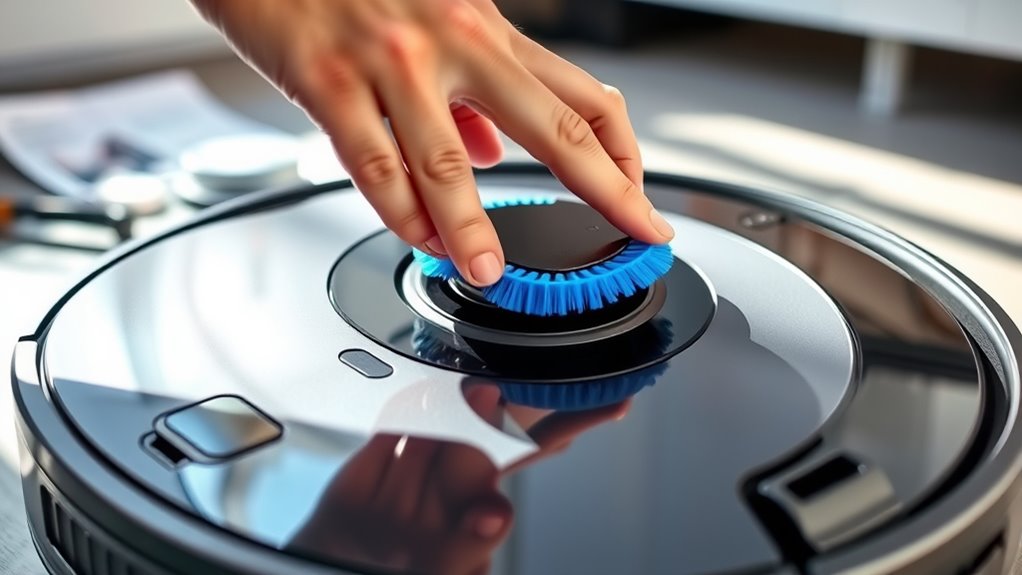

To replace your side brushes, turn off and unplug your vacuum for safety. Gently remove the worn brush by pulling it away from the device, then detach any clips or screws securing it. Check the new brush for damage or debris before installing it by aligning it with the attachment point and pressing firmly until it clicks into place. Make sure it turns freely and contacts the floor properly. Continue with detailed steps to keep your vacuum performing at its best.
Key Takeaways
- Turn off and unplug the robot vacuum before removing the side brush for safety.
- Gently detach the worn side brush by pulling or unscrewing it from the device.
- Inspect the brush for wear, debris buildup, or damage to determine if replacement is needed.
- Align and press the new side brush into the attachment point until it clicks securely.
- Run a quick cleaning cycle to verify proper installation and ensure the brush rotates freely.

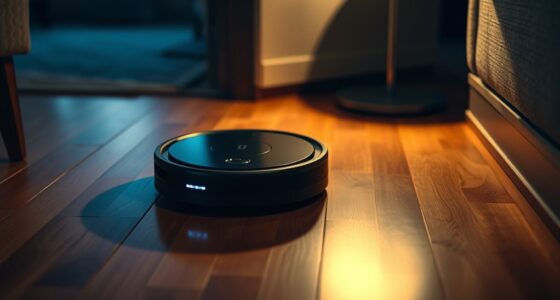
Have you noticed your robot vacuum struggling to clean along walls and corners effectively? If so, it might be time to consider replacing the side brushes. Regular robot maintenance is vital to keep your device performing at its best, and changing the side brushes is a simple yet essential step. Over time, the brushes wear down, and their brush lifespan is reduced, leading to less efficient cleaning. Replacing them ensures your vacuum continues to reach all those tight spots and edges that are often missed when brushes are worn out.
Replacing worn side brushes ensures your robot vacuum cleans edges and corners effectively.
To start, turn off your robot vacuum and unplug it if necessary. This prevents accidental activation during the replacement process. Remove the side brush by gently pulling it away from the robot’s body. Most models have a clip or screw securing the brush in place, so you might need a small screwdriver or just your fingers to detach it. Once removed, inspect the brush for signs of wear, such as frayed bristles or buildup of dust and debris. If the brush’s bristles are notably worn or clogged, it’s a clear sign that it’s time for a replacement. Keeping an eye on brush lifespan is part of good robot maintenance because worn brushes can cause inefficient cleaning, damage other parts, or even reduce the vacuum’s overall lifespan.
When you get your new side brush, make sure it matches your specific model. Align the brush’s attachment point with the slot on the robot and press it firmly into place until you hear a click or feel it secure. If your model uses screws, tighten them to guarantee the brush stays firmly attached during operation. Proper installation is vital because a loose or improperly installed side brush can fall off or cause uneven cleaning. Additionally, choosing high-quality replacement brushes designed for your model can help maximize cleaning efficiency and prolong your device’s lifespan. After replacing the brush, turn the robot back on and run a quick cleaning cycle to verify that everything functions smoothly. Check that the side brush rotates freely and contacts the floor properly.
Maintaining the side brushes and replacing them at regular intervals not only improves cleaning performance but also extends the lifespan of your robot vacuum. Neglecting brush maintenance can lead to additional wear on other components or decreased suction power. By staying proactive with brush replacements, you ensure your device remains efficient and effective, saving you time and effort in the long run. Remember, a simple replacement of side brushes is a quick fix that makes a vital difference in your robot vacuum’s ability to keep your home spotless.
robot vacuum side brush replacement
As an affiliate, we earn on qualifying purchases.
As an affiliate, we earn on qualifying purchases.
Frequently Asked Questions
How Often Should Side Brushes Be Replaced?
You should replace your side brushes every 6 to 12 months, depending on usage and wear. Regularly check for signs of damage or bent bristles to maintain ideal cleaning. Follow cleaning tips like removing hair and debris after each use to extend their lifespan. If you notice decreased cleaning performance or uneven brush rotation, it’s time for a replacement to keep your vacuum working efficiently.
Can I Use Third-Party Side Brushes?
Did you know that over 60% of robot vacuum users consider third-party accessories? You can use third-party side brushes, but be aware of brush material differences, as some may not fit perfectly or could damage your device. Always check for third-party compatibility to guarantee peak performance. Using the right brushes helps maintain your vacuum’s efficiency and prolongs its lifespan. Stick with quality options for the best cleaning results.
What Are Signs of Worn-Out Side Brushes?
You’ll notice worn-out side brushes if they struggle to pick up debris or leave streaks. Excessive debris buildup around the brushes also signals they need maintenance or replacement. Over time, the bristles may become bent or frayed, reducing cleaning efficiency. Regularly inspect and clean your brushes to maintain best performance, and replace them when they show signs of wear to guarantee your device continues to clean effectively.
Do Side Brushes Affect Robot Vacuum Performance?
You might notice your robot vacuum’s cleaning efficiency drops or battery life shortens unexpectedly, and that’s no coincidence—side brushes play a vital role. When they’re worn out, debris isn’t swept efficiently, forcing the vacuum to work harder and drain the battery faster. So, yes, side brushes directly impact performance. Regularly replacing them keeps your vacuum operating at its best, ensuring thorough cleaning and preserving battery life.
Is It Necessary to Turn off the Robot Before Replacing?
Yes, you should turn off your robot before replacing the side brushes to guarantee robot safety. This simple step prevents accidental activation during maintenance and reduces the risk of injury or damage. Following this maintenance tip keeps your device in top shape and helps you perform replacements safely. Always power down your robot first, then carefully remove and install the new brushes for maximum cleaning performance.
As an affiliate, we earn on qualifying purchases.
Conclusion
Now that you’ve replaced your side brushes, your robot vacuum is ready to conquer dirt like a superhero with laser vision! Imagine it zooming around your home, sweeping up every speck of dust and debris as if it’s on a mission from the cleaning gods. With fresh brushes spinning at lightning speed, you’ll wonder how you ever survived without this turbocharged cleaning powerhouse. Say goodbye to messes—your floors are about to get the royal treatment they deserve!
robot vacuum brush replacement kit
As an affiliate, we earn on qualifying purchases.
As an affiliate, we earn on qualifying purchases.
automatic vacuum cleaner side brushes
As an affiliate, we earn on qualifying purchases.
As an affiliate, we earn on qualifying purchases.