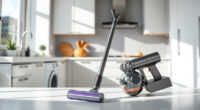
If your Dyson V15 Detect™ Origin cordless vacuum is losing suction, it can be frustrating. Often, the issue stems from clogged filters, blockages, or worn parts. This guide provides clear, practical steps to diagnose and fix common suction problems, ensuring your vacuum performs at its best.
Always follow safety precautions when handling your vacuum, and consult your user manual for model-specific instructions.
Key Takeaways
| Check for blockages | Blocked hoses or nozzles reduce suction. |
| Inspect and clean filters | Dirty filters can hinder airflow. |
| Examine the brush bar | Hair and debris can cause clogs. |
| Ensure proper assembly | Incorrect assembly may impede suction. |
| Replace worn parts | Old filters or damaged components need replacement. |

Dyson V15 Detect™ Origin Cordless Vacuum
- Deep cleaning with intelligent detection: Reveals invisible dust for thorough cleaning
- Enhanced power and runtime: 100% more power, 60-minute battery life
- Energy-efficient power trigger: Uses power only when needed
As an affiliate, we earn on qualifying purchases.
Step 1: Power Off and Unplug
Before starting, turn off your Dyson vacuum and disconnect it from the charging dock. This ensures safety during inspection and cleaning.

LANMU Crevice Tool Vacuum Attachments Compatible with Dyson V15 V12 V11 V10 V9 V8 V7 Gen5 Outsize Vacuum Cleaner, Narrow Nozzel Replacement Parts for Hard-to-Reach Space
- Wide Compatibility: Compatible with various Dyson models
- Slim and Flexible Design: Narrow nozzle for tight spaces
- Versatile Applications: Ideal for furniture, car, and appliance cleaning
As an affiliate, we earn on qualifying purchases.
Step 2: Check for Blockages
- Remove the wand and cleaning head from the main body.
- Inspect the wand, hose, and cleaner head for debris or blockages.
- If you find any obstructions, clear them carefully using a long, thin tool or your fingers.
Step 3: Clean or Replace Filters
Filters can clog over time, reducing suction. Remove the pre-filter and main filter as per your model’s instructions. Rinse them with cold water and let them air dry completely for at least 24 hours before reinstalling. For the V15 Detect™, consider using a 3Pack Pre Filters Replacement if yours are heavily soiled.
Step 4: Check the Brush Bar
Remove the Digital Motorbar cleaner head and inspect the brush bar. Remove any hair, string, or debris wrapped around it. If the brush bar is damaged or worn, consider replacing it for optimal cleaning performance.
Step 5: Reassemble and Test
Reattach all parts securely. Turn on your vacuum and test the suction. If suction is still weak, proceed to check the internal air pathways or consider replacing filters or worn parts.
The Products in This Guide

Dyson V15 Detect™ Origin Cordless Vacuum
- ✔ Weight: 6.8 lbs
- ✔ Charge Time: 3.5 hours
- ✔ Filter Type: HEPA-like

LANMU Crevice Tool Vacuum Attachments Compatible
- ✔ Nozzle Width: 1.2 inches
- ✔ Material: Plastic
- ✔ Compatibility: Multiple Dyson models
Dyson V15 Detect™ Origin Cordless Vacuum
The Dyson V15 Detect™ Origin offers 100% more power and intelligent features like debris detection and real-time particle counts. Regular maintenance, including filter cleaning and checking for blockages, is key to optimal performance.
Pros:
- Powerful suction
- Smart debris detection
- Long battery life
- Multiple cleaning heads
Cons:
- Filters require regular cleaning
- Can be heavy when using attachments
- Filters may need replacement over time
Best for: Whole-home deep cleaning, pet hair, hard floors, carpets
Not ideal for: Light, quick cleanups or for users preferring lighter devices
Bottom line: Regular maintenance ensures your Dyson V15 Detect™ performs at its best.
LANMU Crevice Tool Vacuum Attachments Compatible
The LANMU Crevice Tool Vacuum Attachments fit Dyson V15 models perfectly, offering a narrow nozzle for hard-to-reach areas. It’s a practical addition for detailed cleaning tasks around your home or car.
Pros:
- Narrow, flexible nozzle
- Easy to attach
- Effective for corners and edges
- Compatible with multiple Dyson models
Cons:
- No additional cleaning head included
- Requires proper attachment for best results
- May not fit older or non-Dyson models
Best for: Cleaning tight spots, car interiors, keyboards
Not ideal for: For general floor cleaning, use standard heads
Bottom line: A versatile tool to access hard-to-reach spaces effectively.
Frequently Asked Questions
Why does my Dyson vacuum have weak suction?
Weak suction often results from clogged filters, blockages in the hose or wand, or a dirty brush bar. Regular inspection and cleaning can resolve most issues.
How often should I clean or replace the filters?
Filters should be rinsed every 1-2 months and replaced every 6-12 months, depending on usage. Using a 3Pack Pre Filters Replacement can help maintain suction.
Can I fix my Dyson vacuum myself?
Yes, many common issues like blockages, filter cleaning, and brush maintenance are DIY-friendly. For more complex repairs, contact Dyson customer support.
What should I do if replacing filters doesn’t improve suction?
Check for blockages in the hose and wand, ensure all parts are assembled correctly, and consider replacing worn brush bars or internal seals if necessary.
Keep Your Dyson V15 Detect™ Performing at Its Best
By following these troubleshooting steps and maintaining your vacuum regularly, you can ensure it continues to deliver powerful, efficient cleaning. Always use genuine filters and accessories for optimal results, and don’t hesitate to seek professional repair if problems persist.
Affiliate disclosure: As an Amazon Associate we earn from qualifying purchases. Prices and availability are accurate as of the time of publishing.