When deciding how map storage works, you can choose between local and cloud options. Local storage keeps maps directly on your device, allowing you to access them offline anytime, which is great for remote areas or when internet is unreliable. Cloud storage uploads maps to remote servers, offering automatic updates and sync across devices but requiring an internet connection for full access. Keep exploring to discover which method suits your needs best.
Key Takeaways
- Local storage keeps maps directly on devices for offline access, requiring manual updates for new data.
- Cloud storage stores maps on remote servers, enabling automatic updates and synchronization across devices.
- Offline navigation is fully supported with local maps, while cloud services often need pre-downloaded data for offline use.
- Cloud storage offers real-time data sync and personalized features, but depends on internet connectivity.
- Many apps use a hybrid approach, combining local map downloads with cloud sync for flexibility and convenience.

When choosing how to store maps, you’re faced with two main options: local storage and cloud storage. Each method has its strengths and limitations, especially when it comes to offline navigation and data synchronization. Understanding how these options work will help you decide which suits your needs best.
With local storage, your maps are saved directly on your device, such as a smartphone, tablet, or GPS device. This setup allows you to access maps even when you’re offline. If you’re traveling through areas with poor or no internet connectivity, offline navigation is a game-changer. You can plan routes, find points of interest, and navigate without worrying about losing signal or incurring data charges. The maps are stored on your device, so they’re instantly accessible, and you don’t need to rely on an internet connection. However, the challenge here is keeping your maps up-to-date. Since the data resides locally, you need to manually download updates or new maps, which can be inconvenient if you often explore new areas or if maps change frequently.
On the other hand, cloud storage offers a different approach. Your maps are stored on remote servers, accessed via the internet. Cloud-based map services automatically sync your data across devices, so updates are seamless and instant. When you’re online, your device can fetch the latest map data, ensuring you always have the most current information. This makes cloud storage ideal for data synchronization, as any changes you make, like adding favorite locations or adjusting routes, update across all your devices in real-time. Additionally, many cloud services utilize advanced AI algorithms to optimize routing and provide personalized recommendations. However, relying solely on cloud storage means you’re vulnerable to connectivity issues. Offline navigation becomes limited unless the app provides offline map downloads, which typically require preloading specific regions beforehand. Without these downloads, you won’t be able to navigate offline, which can be problematic in remote areas or during travel without reliable internet.
Choosing between local and cloud storage depends on your priorities. If offline navigation is essential—say, for hiking, road trips, or traveling to remote locations—local storage offers independence from internet access. But if you prefer convenience, automatic updates, and seamless data synchronization across devices, cloud storage is the way to go. Many modern map apps combine both approaches, allowing you to download offline maps for areas you’ll visit frequently and rely on cloud features for regular updates and synchronization. Ultimately, understanding how each method handles offline navigation and data synchronization will help you pick the best map storage solution for your adventures.

ROPVACNIC Robot Vacuum Cleaner Robot Vacuum and Mop Combo with 5200Pa Suction, Personalized Cleaning Adjustments, Self-Charging Robotic Vacuum Cleaner, Advanced Obstacle Avoidance
【2-in-1 Mopping and Vacuuming】 The ROPVACNIC Robot S1 integrates advanced electronically controlled mopping technology, significantly enhancing both cleaning...
As an affiliate, we earn on qualifying purchases.
Frequently Asked Questions
How Secure Is Cloud Map Storage Against Cyber Threats?
Cloud map storage is generally secure, but you should be aware of cybersecurity risks. Reputable providers use strong encryption protocols to protect your data from unauthorized access. However, no system is entirely risk-free, so it is crucial to choose providers with robust security measures and stay vigilant. Regular updates and strong passwords help minimize potential threats. Overall, with proper security practices, cloud map storage can be quite safe against cyber threats.
What Are the Costs Associated With Local Versus Cloud Storage?
Imagine choosing between buying a private library or subscribing to a public one. Local storage often involves higher upfront costs for hardware, plus ongoing maintenance fees for updates and repairs. Cloud storage typically charges monthly or annual fees based on data volume, reducing initial investment. While local storage might seem cheaper long-term, cloud offers scalability without hardware worries, making costs predictable and flexible for your mapping needs.
How Does Internet Connectivity Affect Access to Cloud Maps?
Your access to cloud maps depends heavily on your internet connectivity. If your internet connection is stable, you can quickly pull up maps without issues. However, when facing connectivity issues or internet dependency, access gets disrupted, leaving you stranded without map data. Poor or no internet means you’re limited or completely cut off from cloud maps, which highlights the importance of having local backups for reliable navigation.
Can Local Maps Be Integrated With Cloud Services?
Yes, you can integrate local maps with cloud services through map synchronization. This allows you to keep your offline maps updated with cloud data, enabling seamless offline integration. When you connect to the internet, your device automatically syncs changes, ensuring your local maps reflect the most recent information. This hybrid approach offers flexibility, letting you access maps offline while benefiting from the latest updates via cloud services.
What Are the Environmental Impacts of Cloud Versus Local Storage?
You might notice that cloud storage generally consumes more energy due to data centers’ high energy needs, impacting the environment. However, local storage can reduce energy consumption but often involves frequent hardware upgrades, affecting the hardware lifecycle. By choosing wisely, you can minimize environmental impacts—opt for energy-efficient data centers or extend hardware lifespan to lessen e-waste and energy use.

MONSGA Robot Vacuum and Mop Combo, 90 Days Self-Emptying with 8000Pa Suction, LiDAR Smart Mapping, Dual Anti-Tangle for Pet Hair, Carpet and Hard Floor
8000Pa Max Suction Meets Dual Anti-Tangle Design: From scattered crumbs to fluffy pet fur, this robot vacuum handles...
As an affiliate, we earn on qualifying purchases.
Conclusion
Whether you choose local or cloud storage, think of your maps as treasure chests—local keeps your treasures close, like a trusted vault, while the cloud spreads your gems across the sky, accessible from anywhere. Your choice shapes how quickly and safely your data travels, like a swift river or a sturdy dam. So, weigh your needs carefully—after all, the right storage method is the compass guiding your digital journey through uncharted territories.
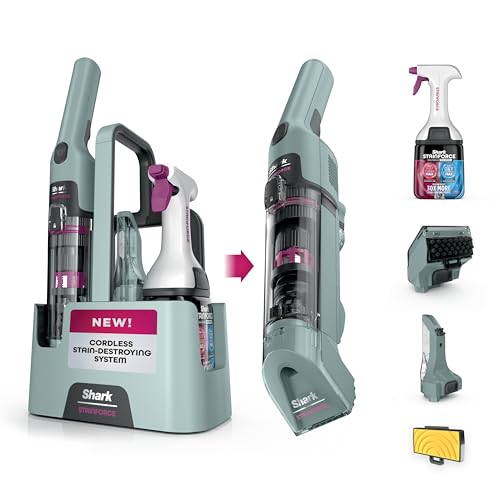
Shark StainForce Cordless Spot Cleaner, Dual-Activated Easy Spray Formula, OXY-Powered Stain Cleaning, Indoor + Outdoor, Carpets, Upholstery, Car Seats & Stairs, Pet Urine & Odor Remover, HX101
SPRAY. SCRUB. EXTRACT. UN-DO SPILLS & STAINS ANYWHERE: Your instant answer to spills & stains. Just generously spray...
As an affiliate, we earn on qualifying purchases.

BISSELL Little Green Mini Portable Carpet and Upholstery Deep Cleaner, Car/Auto Detailer, with HydroRinse Self-Cleaning Tool and 4" Tough Stain Tool, Tea Green, 4075
EVERY PURCHASE SAVES PETS. Every purchase makes it possible for BISSELL to continue our support of BISSELL Pet...
As an affiliate, we earn on qualifying purchases.