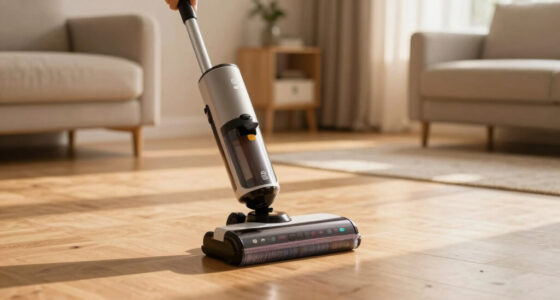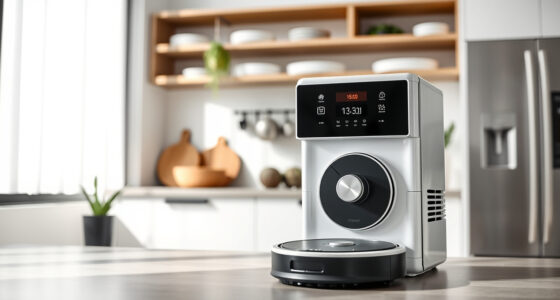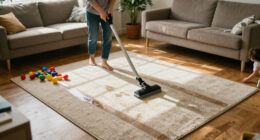
If your Roborock Q7 M5+ Robot Vacuum and Mop is frequently getting stuck, it can be frustrating and hinder your cleaning routine. This guide helps you identify common causes and provides clear, safe fixes to get your vacuum moving smoothly again.
Understanding why your robot gets stuck is key to preventing future issues. Follow these step-by-step instructions to troubleshoot and resolve the problem efficiently.
Key Takeaways
| Common causes | Obstacles, low battery, or tangled brushes |
| Check navigation | Ensure clear, uncluttered paths |
| Inspect brushes | Remove hair and debris from brushes |
| Update firmware | Keep your robot’s software current |
| Regular maintenance | Clean sensors and filters periodically |
Identify the Obstacle or Cause
- Pause the vacuum and observe where it gets stuck or stops.
- Check for visible obstacles like cords, rugs, or clutter blocking its path.
- Ensure the environment is free of small objects or loose cables that could trap the robot.
Clear the Path and Reset
- Remove any obstacles from the robot’s current path.
- Restart the device by turning it off, then on again.
- Run a short cleaning cycle to see if the issue persists.
Inspect and Clean Brushes and Sensors
- Turn off the vacuum and remove the main brush to check for tangled hair or debris.
- Clean the dual anti-tangle system and side brushes carefully.
- Wipe sensors and wheels with a soft, dry cloth to ensure proper navigation.
Update Firmware and Reconfigure
- Open the Roborock app and check for firmware updates.
- Follow prompts to update if available.
- Reposition the charging dock and ensure the robot’s navigation map is accurate.
Prevent Future Stuck Incidents
- Regularly clean brushes, sensors, and filters.
- Avoid placing rugs with fringes or loose edges in high-traffic areas.
- Ensure the robot’s path remains clear and free of potential obstacles.
The Products in This Guide

roborock Q7 M5+ Robot Vacuum and Mop
- ✔ Max Runtime: 7-9 weeks
- ✔ Filter Type: True HEPA
- ✔ Dust Capacity: 2.7L

4 Pack Washable Filter
- ✔ Filter Type: HEPA
- ✔ Reusable: Yes
- ✔ Compatibility: Multiple Roborock models
roborock Q7 M5+ Robot Vacuum and Mop
The Roborock Q7 M5+ offers powerful suction, smart navigation, and a self-emptying dock, making it a top choice for busy households. Its upgraded features from the Q5 Max+ enhance cleaning efficiency and convenience.
Pros:
- Up to 7-9 weeks of self-emptying
- 10000Pa suction power
- Dual anti-tangle system
- PreciSense LiDAR navigation
Cons:
- Higher price point
- Requires app setup
- Can get stuck on very thick rugs
Best for: Pet owners and busy households needing reliable, deep cleaning
Not ideal for: Homes with many cluttered or uneven surfaces
Bottom line: A high-performance robot vacuum ideal for pet hair and deep cleaning needs.
4 Pack Washable Filter
This 4-pack washable filter set is compatible with several Roborock models, including the Q7 and Q5 series. They help maintain optimal suction and air quality.
Pros:
- Reusable and washable
- Fits multiple models
- True HEPA filtration
- Easy to install
Cons:
- Need regular cleaning
- Not OEM
- May require replacement every few months
Best for: Maintaining filter performance and air quality
Not ideal for: If you prefer OEM parts or minimal maintenance
Bottom line: Cost-effective way to keep your vacuum performing at its best.
Frequently Asked Questions
Why does my Roborock get stuck on rugs?
Roborock may get stuck on thick or fringed rugs if the sensors or navigation system cannot detect the edges properly. Clearing the area or adjusting the rug placement can help.
How often should I clean the brushes?
It’s recommended to clean the brushes weekly, especially if you have pets, to prevent hair tangles and ensure optimal cleaning performance.
Can I prevent my Roborock from getting stuck?
Yes, by keeping the environment tidy, removing obstacles, and regularly maintaining the brushes and sensors, you can minimize the chances of it getting stuck.
What should I do if my vacuum still gets stuck after troubleshooting?
Contact Roborock support or consider resetting the device and updating firmware. Persistent issues may require professional assistance or replacement parts.
Keep Your Roborock Moving Smoothly
By understanding common causes and following these troubleshooting steps, you can significantly reduce instances of your Roborock vacuum getting stuck. Regular maintenance and environment adjustments ensure your robot remains efficient and reliable for everyday cleaning.
Affiliate disclosure: As an Amazon Associate we earn from qualifying purchases. Prices and availability are accurate as of the time of publishing.