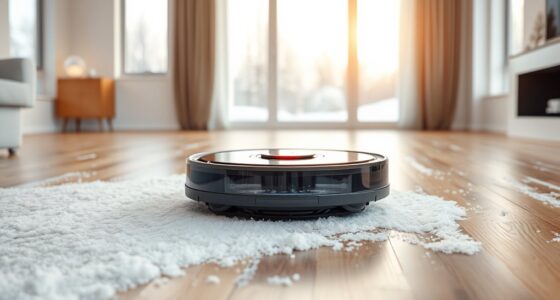
Robot vacuums with microfibre dust bags pair automated cleaning with a dock that collects debris in a replaceable bag, reducing how often you empty the robot. My best overall pick is the Tikom L8000 Plus, a strong all-rounder for shoppers who want vacuuming, mopping, and self-emptying in one system. The iRobot Roomba 105 Combo is a simpler option for buyers who prefer a familiar brand and dock setup, while the Redroad R11 stands out for its stated long-duration dust-bag capacity and LiDAR navigation. The main tradeoffs are between bag capacity, navigation and mop features, and how much you can verify about compatibility and ongoing upkeep. Read on for the full breakdown and a guide to choosing a model that fits your home.

Get cleaning gear delivered free with Prime
- Fast, free delivery on millions of items
- Prime Video, Amazon Music and more included
- Member-only deals all year
Complete the kit


Key Takeaways
- The Tikom L8000 Plus ranks first as the all-round choice because its vacuum-and-mop format and self-emptying base address more routine-cleaning needs than a vacuum-only setup.
- Roomba’s 105 and 115 Combo options emphasize a branded dock-and-robot ecosystem; check the exact model and included dock rather than assuming similarly named versions have identical features.
- Redroad’s R11 and R11 Max make bold suction claims, but a high stated Pa figure alone does not tell you how well a robot handles edges, carpets, pet hair, or obstacles.
- Long advertised bag intervals are not universal: home size, shedding, cleaning frequency, and the amount of fine dust can all shorten the time between bag changes.
- Several listings use generic product names, so verifying replacement-bag availability, dimensions, app functions, and dock contents matters as much as comparing headline suction.
| Robot Vacuum and Mop Combo with 6000 Pa Suction and Self-Emptying Station |  | Best Overall for Long Bag Intervals | Suction power: 6000 Pa | Dust bag capacity: 3 L | Advertised time between bag changes: Up to 90 days | VIEW ON AMAZON | See Our Full Breakdown |
| iRobot Roomba 105 Robot Vacuum with AutoEmpty Dock |  | Best for Vacuum-Only Households | Cleaning system: Three-stage with multi-surface and edge-sweeping brushes | Navigation: ClearView LiDAR mapping | AutoEmpty capacity: Up to 75 days | VIEW ON AMAZON | See Our Full Breakdown |
| Tikom L8000 Plus Robot Vacuum and Mop with Self-Emptying Base |  | Best for Multi-Floor Homes | Maximum suction: 6000 Pa | Dustbag capacity: 3 L | Maximum runtime: 150 minutes in gentle suction mode | VIEW ON AMAZON | See Our Full Breakdown |
| Shark Matrix Plus 2-in-1 Robot Vacuum and Mop, AV2613WA |  | Best Bagless Alternative | Model: AV2613WA | Functions: Robot vacuum and sonic mop | Self-empty base capacity: Up to 60 days of dirt and debris | VIEW ON AMAZON | See Our Full Breakdown |
| iRobot Roomba 105 Combo Robot Vacuum and Mop with AutoEmpty Dock |  | Best for Carpet-Safe Mopping | AutoEmpty capacity: Up to 75 days | Suction description: 70× more than previous models | Navigation system: ClearView LiDAR | VIEW ON AMAZON | See Our Full Breakdown |
| Redroad R11 Max Robot Vacuum and Mop with Self-Emptying Dock, LiDAR Navigation, and 38,000 Pa Suction |  | Best for Maximum Suction and Multi-Floor Mapping | Suction power: 38,000 Pa | Battery capacity: 4600 mAh | Navigation: LDS LiDAR | VIEW ON AMAZON | See Our Full Breakdown |
| Redroad R11 Robot Vacuum and Mop with 20,000 Pa Suction, 120-Day Self-Emptying Dust Bag, LiDAR Navigation, Dual-Band Wi-Fi, Gray |  | Best for Pet Hair and Long Runs | Suction power: 20,000 Pa | Battery capacity: 3200 mAh | Runtime: Up to 180 minutes | VIEW ON AMAZON | See Our Full Breakdown |
| Robot Vacuum and Mop with 8000Pa Suction and Self-Emptying Station |  | Best for Flexible Room Mapping | Suction power: Up to 8000 Pa | Self-emptying dust capacity: 2.6 L | Claimed hands-free cleaning: Up to 70 days | VIEW ON AMAZON | See Our Full Breakdown |
| iRobot Roomba 115 Combo Robot Vacuum and Mop with AutoEmpty Dock |  | Best for Washable Microfibre Mopping | Suction power: 15,000 Pa | Coverage per charge: Up to 900 sq ft | Battery life: 173 minutes | VIEW ON AMAZON | See Our Full Breakdown |
| Kilgone SDL40 Robot Vacuum and Mop with Self-Emptying Dock | 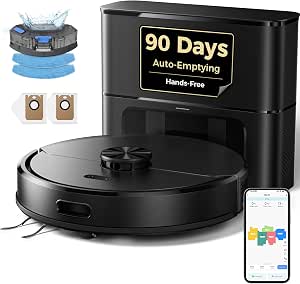 | Best for HEPA Filtration and Saved Maps | Dust bag capacity: 2.5 L; claimed up to 90 days | Battery runtime: Up to 150 minutes | Coverage per clean: Up to about 1,615 sq ft | VIEW ON AMAZON | See Our Full Breakdown |
| Bagotte M6 Robot Vacuum and Mop with Self-Emptying, 90-Day Hands-Free Cleaning, 6000Pa Suction, LiDAR Navigation |  | Best for Mapped, Low-Maintenance Cleaning | Navigation: 360° LiDAR | Stated suction: 6000Pa | Cleaning functions: Sweeping, vacuuming, mopping, self-emptying | VIEW ON AMAZON | See Our Full Breakdown |
| robot vacuums with microfibre dust bag | Navigation |
|---|---|
| Robot Vacuum and Mop Combo wit | LiDAR mapping |
| iRobot Roomba 105 Robot Vacuum | ClearView LiDAR mapping |
| Tikom L8000 Plus Robot Vacuum | 360° LiDAR |
| Shark Matrix Plus 2-in-1 Robot | — |
| iRobot Roomba 105 Combo Robot | — |
| Redroad R11 Max Robot Vacuum a | LDS LiDAR |
| Redroad R11 Robot Vacuum and M | 360° LiDAR |
| Robot Vacuum and Mop with 8000 | LiDAR |
| iRobot Roomba 115 Combo Robot | LiDAR |
| Kilgone SDL40 Robot Vacuum and | — |
| Bagotte M6 Robot Vacuum and Mo | 360° LiDAR |
More Details on Our Top Picks
Robot Vacuum and Mop Combo with 6000 Pa Suction and Self-Emptying Station
The S6 Pro makes the strongest case here for buyers who want a microfibre dust bag setup alongside both vacuuming and mopping. Its 3 L station is advertised to last up to 90 days between bag changes, longer than the Roomba 105’s stated 75-day interval. LiDAR room mapping, no-go zones, and automatic carpet boost give it useful control over mixed-floor homes, while 6,000 Pa suction and adjustable water flow let you tailor cleaning rather than rely on one setting. The tradeoff is that the listing specifies a sponge filter, not a HEPA filter, and its app features require 2.4 GHz Wi-Fi. Mopping is for sealed hard floors, so carpet-heavy homes may get less value from the combo function than from a vacuum-focused option.
Pros:- 3 L self-emptying bag is advertised for up to 90 days between changes
- LiDAR mapping supports room selection and no-go zones
- Combines vacuuming and mopping with adjustable water flow
- Automatic carpet boost and up to 160 minutes of battery life
Cons:- App features require a 2.4 GHz Wi-Fi connection
- Mopping is intended for sealed hard floors
- Sponge filter specification offers less filtration detail than the Roomba 105’s dock-bag allergen claim
Best for: Households with mostly sealed hard floors that want room-by-room cleaning and fewer dust-bag changes.
Not ideal for: Buyers who need HEPA filtration, have mostly carpeted rooms, or rely on a 5 GHz-only Wi-Fi network.
- Suction power:6000 Pa
- Dust bag capacity:3 L
- Advertised time between bag changes:Up to 90 days
- Navigation:LiDAR mapping
- Battery life:160 minutes
- Controls:App and voice
- Wi-Fi requirement:2.4 GHz
- Filter type:Sponge
Our verdict“Choose the S6 Pro if you want a long advertised bag interval, LiDAR control, and mopping for sealed floors in one robot.”
iRobot Roomba 105 Robot Vacuum with AutoEmpty Dock
The Roomba 105 is the clearest fit for buyers who want an AutoEmpty dust-bag dock but do not need a mop. Its three-stage system, multi-surface and edge-sweeping brushes, and ClearView LiDAR focus the package on orderly vacuuming; app controls add room targeting, schedules, suction adjustments, and keep-out zones. The dock is stated to hold up to 75 days of debris, a shorter interval than the S6 Pro’s advertised 90 days, but iRobot specifies that the bag traps 99% of allergens as small as 0.7 microns. That filtration detail may matter more than extra capacity for some homes. Unlike the Roomba 105 Combo, this model avoids mop hardware and carpet-detection decisions, but it cannot scrub hard floors. Setup and operation also require 2.4 GHz Wi-Fi for connected features.
Pros:- AutoEmpty dock holds up to 75 days of debris
- Dock bag is specified to trap 99% of allergens as small as 0.7 microns
- ClearView LiDAR supports mapped cleaning, room targeting, and keep-out zones
- App, voice assistant, and onboard-button controls
Cons:- Does not mop, unlike the S6 Pro and Roomba 105 Combo
- Connected setup and operation require 2.4 GHz Wi-Fi
- The 75-day dock capacity is shorter than the S6 Pro’s advertised 90-day interval
Best for: Vacuum-focused households that want mapped room cleaning and a dock bag with a stated allergen-trapping specification.
Not ideal for: People who want one robot to mop sealed floors as well as vacuum, or homes with a 5 GHz-only Wi-Fi network.
- Cleaning system:Three-stage with multi-surface and edge-sweeping brushes
- Navigation:ClearView LiDAR mapping
- AutoEmpty capacity:Up to 75 days
- Dock-bag allergen capture:99% of allergens as small as 0.7 microns
- Connectivity:2.4 GHz Wi-Fi
- Voice assistant compatibility:Alexa, Siri, and Google Assistant
- Spot cleaning:Up to 5 minutes
Our verdict“Pick the Roomba 105 if mapped vacuuming and specified dock-bag allergen capture matter more than having a mop.”
Tikom L8000 Plus Robot Vacuum and Mop with Self-Emptying Base
The Tikom L8000 Plus is the more flexible pick for homes with several levels: its 360° LiDAR can save maps for up to five floors, while the S6 Pro’s supplied details do not specify multi-floor map storage. Its 3 L self-emptying dustbag, 6,000 Pa maximum suction, and recharge-and-resume function suit larger cleaning areas, and app or voice controls allow room selection and no-go zones. The stated 150-minute runtime applies only in gentle suction mode, so it should not be read as a full-power run time. Mopping also needs more hands-on planning than the Roomba 105 Combo: the mop holder must come off, or a no-go zone must protect carpets. Buyers get broader Wi-Fi compatibility than the 2.4 GHz-only Roomba, but should check the exact bag-change interval before choosing on capacity alone.
Pros:- Stores LiDAR maps for up to five floors
- 3 L self-emptying dustbag and up to 6,000 Pa suction
- Recharge-and-resume supports larger cleaning jobs
- Supports 2.4 GHz and 5 GHz Wi-Fi and Alexa
Cons:- 150-minute runtime is specified only for gentle suction mode
- Mop holder must be removed or carpets blocked with a no-go zone
- The supplied data does not state an exact bag-change interval
Best for: Owners of multi-level homes who want saved floor maps, recharge-and-resume cleaning, and a combined vacuum-mop.
Not ideal for: People who want carpet protection to happen automatically during mopping or need a confirmed long interval between bag changes.
- Maximum suction:6000 Pa
- Dustbag capacity:3 L
- Maximum runtime:150 minutes in gentle suction mode
- Navigation:360° LiDAR
- Saved maps:Up to 5 floors
- Cleaning modes:Sweeping and mopping
- Connectivity:2.4 GHz and 5 GHz Wi-Fi; Alexa compatible
- Recharge and resume:Yes
Our verdict“Choose the L8000 Plus for multi-floor map storage and flexible connectivity, provided you are willing to manage carpet protection when mopping.”
Shark Matrix Plus 2-in-1 Robot Vacuum and Mop, AV2613WA
The Shark Matrix Plus is the outlier in a roundup centered on microfibre dust bags: its self-empty base is bagless, so it does not meet the bag-based format offered by the S6 Pro, Tikom L8000 Plus, or Roomba models. It earns a place as a useful point of comparison for buyers who would rather empty a base than replace dock bags. Its grid cleaning pattern, multiple passes, and sonic mop scrubbing at 100 times per minute target more active floor cleaning than the Roomba 105’s vacuum-only design. HEPA filtration is specified to capture 99.97% of dust and allergens down to 0.3 microns, and the package includes reusable microfibre mopping pads—these are mop pads, not dust bags. The tradeoffs are a stated 60-day debris capacity, shorter than the Roomba 105’s 75 days, and a listed 110-minute battery life.
Pros:- Reusable microfibre mopping pads are included
- HEPA filtration is specified to capture 99.97% of dust and allergens down to 0.3 microns
- Sonic mopping scrubs hard floors 100 times per minute
- LiDAR mapping, object avoidance, and a self-cleaning brushroll
Cons:- Bagless base does not satisfy a preference for microfibre dust bags
- Base capacity is stated as up to 60 days, shorter than the Roomba 105’s 75 days
- Listed battery life is 110 minutes and mopping is limited to hard floors
Best for: Buyers who want a robot vacuum-mop with reusable microfibre mop pads and prefer a bagless base to replacement dock bags.
Not ideal for: Shoppers specifically seeking microfibre dust bags, or homes where a longer stated base-emptying interval is a priority.
- Model:AV2613WA
- Functions:Robot vacuum and sonic mop
- Self-empty base capacity:Up to 60 days of dirt and debris
- Filtration:HEPA; captures 99.97% of dust and allergens down to 0.3 microns
- Battery life:110 minutes
- Mapping:360° LiDAR
- Mopping accessories:2 reusable microfibre mopping pads
- Included cleaning solution:12 oz. starter solution
Our verdict“Consider the Shark if reusable mop pads and HEPA filtration matter more to you than having a dust-bag dock.”
iRobot Roomba 105 Combo Robot Vacuum and Mop with AutoEmpty Dock
The Roomba 105 Combo offers a practical middle ground between the vacuum-only Roomba 105 and the S6 Pro: it adds vacuum-and-mop modes while keeping a dock advertised to hold up to 75 days of debris. Its ClearView LiDAR supports room-by-room scheduling, and automatic carpet detection is designed to keep rugs dry while the mop operates. That built-in carpet handling is a clearer convenience than the Tikom L8000 Plus, which calls for removing the mop holder or setting a no-go zone. The listing describes suction as 70× more than previous models, rather than giving a Pa figure, so direct suction comparisons with the 6,000 Pa S6 Pro are not possible from the supplied data. A meaningful drawback is the proprietary disposable dock bag, along with the requirement for a 2.4 GHz network during cleaning.
Pros:- AutoEmpty dock is stated to hold up to 75 days of debris
- Automatic carpet detection is designed to keep rugs dry while mopping
- ClearView LiDAR supports mapped rooms and scheduled cleaning
- Offers vacuum-only, mop-only, and combined cleaning modes
Cons:- Requires a proprietary disposable AutoEmpty bag
- Cleaning operation requires a 2.4 GHz Wi-Fi network
- Suction is described relative to previous models rather than with a Pa measurement
Best for: Homes with a mix of rugs and hard floors that want a bagged dock and carpet-aware vacuum-mop operation.
Not ideal for: Buyers who want a stated Pa suction figure, avoid proprietary disposable bags, or have only 5 GHz Wi-Fi available.
- AutoEmpty capacity:Up to 75 days
- Suction description:70× more than previous models
- Navigation system:ClearView LiDAR
- Cleaning modes:Vacuum only, mop only, vacuum-mop combo
- Connectivity:2.4 GHz Wi-Fi for cleaning; 5 GHz phone compatibility
- Battery type:Rechargeable lithium-ion
Our verdict“Choose the Roomba 105 Combo if carpet-aware mopping and a bagged dock matter more than avoiding proprietary bags or comparing suction by Pa.”
The R11 Max is the suction-focused pick in this group, pairing a stated 38,000 Pa with a dock that includes two 4 L dust bags. Its strongest case is for homes where frequent debris pickup and fewer bag changes matter more than a compact setup. Like the Redroad R11, it vacuums, sweeps, and mops, but the Max adds support for up to four maps and a larger stated suction figure. That makes it a better fit for mapped, multi-level homes than the simpler single-use routines some buyers want. The tradeoff is that the advertised hands-free interval varies between 120 and 240 days, so I would not treat that range as a reliable schedule. Mopping is included, but the supplied details do not describe scrubbing or mop-pad automation.
Pros:- Stated 38,000 Pa suction is the highest figure among these five picks.
- Stores up to four floor maps for homes with multiple levels.
- Dock includes two 4 L dust bags.
- Offers vacuuming, sweeping, and mopping with three water-flow settings.
Cons:- Hands-free dust-collection claims range from 120 to 240 days.
- No runtime figure is supplied, making coverage planning harder.
- Mopping details do not specify scrubbing or automated mop-pad care.
Best for: Multi-floor households that want strong stated suction, mapped room control, and spare dock bags included.
Not ideal for: Buyers who need a predictable bag-replacement interval or detailed evidence about mopping performance.
- Suction power:38,000 Pa
- Battery capacity:4600 mAh
- Navigation:LDS LiDAR
- Map storage:Up to 4 maps
- Dust bag capacity:4 L
- Included dust bags:2
- Cleaning modes:Vacuuming, sweeping, and mopping
- Water-flow settings:3 levels
- Wi-Fi and voice control:2.4 GHz and 5 GHz; Alexa and Google Home
Our verdict“Choose the R11 Max if suction claims and four-map support matter more than a clearly stated maintenance interval.”
The Redroad R11 balances a strong stated 20,000 Pa suction figure with a 180-minute runtime, giving it a clearer case for longer cleaning sessions than the R11 Max, whose runtime is not listed. Its 4 L dust bag is claimed to last up to 120 days, and the extended anti-tangle side brush targets hair and debris along edges. LiDAR mapping and three-in-one cleaning add flexibility, though the supplied specifications do not state how many floor plans it stores. Compared with the Kilgone SDL40, this Redroad lists more battery capacity and a longer runtime, while Kilgone gives a specific multi-map count and HEPA filtration. Setup may take more effort than a basic robot because app, mapping, and voice features add choices; the large bag also does not remove the need to check actual fill levels.
Pros:- Lists a 180-minute runtime for longer cleaning sessions.
- 4 L dust bag is claimed to hold up to 120 days of debris.
- Extended anti-tangle side brush is designed to reach edges and limit hair wrap.
- Combines vacuuming, sweeping, and mopping with LiDAR navigation.
Cons:- The claimed 120-day bag interval depends on household debris and cleaning frequency.
- No number of saved maps is specified in the supplied details.
- Advanced app and mapping features may make initial setup less straightforward.
Best for: Pet owners in larger homes who want a long listed runtime, edge-reaching brush design, and a large self-emptying bag.
Not ideal for: Buyers who prioritize a clearly specified multi-floor map count, HEPA filtration, or simple setup.
- Suction power:20,000 Pa
- Battery capacity:3200 mAh
- Runtime:Up to 180 minutes
- Dust bag capacity:4 L; claimed up to 120 days
- Navigation:360° LiDAR
- Cleaning modes:Vacuum, sweep, and mop
- Wi-Fi:2.4 GHz and 5 GHz
- Side brush:Extended arm with anti-tangle design
- Voice control:Alexa and Google Home
Our verdict“Pick the Redroad R11 for pet-hair-focused cleaning and a long stated runtime, but choose Kilgone if a stated map limit and HEPA filter matter more.”
Robot Vacuum and Mop with 8000Pa Suction and Self-Emptying Station
This model’s clearest advantage is five-map storage, the largest stated map count among these five products. That gives multi-level households more room to save separate layouts and set room selections, virtual walls, and no-go zones. Its 2.6 L self-emptying station is smaller than the 4 L docks on both Redroad models, and its up-to-70-day hands-free claim is shorter than the claims for the iRobot Roomba 115 Combo and Kilgone SDL40. In return, the station may suit buyers who do not need a very large bag, while simultaneous vacuuming and mopping covers routine hard-floor upkeep. The stated suction is up to 8,000 Pa, below the other listed models here; mopping is limited to sealed hard floors, and battery life is not provided.
Pros:- Stores up to five LiDAR maps, more than the listed map count for either Redroad model.
- Supports room selection, virtual walls, and no-go zones.
- Can vacuum and mop simultaneously.
- Anti-tangle brush is designed to reduce hair wrap.
Cons:- 2.6 L dust capacity is smaller than the 4 L Redroad bags.
- Claimed hands-free interval is up to 70 days, shorter than the other listed bag claims.
- Mopping is limited to sealed hard floors, and battery life is unspecified.
Best for: Multi-floor households that value room-by-room map control and customized cleaning zones over a larger dust bag.
Not ideal for: Buyers with extensive carpet, high debris loads, or a need to compare cleaning coverage by battery runtime.
- Suction power:Up to 8000 Pa
- Self-emptying dust capacity:2.6 L
- Claimed hands-free cleaning:Up to 70 days
- Navigation:LiDAR
- Map storage:Up to 5 maps
- Water tank capacity:270 ml
- Water-flow settings:3
- Controls:App and Alexa
Our verdict“Choose this model when five saved maps and zone controls matter more than maximum suction or a long bag interval.”
iRobot Roomba 115 Combo Robot Vacuum and Mop with AutoEmpty Dock
The Roomba 115 Combo is the most directly relevant choice for shoppers focused on a microfibre mop pad: its pad is washable, while the AutoEmpty dock uses a 2.5 L bag. The dock bag is described as trapping 99% of pollen and mold, adding a filtration detail absent from the Redroad R11 listings. Its LiDAR navigation, No Mop Zones, and one-pass vacuum-and-mop routine make it appealing for mixed flooring, especially where rugs need protection. Compared with the Kilgone SDL40, Roomba specifies a washable microfiber pad and a 173-minute battery life, while Kilgone lists more map capacity and HEPA filtration. The Roomba’s stated coverage is up to 900 sq ft per charge, so larger homes may need more than one session; setup also requires 2.4 GHz Wi-Fi.
Pros:- Includes a washable microfiber mop pad.
- No Mop Zones help keep rugs dry during combined cleaning.
- AutoEmpty bag is listed at 2.5 L and described as trapping 99% of pollen and mold.
- LiDAR navigation and a 173-minute battery life support planned room cleaning.
Cons:- Coverage is listed at up to 900 sq ft per charge, limiting its fit for larger homes.
- Setup requires 2.4 GHz Wi-Fi.
- Filters and brushes are specified for replacement every 3–6 months.
Best for: Small- to medium-home owners who want a washable microfiber mop pad, bagged emptying, and rug-protection zones.
Not ideal for: Large-home buyers needing broad listed coverage, dual-band Wi-Fi, or fewer consumable-part replacements.
- Suction power:15,000 Pa
- Coverage per charge:Up to 900 sq ft
- Battery life:173 minutes
- Dock bag capacity:2.5 L
- Navigation:LiDAR
- Mop pad:Washable microfiber
- Cleaning modes:Vacuum and mop in one pass
- Power levels:4
- Wi-Fi requirement:2.4 GHz
Our verdict“Choose the Roomba 115 Combo if a washable microfiber pad and rug-aware mopping matter more than larger-home coverage.”
Kilgone SDL40 Robot Vacuum and Mop with Self-Emptying Dock
The Kilgone SDL40 is a practical middle ground for buyers who want mapped cleaning and a sealed bag without choosing the largest dock. Its 2.5 L dust bag is claimed to last up to 90 days, while HEPA filtration and an anti-tangle brush address two common concerns for homes with pets. It can save up to five maps, matching the map count of the 8000 Pa robot but pairing it with auto-recharge and resume for longer jobs. Compared with the iRobot Roomba 115 Combo, Kilgone offers a larger listed coverage area and more saved maps; Roomba, by contrast, explicitly identifies its washable microfiber mop pad. Kilgone’s mopping is described as water-level-based wiping, with no scrubbing feature specified, so I would choose it for maintenance rather than intensive floor washing.
Pros:- HEPA filtration and an anti-tangle main brush suit pet-hair households.
- Stores up to five LiDAR maps.
- Auto-recharge and resume supports longer cleaning sessions.
- 2.5 L sealed dust bag is claimed to hold up to 90 days of debris.
Cons:- The 90-day bag interval depends on household conditions and cleaning frequency.
- Mopping is described as water-level-based wiping, with no scrubbing feature specified.
- The supplied details do not identify a microfiber mop pad.
Best for: Pet households with multiple floors that want HEPA filtration, saved maps, and automatic resume after recharging.
Not ideal for: Buyers seeking a verified washable microfiber pad or active scrubbing rather than water-level wiping.
- Dust bag capacity:2.5 L; claimed up to 90 days
- Battery runtime:Up to 150 minutes
- Coverage per clean:Up to about 1,615 sq ft
- Mapping:LiDAR; saves up to 5 maps
- Mopping:3 water levels
- Filter:HEPA
- Brush:Anti-tangle main brush
- Controls:App and push button
- Voice control and Wi-Fi:Alexa and Google Assistant; 2.4 GHz and 5 GHz
Our verdict“Pick the SDL40 for HEPA filtration, five-map storage, and resume cleaning, but choose the Roomba if a specified washable microfiber pad is your priority.”
Bagotte M6 Robot Vacuum and Mop with Self-Emptying, 90-Day Hands-Free Cleaning, 6000Pa Suction, LiDAR Navigation
The Bagotte M6 pairs 360° LiDAR mapping with a self-emptying dock, making it a practical pick for households that want scheduled, room-aware cleaning without frequent bin emptying. Its advertised 90-day hands-free period is a useful convenience, though the product details do not specify the dock bag’s material—so I can’t verify that it uses a microfibre dust bag, the key feature in this roundup.
Its stated 6000Pa suction and sweep-vacuum-mop functions cover more jobs than the vacuum-only Roomba 105 AutoEmpty, while LiDAR offers a clear navigation advantage over a basic random-route cleaner. The tradeoffs are its stated difficulty with very thick carpets and an app interface that may take patience to learn. This is best suited to hard floors and low-pile carpet, not homes centered on plush rugs.
Pros:- 360° LiDAR mapping supports organized routes and virtual no-go zones.
- Self-emptying dock is advertised for up to 90 days between manual emptying.
- 6000Pa stated suction and vacuum-mop functions cover routine floor cleaning.
- App, button, and touchpad controls provide alternatives to app-only operation.
Cons:- Dock bag material is not specified, so microfibre-bag compatibility is unverified.
- May struggle to clean very thick carpets or high-pile rugs effectively.
- The app interface may feel unintuitive for some users.
Best for: Households with mostly hard floors or low-pile carpets that want mapped cleaning, scheduled runs, and less frequent dust-bin handling.
Not ideal for: Buyers specifically seeking a confirmed microfibre dust bag, owners of thick high-pile rugs, or anyone who prefers simple app controls.
- Navigation:360° LiDAR
- Stated suction:6000Pa
- Cleaning functions:Sweeping, vacuuming, mopping, self-emptying
- Advertised hands-free period:Up to 90 days
- Filter:H13
- Battery life:120 minutes
- Controls:App, buttons, and touchpad
- Dimensions:11.66 × 11.66 × 2.88 inches
- Warranty:2 years
Our verdict“Choose the Bagotte M6 for mapped, low-maintenance cleaning on hard floors, but skip it if a verified microfibre dust bag is a requirement.”

How We Picked
I ranked these 11 options around the promise in the title: a robot vacuum paired with a self-emptying dock that uses a microfibre dust bag. The most useful factors are whether the dock-and-bag arrangement is clearly specified, how well the product information explains navigation and routine use, and whether vacuuming, mopping, or both suit the likely household. I also weighed maintenance demands, the clarity of bag-capacity claims, and the value of features beyond a headline suction figure. A product name or suction number by itself was not enough to earn a higher place.
The Tikom L8000 Plus leads as the most balanced listed combination of vacuuming, mopping, and self-emptying. Roomba Combo models follow as recognizable, straightforward alternatives, while Redroad’s stated suction and bag-duration claims make its models more specialized picks than automatic winners. The generic 6,000 Pa and 8,000 Pa listings, along with the Kilgone and Bagotte models, remain relevant options, but buyers should verify replacement-bag fit and dock details before choosing. Since specifications and accessories can vary by listing or package, the ranking favors clearly described buyer benefits over claims that cannot be compared directly.
Factors to Consider When Choosing Robot Vacuums With Microfibre Dust Bags
A microfibre bag changes the maintenance routine, but it does not make every self-emptying robot interchangeable. I would check the whole system—the robot, dock, bags, app, and replacement supply—rather than choosing by suction claims alone. These factors help distinguish a genuinely convenient setup from one that may be awkward to maintain.
Confirm the Dock Uses the Bag You Expect
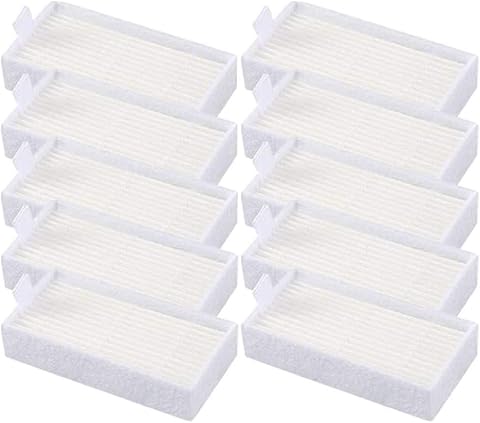
Product listings can use terms such as self-emptying, dust bag, and disposable bag inconsistently, so look for confirmation that the dock empties the robot into a microfibre bag. Do not assume that every bag-shaped liner is the same material or that a dock shown in a product image is included in every package. Check the replacement-bag model number, dimensions, and whether third-party bags are supported before buying. A proprietary bag can make routine care simple but leave you dependent on one compatible supply. If the listing does not identify the bag or dock clearly, treat that as an unresolved detail rather than inferring compatibility from the robot name.
Estimate Bag Life for Your Household
Claims such as 90 or 120 days describe a potential interval, not a guarantee for every home. A shedding pet, several occupants, frequent runs, or dusty floors can fill a bag much sooner than occasional cleaning in a compact space. Consider how often you plan to run the robot and whether you want to keep spare bags on hand. A larger advertised interval is useful only if the capacity and usage assumptions are clear. Also check whether the dock alerts you when the bag is full, since a missed alert can reduce emptying performance and leave debris in the robot.
Choose Navigation for Your Floor Plan
LiDAR navigation can help a robot map rooms and follow more organized routes, which matters in homes with several rooms or regular cleaning schedules. A small open-plan space may not need the same mapping sophistication, so app simplicity and reliable room selection could matter more. Before buying, check whether the app supports room-by-room cleaning, no-go zones, and map saving if those functions matter to you. Obstacles such as cords, toys, and low furniture remain practical challenges even with mapping. Avoid treating a navigation label as proof that the robot will identify every hazard or clean every edge equally well.
Treat Suction Numbers as One Clue
The listed models span stated suction figures from 6,000 Pa to much higher claims, but those numbers do not form a complete cleaning comparison. Brush design, airflow, carpet height, debris type, and whether suction changes automatically can affect real household results. If you have rugs or pet hair, look for clear information about brush maintenance and carpet handling rather than relying on the largest figure. For mostly hard floors, edge coverage and how well the robot collects fine debris may matter more than a headline maximum. Use suction figures to narrow options, not to predict performance on their own.
Decide Whether Mopping Adds Useful Value
A combo robot can handle light, frequent floor maintenance, but a mop attachment does not automatically replace a dedicated mop for dried or sticky messes. Check whether the robot has a water tank, adjustable water flow, washable pads, or a system that separates carpeted areas from mopping zones. Those details affect both upkeep and the risk of dampening rugs. If you mainly want dust and crumbs removed, a vacuum-focused setup may be easier to maintain. If you want both functions, choose a model whose mopping controls match your floors rather than paying attention only to the combo label.
Count the Full Maintenance Routine
A self-emptying bag reduces how often you handle dust, but brushes, filters, sensors, wheels, and mop pads still need attention. Check how easy it is to access tangled hair and whether replacement parts are identified in the listing. Dock size also matters: measure the intended parking spot and leave room for the robot to approach and turn. App setup and Wi-Fi requirements can affect how quickly a first-time owner gets useful schedules running. The least demanding model is the one whose bag supply, cleaning parts, and controls fit your routine—not necessarily the one with the longest advertised hands-free interval.
Frequently Asked Questions
How can I tell whether a robot vacuum’s dock uses a microfibre dust bag?
Look for the bag material stated in the product specifications or replacement-part documentation, not just the phrase self-emptying. Check that the dock is included in the package and that the listed bag model is compatible with that exact dock. Product photos can show accessories that are sold separately, so confirm the box contents. If material or bag fit is not specified, contact the seller or manufacturer before purchase. This is especially useful for generic listings, where similar product names may refer to different bundles.
Are advertised 90-day or 120-day dust-bag intervals realistic?
They can be possible in a smaller, cleaner home with limited shedding and a modest cleaning schedule, but they are not a reliable promise for every household. Pet hair, frequent runs, and tracked-in debris can fill a bag much sooner. Treat the number as a best-case estimate unless the maker explains its test conditions and bag capacity. Check whether compatible replacements are easy to source and keep a spare if you rely on the dock daily. The bag-full alert, if available, is more useful than a calendar reminder alone.
Should I choose the Redroad R11 Max because it lists 38,000 Pa suction?
Not on that figure alone. The R11 Max’s stated suction is a notable specification, but it does not reveal brush effectiveness, performance on different carpet types, obstacle handling, or how much suction is used during normal cleaning. Compare its dock and bag details, mapping controls, and maintenance needs with alternatives such as the Tikom L8000 Plus. If your floors are mostly hard surface, navigation and edge pickup may matter more to you than maximum suction. Look for independent performance information when available and treat the listed figure as one factor, not a result guarantee.
Is a combo vacuum-and-mop a good fit if I have rugs?
It can be, provided the robot gives you enough control to keep the mop away from rugs. Check for no-mop zones, room-specific settings, or a clear method for separating mopping runs from carpet cleaning. A combo label does not confirm that the robot automatically lifts its mop or recognizes every rug. You may need to remove the mop pad or schedule vacuum-only runs for mixed flooring. If those steps sound inconvenient, a vacuum-focused model may suit your routine better.
Which details should I verify before buying one of the generic-named models?
Confirm the exact robot and dock model, whether the dock is included, and the compatible microfibre bag part number. Then check which navigation and app features are supported, what replacement filters and brushes fit, and whether the listing describes warranty support. Similar generic names can conceal different bundles or specifications, so save the exact product page details before ordering. Verify the robot’s height and dock footprint against your furniture and available floor space. These checks reduce the chance of receiving a setup that technically self-empties but is inconvenient to operate or maintain.
Conclusion
For the best overall balance, choose the Tikom L8000 Plus if you want vacuuming, mopping, and a self-emptying base in one listed package. For a more familiar entry point, consider an iRobot Roomba 105 Combo or 115 Combo, after checking which dock and features the exact listing includes. For buyers drawn to high stated suction or long bag intervals, compare the Redroad R11 and R11 Max, but verify replacement-bag compatibility and do not let a headline number settle the decision. The generic 6,000 Pa and 8,000 Pa models, Kilgone SDL40, and Bagotte M6 may suit shoppers comparing feature sets, especially when the required bag and parts are clearly documented. My practical recommendation is to choose by floor plan and maintenance routine first, then confirm the dock, bag, and bundle details before ordering.