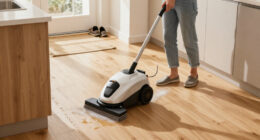

To optimize your device’s smart mapping, carefully set clean zones for high-traffic areas, ensuring thorough cleaning. Define no-go zones to keep it away from delicate or restricted spaces, preventing accidents. Regularly update your map as furniture or layout changes occur, and remove temporary obstacles during scans for better accuracy. Good lighting and clutter-free environments help improve obstacle detection. Keep these steps in mind, and you’ll discover more tips to enhance your cleaning efficiency.

Get cleaning gear delivered free with Prime
- Fast, free delivery on millions of items
- Prime Video, Amazon Music and more included
- Member-only deals all year
Key Takeaways
- Use the mapping app to draw and adjust precise clean zones around high-traffic areas for efficient cleaning.
- Designate no-go zones to restrict access to sensitive or cluttered areas, preventing device mishaps.
- Regularly review and update zone boundaries to reflect changes in furniture or household layout.
- Keep the environment well-lit and free of temporary obstacles during mapping to improve accuracy.
- Perform frequent map updates and calibrations to maintain optimal obstacle detection and navigation performance.

Ever wondered how to make your maps more effective and insightful? When it comes to smart mapping, optimizing your layout isn’t just about marking areas; it’s about enhancing navigation accuracy and obstacle detection. The better your map reflects your environment, the more your device can operate smoothly and safely. To achieve this, start by carefully defining your clean zones—areas where you want your device to clean thoroughly—and no-go zones, which are off-limits to prevent mishaps or damage. Precise mapping of these zones creates a foundation for improved navigation accuracy, ensuring your device moves efficiently without missing spots or wasting energy.
When setting up your map, pay close attention to obstacle detection. Modern mapping tools rely heavily on sensors and cameras to identify objects in real time. If your map isn’t detailed or accurate, your device may bump into furniture or get stuck around cluttered corners. To avoid this, frequently update your map and make sure your environment is well-lit and free of temporary obstacles during scans. This way, your device’s obstacle detection becomes sharper, allowing it to navigate around furniture, cables, or pets with ease. Over time, as your map learns the layout, your device will become more confident in avoiding potential hazards, reducing the risk of collisions or missed spots.
Customizing your clean zones is also essential. Use your mapping app to draw precise boundaries for areas that need regular cleaning, like the living room or kitchen, and designate no-go zones for delicate or restricted spaces. Accurate zone designation helps your device focus its efforts where they’re needed most, improving overall navigation accuracy. Additionally, regularly review and refine these zones, especially if furniture moves or your household layout changes. Doing so ensures your map remains current and your device’s obstacle detection remains reliable across all mapped areas.
Furthermore, consider the environment’s complexity. Cluttered or irregularly shaped spaces demand more detailed mapping and zone customization. The more accurate your map, the better your device can plan its route, reducing unnecessary backtracking and optimizing cleaning time. Also, keep in mind that maintaining good lighting and minimizing temporary obstacles during mapping sessions greatly enhances navigation accuracy and obstacle detection. Regularly updating your maps and map calibration can help your smart device adapt to changes, making your routines more efficient and less prone to errors.
Frequently Asked Questions
How Often Should I Update My Smart Mapping Settings?
You should update your smart mapping settings based on your home’s changes and your cleaning needs. The mapping frequency depends on how often your environment changes—if you add furniture or move items, revise the map sooner. Generally, an update schedule of every few months works well, but if your layout stays the same, you can extend the interval. Regular updates ensure your robot vacuum cleans efficiently and accurately.
Can Smart Mapping Adapt to Temporary Changes in My Home?
Think of your smart mapping as a flexible dance partner that adapts to your home’s rhythm. Yes, it can handle temporary changes with mapping flexibility, allowing for adaptive cleaning around furniture shifts or new obstacles. Your robot vacuum updates its map automatically, so it stays current. Just make certain your device’s software is up-to-date, and it’ll intelligently adjust its routes, keeping your home spotless despite the occasional change.
Is There a Way to Share My Map With Others?
You can share your map with others through the app’s map sharing feature. This allows you to grant user access to specific maps, making it easy for family members or houseguests to navigate your home. Simply select the map, choose the sharing option, and send an invite. This way, everyone has access to the same layout, improving coordination and ensuring your robot vacuum cleans efficiently.
How Do I Troubleshoot Mapping Errors or Inaccuracies?
When troubleshooting mapping errors or inaccuracies, start by checking your mapping calibration to guarantee your device is aligned correctly. If issues persist, perform error diagnostics to identify potential problems like sensor obstructions or signal interference. Make sure your environment is well-lit and free of obstacles. Recalibrate if necessary, and rerun the mapping process. Regular maintenance and updates also help maintain accurate, reliable maps.
Can I Customize Zones for Different Cleaning Routines?
Yes, you can customize zones for different cleaning routines. By using your robot’s app, you can set up specific zone customization to target high-traffic areas or delicate spots, tailoring each cleaning session. This feature allows you to assign particular zones to different routines, ensuring your robot cleans efficiently. Adjusting zones based on your needs helps optimize cleaning routines, saving time and ensuring thorough coverage of your home.
Conclusion
By applying these smart mapping tips, you’ll make the most of your clean zones and no-go areas, ensuring your space is optimized for safety and efficiency. Remember, a well-mapped environment can be a game-changer, so don’t put all your eggs in one basket. Keep experimenting and refining your approach—sometimes, you need to think outside the box to truly get it right. When it comes to mapping, a little effort goes a long way.
Halloween Picks
halloween
As an affiliate, we earn on qualifying purchases.