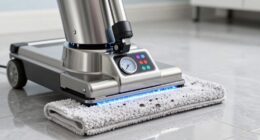
To make certain your robot charges properly, start by turning it off and unplugging it. Use a soft cloth or cotton swab dipped in isopropyl alcohol (70% or higher) to gently clean the contacts, removing dirt, dust, or grime. Avoid harsh chemicals or excessive moisture. Check for corrosion or damage, and if needed, replace the contacts or seek professional help. Following proper cleaning steps can restore your robot’s charging ability—learn more to keep it performing at its best.
Key Takeaways
- Turn off and unplug the robot before cleaning to ensure safety and prevent electrical damage.
- Use a soft microfiber cloth or cotton swab lightly dampened with isopropyl alcohol to clean contacts gently.
- Remove dust and debris with compressed air or soft brushes to keep contacts clear and free of obstruction.
- Avoid harsh chemicals or excessive moisture that could corrode or damage the contacts.
- Regularly inspect and clean contacts after heavy use or in dusty environments to maintain optimal charging performance.
Why Dirty Charging Contacts Prevent Your Robot From Charging Properly

Dirty charging contacts can prevent your robot from charging properly because dirt, dust, and debris create a barrier between the contacts and the charging station. When contact points are dirty, the electrical connection weakens or fails entirely, leading to incomplete charging cycles. Over time, this can considerably reduce your robot’s battery life, forcing it to work harder to perform tasks and draining the battery faster. Additionally, accumulated grime can cause contact corrosion, which further impairs the connection, making it even harder for the robot to charge efficiently. Regular cleaning of the charging contacts ensures a clear, stable connection and helps prevent contact corrosion from developing. Proper maintenance can also prevent corrosion and other issues that impair charging performance. This simple maintenance step helps preserve your robot’s battery health and prolongs its overall lifespan, keeping it ready to clean whenever you need it. Maintaining clean contacts also supports the electrical connection, which is essential for efficient charging, and ensures consistent power transfer. Properly cleaned contacts also prevent power interruptions, which can disrupt your robot’s cleaning schedule and reduce its effectiveness. Incorporating routine checks can further improve charging reliability and extend the life of your device.
How to Identify and Access Your Robot’s Charging Contacts
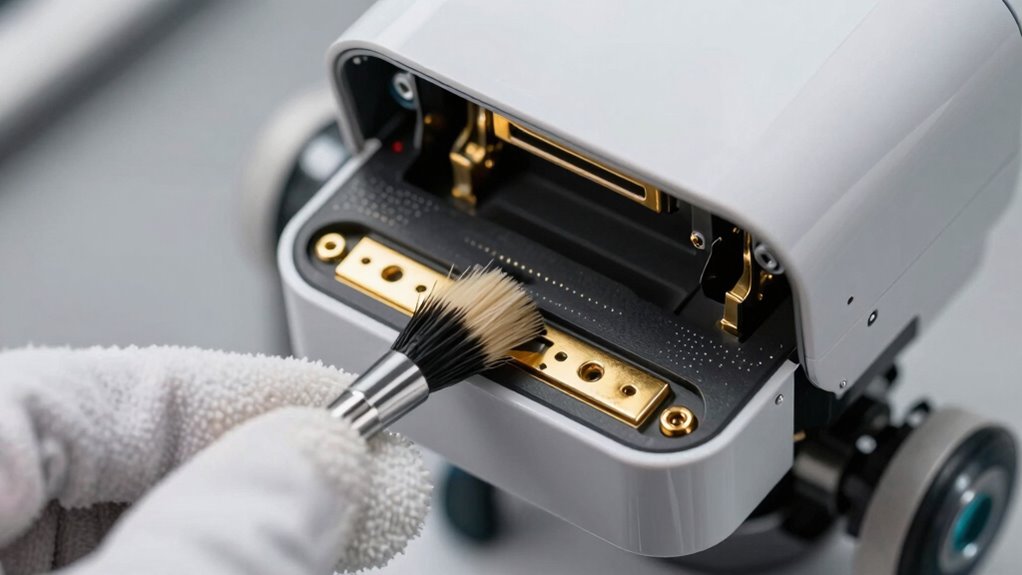
To properly clean your robot’s charging contacts, you first need to locate them. These contacts are usually near the battery compartment or along the charging port design, often hidden or recessed. Recognizing their position ensures you avoid damaging sensitive components. Keep in mind, proper access can extend your robot’s battery lifespan by maintaining efficient charging. Look for:
Locate your robot’s hidden charging contacts near the battery or port for safe cleaning.
- Visible metal contacts or pads on the robot’s base or side
- Small, often flat or slightly raised areas aligned with the charging station
- Clear pathways to the charging port without obstructions
Understanding where these are and how they connect helps you clean effectively and avoid unnecessary repairs. Ensuring you have proper access to these contacts is key to guaranteeing your robot charges smoothly and maintains prime performance over time. Additionally, being aware of contact location can help in troubleshooting charging issues more efficiently. Regularly inspecting and cleaning these contacts can prevent corrosion and improve charging efficiency, ensuring your robot remains ready for use. Maintaining clean contacts also reduces the risk of poor connections caused by dirt or debris buildup.
Tools and Materials You Need to Clean Robot Charging Contacts
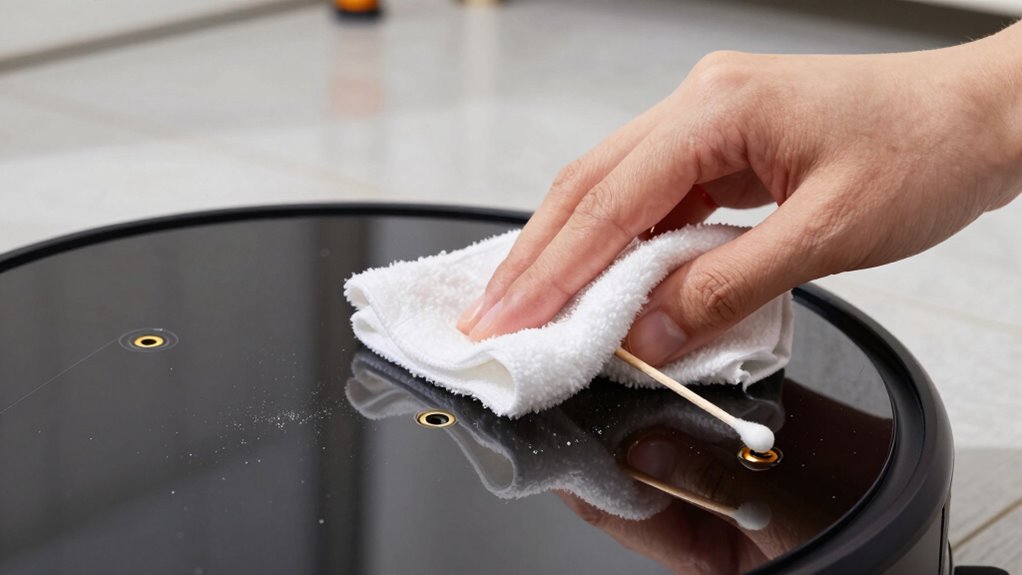
To clean your robot’s charging contacts effectively, you’ll need some essential tools like a soft cloth or cotton swabs and safe cleaning solutions such as isopropyl alcohol. Make sure to use protective equipment, like gloves, to avoid any skin contact with cleaning agents. Having these materials ready will make the process safer and more efficient.
Essential Cleaning Tools
Having the right tools and materials on hand is essential for effectively cleaning your robot’s charging contacts. Proper tools help maintain battery health and ensure firmware updates proceed smoothly by preventing connection issues. You’ll need:
- Soft microfiber cloths to gently wipe away dust and debris without scratching.
- Isopropyl alcohol (at least 70%) for disinfecting and removing grime that hinders charging.
- Cotton swabs to reach tight spots and clean contacts precisely.
- Measuring tools can help verify that contacts are aligned correctly for optimal connection.
- Using appropriate cleaning techniques ensures that contacts are thoroughly cleaned without causing damage or residue buildup.
- Regular inspection of contacts can prevent corrosion and ensure consistent charging performance, especially in humid environments.
- Ensuring proper contact alignment is crucial for a reliable connection and efficient charging process.
- Employing proper storage practices can also protect the contacts from environmental damage and dirt accumulation when the robot is not in use.
These tools help keep the contacts clean, supporting battery maintenance and reliable firmware updates. Using the right cleaning implements prevents damage and guarantees your robot charges efficiently. Remember, proper cleaning tools are the foundation for maintaining excellent performance and longevity of your robot.
Safe Cleaning Solutions
Choosing safe cleaning solutions is essential for maintaining your robot’s charging contacts without causing damage. Using gentle, non-abrasive tools helps with battery maintenance and dust management, ensuring your robot charges properly. Isopropyl alcohol (at least 70%) is a trusted cleaner that evaporates quickly and doesn’t leave residue. Cotton swabs or soft microfiber cloths are ideal for applying cleaning solutions carefully to the contacts. Avoid harsh chemicals or excessive moisture, which can corrode or damage sensitive components. Compressed air can help remove dust buildup from hard-to-reach areas without risking damage. Always opt for minimal, controlled solutions to keep your robot’s charging points clean and functioning efficiently. Proper cleaning techniques also support indoor air quality by preventing dust and debris buildup that could impact your robot’s performance. Using appropriate cleaning methods can also reduce the risk of electronic component damage, ensuring your device remains in optimal condition. Additionally, using the right cleaning tools can make the process more effective and safer for your robot’s delicate parts. Employing gentle cleaning methods also helps preserve the electronic components from unnecessary wear and tear. Regularly inspecting and maintaining your robot’s contacts can further enhance device longevity and performance. Safe cleaning solutions protect your investment and extend the lifespan of your robot’s battery and contacts.
Protective Equipment
Using the right protective equipment is key to cleaning robot charging contacts safely and effectively. Protect yourself from dirt, debris, and potential corrosion by wearing protective gloves. These gloves prevent skin contact and keep oils or residues from transferring to the contacts. You’ll also need cleaning brushes—soft brushes work best to gently remove grime without damaging delicate components. Always choose tools that allow precise control, ensuring you don’t accidentally harm the contacts. Proper maintenance techniques help extend the lifespan of your robot and keep it functioning optimally. Additionally, selecting appropriate cleaning tools designed for electronic components can improve cleaning efficiency and safety. Being aware of website privacy policies and how data is handled can also help you navigate online product instructions and tutorials securely. Incorporating proper safety precautions during cleaning can further prevent damage to sensitive parts. Remember, using the correct protective gear minimizes risks and ensures a thorough, safe cleaning process, helping your robot charge reliably again. Incorporating imagination into your cleaning routine can inspire innovative solutions for stubborn grime.
How to Safely Remove and Clean Your Robot’s Charging Contacts : A Step-by-Step Guide
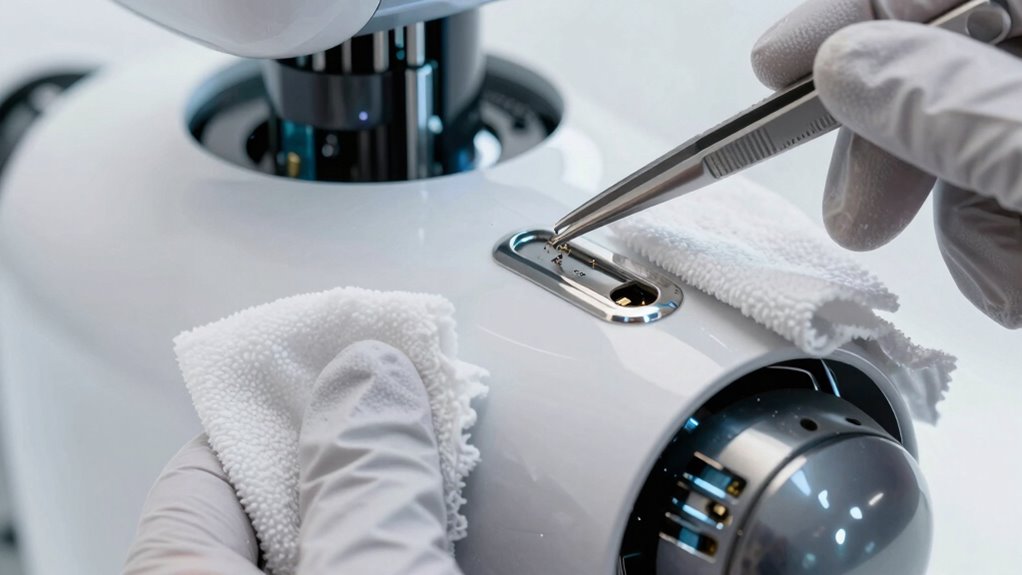
Cleaning your robot’s charging contacts is essential for maintaining ideal performance, but it must be done carefully to avoid damage. First, turn off your robot and unplug it to prevent electrical mishaps. Gently remove the charging contacts using a soft cloth or a toothbrush, avoiding abrasive tools that could scratch the surface. Use a small amount of isopropyl alcohol on a cloth to clean the contacts thoroughly. This helps with battery maintenance and reduces troubleshooting errors caused by poor connections. Keep in mind the following tips:
| Do’s | Don’ts |
|---|---|
| Use gentle cleaning tools | Use harsh abrasives |
| Turn off power before cleaning | Skip unplugging the device |
| Apply alcohol sparingly | Use excessive force |
| Be patient during cleaning | Rush the process |
Performing this routine proper maintenance can significantly extend your robot’s lifespan and ensure reliable charging. This careful approach ensures your robot charges efficiently.
Preventing Dirt and Debris Buildup on Charging Contacts

Keeping dirt and debris away from your robot’s charging contacts helps maintain a reliable connection and prevents charging issues. Regularly inspecting and keeping the contacts clean reduces the risk of buildup that can interfere with battery maintenance and software updates. To minimize debris collection:
- Store your robot in a clean, dust-free environment.
- Check and clean contacts after heavy use or in dusty areas.
- Follow manufacturer recommendations for software updates that may include contact protection features.
What to Do If Cleaning Doesn’t Fix Your Charging Problem

If your robot still won’t charge after cleaning the contacts, there may be other issues at play. You should consider battery maintenance and software troubleshooting first. Sometimes, the problem isn’t physical but software-related, like outdated firmware or a glitch. Visualize these aspects with this simple table:
| Battery Condition | Software Status | Charging Environment |
|---|---|---|
| Old, degraded | Firmware outdated | Dirty charging dock |
| Fully charged | Firmware current | Obstructed contacts |
| Needs replacement | Software glitch | Low power source |
Check the battery health, update the software, and ensure the charging area is clean and unobstructed. If these don’t work, professional help might be your next step.
When to Replace Charging Contacts or Get Professional Help

Sometimes, despite thorough cleaning and troubleshooting, your robot still won’t charge properly. If you notice persistent issues, it might be time to contemplate replacing the charging contacts or seeking professional repair. Signs include visible damage, corrosion, or if cleaning no longer improves charging. You should also think about battery replacement if the robot’s run time has considerably decreased. When in doubt, consult a professional to assess the contacts and battery health.
Remember:
- Damaged or corroded contacts often need replacing.
- Persistent charging problems may mean a battery upgrade is necessary.
- Professional repair can ensure safe, effective solutions without risking further damage.
Frequently Asked Questions
Can Using Household Cleaning Products Damage My Robot’s Charging Contacts?
Using household cleaners on your robot’s charging contacts can cause contact damage, so it’s best to avoid them. Household cleaners often contain harsh chemicals that may corrode or leave residues, which can interfere with proper charging. Instead, you should use a soft, dry cloth or a cotton swab with a small amount of isopropyl alcohol to clean the contacts gently. This keeps the contacts clean without risking damage.
How Often Should I Clean My Robot’s Charging Contacts for Optimal Performance?
You should clean your robot’s charging contacts every one to three months, depending on usage and environment. Neglecting this maintenance schedule can lead to contact corrosion, causing charging issues. Keep an eye out for dirt or grime buildup, and don’t wait too long—intermittent cleaning prevents surprises and keeps your robot performing at its best. Regular maintenance guarantees smooth charging, so your robot stays ready when you need it most.
Are There Specific Brands of Cleaning Tools Recommended for Robot Contacts?
You can use contact cleaning kits and microfiber cloths to effectively clean your robot’s charging contacts. Brands like iRobot, Moisten, or official manufacturer kits are recommended because they’re designed for delicate electronics. Microfiber cloths are gentle yet effective at removing dirt and grime without scratching. Always make sure you follow the instructions on the cleaning kit and gently wipe the contacts to maintain ideal charging performance.
Will Cleaning Contacts Void My Robot’s Warranty?
Cleaning your robot’s contacts generally won’t void your warranty if you follow the manufacturer’s cleaning guidelines. Just make sure to use approved tools and avoid harsh chemicals. Keep in mind that improper cleaning might damage the contacts or other components, which could affect warranty coverage. Always consult your robot’s manual for specific cleaning instructions to ensure you stay within warranty implications while maintaining ideal charging performance.
How Do I Troubleshoot if My Robot Still Doesn’T Charge After Cleaning?
Wondering why your robot still won’t charge? First, check for persistent connection problems or battery issues. Make certain the charging contacts are thoroughly clean and aligned properly. Restart your robot and try charging again. If it still doesn’t work, test the charging station with another device or replace the charging cable. Sometimes, a simple reset or replacing worn-out parts can resolve the issue, restoring your robot’s power and functionality.
Conclusion
Now that you know how to keep your robot’s charging contacts clean, won’t you enjoy hassle-free charging sessions? Regular maintenance guarantees your robot stays ready to clean whenever you need it. Don’t let dirt or grime stand in the way of seamless operation—give those contacts a quick clean whenever they look dirty. After all, isn’t it worth the effort to keep your smart home running smoothly? Your robot will thank you!