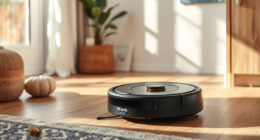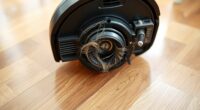
To keep your device running smoothly, replace filters when they become excessively dirty or airflow decreases, usually every few weeks. Washable filters should be cleaned regularly and replaced when they’re worn out. Check brushes weekly; replace when bristles are bent or missing, and swap pads when they look dirty or worn. Following the manufacturer’s schedule helps maintain performance. Continue exploring to learn more tips on *best* maintenance intervals for your equipment.

Get cleaning gear delivered free with Prime
- Fast, free delivery on millions of items
- Prime Video, Amazon Music and more included
- Member-only deals all year
Key Takeaways
- Check filters every few weeks for dirt buildup and replace when heavily soiled or airflow decreases.
- Replace non-washable filters after a set period or when they become too dirty to clean.
- Inspect brushes weekly; replace when bristles are bent, missing, or worn out.
- Change pads when they are visibly dirty, worn, or after the recommended lifespan.
- Follow manufacturer guidelines for specific replacement intervals to maintain optimal device performance.

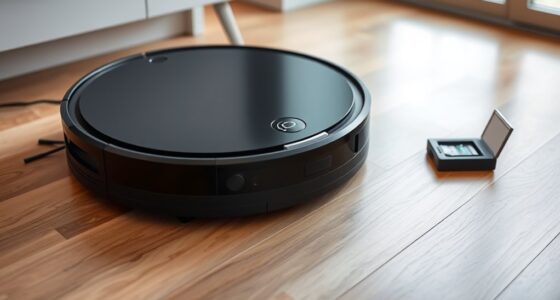
Keeping your cleaning equipment in top shape requires regular maintenance, especially when it comes to replacing filters, brushes, and pads. One of the key factors in maintaining ideal performance is understanding the importance of filter longevity. Filters don’t last forever; they collect dirt, dust, and debris over time, which can clog them and reduce their effectiveness. When filters become dirty or worn out, your device has to work harder, leading to decreased cleaning efficiency and potentially shorter lifespan. To prevent this, you should follow specific maintenance schedules for your equipment. Most manufacturers recommend checking filters every few weeks and replacing them when they show signs of excessive dirt buildup or reduced airflow. Staying on top of these schedules ensures your device runs smoothly and maintains peak performance.
Regular filter checks and replacements keep your cleaning equipment performing efficiently and prolong its lifespan.
Your maintenance routine should include regular inspections of all filter components. Pay attention to any decrease in suction or cleaning power, as these are clear signs that filters might need replacing. Some filters are washable; if so, clean them as recommended by the manufacturer, but don’t forget that washable filters also have a lifespan and need replacement eventually. For non-washable filters, it’s best to replace them when they appear dirty or after a specified number of uses. Keeping track of these replacements ensures your equipment continues to perform at its best without unnecessary strain on its motor. Additionally, understanding the typical filter lifespan can help you plan replacements proactively and avoid sudden drops in cleaning performance.
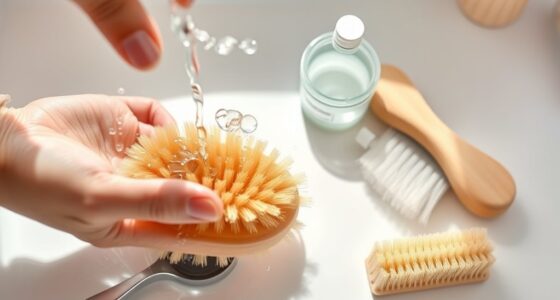
Brushes and pads also require regular attention. Over time, brushes can become frayed or worn down, which diminishes their effectiveness in sweeping or scrubbing surfaces. Pads, whether they’re microfiber, foam, or other materials, can accumulate dirt and lose their grip or scrubbing power. Checking these parts weekly is a good practice. Replace brushes when they show signs of wear, such as bent or missing bristles, to prevent scratching floors or leaving debris behind. For pads, replace them when they’re visibly dirty or worn through, or according to the manufacturer’s recommended lifespan.
Sticking to a consistent maintenance schedule helps you catch problems early before they affect cleaning performance. It also prolongs the life of your equipment, saving you money in the long run. Remember, not all filters, brushes, and pads need replacing at the same time, so consult your user manual for specific guidance. Setting reminders for routine checks and replacements keeps your equipment functioning efficiently. Ultimately, diligent maintenance isn’t just about cleanliness; it’s about ensuring your device stays reliable and effective for years to come.
vacuum cleaner filter replacement kit
As an affiliate, we earn on qualifying purchases.
As an affiliate, we earn on qualifying purchases.
Frequently Asked Questions
Can I Clean Filters Instead of Replacing Them?
You can clean filters as part of filter maintenance, but it’s not always enough to restore their full effectiveness. Regular cleaning extends the filter’s lifespan, but if it’s heavily clogged or damaged, replacing it is best. For brushes, clean off hair and debris regularly to maintain performance, but if the brush’s lifespan is near its end or it’s worn out, replacing it ensures maximum cleaning. Always follow manufacturer guidelines for best results.
How Do I Know if Brushes Are Worn Out?
Think of your brushes like a paintbrush—when the bristles are worn out, the picture gets blurry. You’ll notice brush wear if the bristles are frayed, bent, or missing. Check for bristle damage, uneven cleaning, or decreased suction performance. If the bristles are considerably damaged or worn down, it’s time to replace the brushes. Regular inspection ensures your device keeps working efficiently and maintains a thorough clean.
Are There Compatible Third-Party Replacement Parts?
Yes, you can find compatible third-party replacement parts for your eufy device, but be cautious. Using non-original parts can impact sensor maintenance and battery longevity, possibly causing performance issues. Check reviews and specifications carefully to guarantee compatibility. Regularly replacing worn brushes and filters with genuine or high-quality third-party options helps maintain peak cleaning and extends your device’s lifespan. Always prioritize quality to avoid damaging your vacuum.
How Often Should Pads Be Replaced for Optimal Performance?
Replace your pads every 2 to 3 months for ideal performance, ensuring your device maintains effective cleaning, filter maintenance, and efficient operation. Regularly check the pads for signs of wear, debris buildup, or reduced suction. Following these replacement schedules helps prevent clogs, prolongs device lifespan, and keeps your cleaning performance at its best. Don’t wait until performance drops—promptly replace pads to keep your device working smoothly.
Can I Replace Filters and Brushes Myself?
Yes, you can replace filters and brushes yourself. Regular filter maintenance keeps your device running smoothly, and changing brushes when they show signs of wear guarantees peak cleaning. Just follow the instructions in your user manual to access and swap out these parts easily. Doing this maintenance at home saves you money and time, and helps your device perform at its best without needing professional help.
As an affiliate, we earn on qualifying purchases.
Conclusion
Think of your device like a well-tended garden; when the filters, brushes, and pads show signs of wear, it’s time to give them a gentle refresh. Replacing these parts keeps your device humming smoothly, much like watering and pruning keeps plants healthy. Regular upkeep ensures your cleaning partner continues to shine, effortlessly sweeping away the day’s dust and debris. So, don’t wait for things to look tired—tend to your device and enjoy the fresh, spotless results.
microfiber cleaning pads for vacuum
As an affiliate, we earn on qualifying purchases.
As an affiliate, we earn on qualifying purchases.
As an affiliate, we earn on qualifying purchases.
Halloween Picks
halloween
As an affiliate, we earn on qualifying purchases.