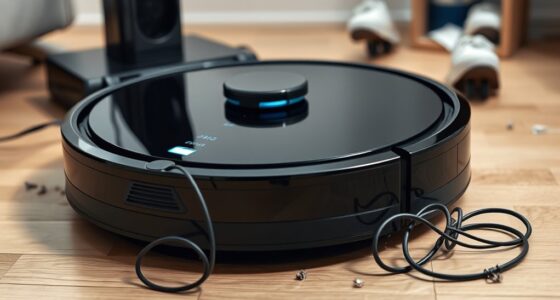
You should consider replacing your robot vacuum battery when you notice it no longer holds a charge, struggles to complete cleaning cycles, or your device’s runtime has noticeably declined. Over time, batteries lose capacity after 300-500 charge cycles, especially if you don’t follow good charging habits or if environmental conditions aren’t ideal. Continuing with a worn-out battery can reduce cleaning efficiency. Stay tuned to learn more about what signs indicate it’s time for a new battery.

Get cleaning gear delivered free with Prime
- Fast, free delivery on millions of items
- Prime Video, Amazon Music and more included
- Member-only deals all year
Key Takeaways
- Battery wear signs include reduced runtime, decreased cleaning performance, and difficulty completing full cycles.
- Typically, batteries should be replaced after 300-500 charge cycles or when capacity declines significantly.
- Poor charging habits, such as deep discharges or overcharging, accelerate battery aging and reduce lifespan.
- Environmental factors like heat or cold can degrade battery health, necessitating replacement sooner.
- Replace the battery when the vacuum struggles to hold a charge or no longer completes cleaning cycles efficiently.

If your robot vacuum isn’t cleaning as effectively as it used to, it might be time to contemplate replacing its battery. Over time, batteries naturally lose their ability to hold a full charge, which directly impacts your vacuum’s performance. The key factors influencing this decline are the battery lifespan and your charging habits. Understanding these can help you decide whether it’s time for a new battery or if you can restore your vacuum’s efficiency with a few adjustments.
Battery lifespan refers to the total number of charge cycles a battery can handle before its capacity diminishes considerably. Most robot vacuum batteries are lithium-ion, which typically last between 300 to 500 charge cycles. After this point, the battery’s ability to hold a charge decreases, resulting in shorter cleaning sessions and more frequent recharging. If your vacuum is no longer completing its full cleaning cycle or if you notice it needs to be plugged in more often than before, these are strong signs that the battery has worn out.
Battery lifespan is about 300 to 500 charge cycles before capacity drops significantly.
Your charging habits play a vital role in extending or shortening your battery’s lifespan. If you frequently let your vacuum run down completely before charging or keep it plugged in constantly, you might be unintentionally reducing its overall battery health. Lithium-ion batteries perform best when charged regularly before they reach very low levels and when kept within a moderate charge range, ideally between 20% and 80%. Avoid leaving the battery fully drained for extended periods, as this can cause deep discharges that harm the battery’s longevity. Also, don’t leave your vacuum plugged in all the time; overcharging can lead to heat buildup, which accelerates battery degradation.
Additionally, environmental factors matter. Excessive heat or cold can negatively impact the battery’s health, so try to keep your robot vacuum in a stable, moderate-temperature environment. Proper charging habits and careful handling can considerably extend the effective lifespan of your battery, delaying the need for replacement. Recognizing the importance of battery maintenance can help prolong the life of your device and improve its performance.
Once your battery has reached the end of its lifespan, you’ll notice a sharp decline in runtime and power. If cleaning sessions are cut short, or if the robot struggles to regain full charge after a full cycle, it’s a clear indicator that the battery is no longer performing well. Replacing the battery in such cases restores the vacuum’s efficiency, often at a fraction of the cost of buying a new device. To sum up, paying attention to the battery’s age, capacity, and your charging practices can help you determine the right time to replace it, ensuring your robot vacuum continues to serve you well.
Frequently Asked Questions
How Can I Tell if My Robot Vacuum Battery Is Failing?
To tell if your robot vacuum battery is failing, watch for warning signs like decreased battery life and shorter run times. If your vacuum suddenly needs to recharge more often or stops mid-clean, that’s a clear sign. You might also notice it struggles to complete full cycles or takes longer to recharge. These signs indicate your battery’s performance is declining, and it may be time to contemplate replacing it for ideal cleaning.
Are There Specific Brands With Longer-Lasting Batteries?
While some brands boast longer battery longevity, you should compare brand options carefully. Think of it as choosing between a marathon runner and a sprinter—each offers different strengths. Popular brands like Dyson, Shark, and Roborock often provide batteries with better longevity, but always check reviews and specifications. Your goal is to find a brand that balances power and durability, ensuring your robot vacuum runs longer between charges.
Can I Replace the Battery Myself or Need Professional Help?
You can often replace your robot vacuum battery yourself with DIY repair, as many models have accessible batteries and clear instructions. However, if you’re unsure or uncomfortable with the process, professional service ensures safety and proper installation. Check your user manual or manufacturer’s website for guidance. Doing it yourself saves money, but professional help can prevent potential damage and extend your device’s lifespan if you’re uncertain.
How Do Battery Replacements Affect My Vacuum’S Warranty?
Think of your vacuum’s warranty like a shield protecting your device. When you replace the battery yourself, it can sometimes void warranty coverage if it doesn’t follow the manufacturer’s replacement policies. Always check your warranty terms before swapping batteries, as unauthorized replacements might reduce your coverage or void it altogether. Stick to official parts and procedures to keep your warranty intact, ensuring your vacuum stays protected and ready for action.
What Are the Environmental Impacts of Disposing of Old Batteries?
You should consider the environmental impacts of disposing of old batteries, as improper disposal can cause environmental hazards. When you recycle your batteries, you help prevent toxic chemicals from contaminating soil and water. Battery recycling safely recovers valuable materials and reduces waste. By choosing proper disposal methods, you actively contribute to reducing environmental hazards and supporting sustainability efforts, making sure your old robot vacuum batteries don’t harm the planet.
Conclusion
Keep an eye on your robot vacuum’s battery life like a vigilant guardian. When it starts to drain faster or struggles to hold a charge, it’s time for a replacement. Don’t let a worn-out battery ghost your cleaning routine — swapping it out restores power and keeps your device running smoothly. Think of it as giving your robot a fresh pair of wings, ready to soar through your home with renewed vigor.
Fall Picks
fall essentials
As an affiliate, we earn on qualifying purchases.