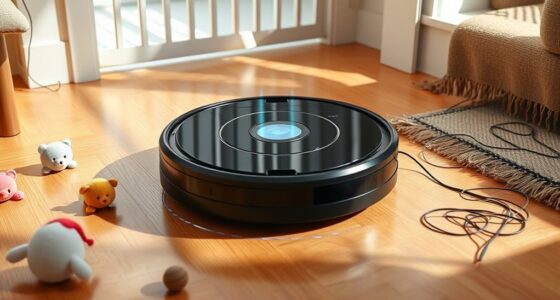
To keep your cleaning robot’s sensors in top shape, regularly clean the sensor lenses with a soft cloth or gentle brush to remove dirt, hair, and debris. Make certain they’re properly aligned and free of obstructions, then calibrate them according to the manufacturer’s instructions, especially when environmental conditions change. Proper maintenance prevents navigation mishaps and ensures accurate obstacle detection. If you follow these tips, you’ll enhance your robot’s performance and discover more ways to optimize its function.
Key Takeaways
- Follow manufacturer instructions for sensor cleaning and calibration to ensure optimal robot performance.
- Regularly inspect and clean sensor lenses with a soft cloth or gentle brush to prevent dirt buildup.
- Recalibrate sensors after cleaning or environmental changes to maintain accurate obstacle detection.
- Troubleshoot navigation issues by inspecting sensor alignment and removing obstructions or debris.
- Proper maintenance and cleaning extend sensor lifespan and enhance the robot’s obstacle avoidance capabilities.

Cleaning robot sensors are the crucial components that enable these devices to navigate and perform their tasks effectively. Without properly functioning sensors, your robot wouldn’t know where to go or what to avoid, making sensor calibration an essential step in maintaining peak performance. When you calibrate your robot’s sensors, you’re adjusting and fine-tuning them to ensure accurate readings. This process helps the robot interpret its environment correctly, especially when it encounters changes in lighting, flooring, or clutter. Proper sensor calibration ensures that obstacle detection works seamlessly, allowing your robot to identify objects in its path reliably. If sensors are misaligned or dirty, calibration becomes even more critical because debris or misreadings can cause the robot to miss obstacles or bump into furniture. Regular calibration helps prevent these mishaps, ensuring smooth navigation. Additionally, sensor calibration procedures are often guided by the manufacturer’s instructions to ensure optimal results.
Obstacle detection is a core function driven by your robot’s sensors. These sensors constantly scan the environment, detecting objects that could obstruct the robot’s path. Ultrasonic, infrared, and lidar sensors work together to create real-time maps of your space, allowing your robot to avoid furniture, shoes, or pet toys. When obstacle detection functions correctly, your robot can change course proactively, avoiding collisions and preventing potential damage. If your robot struggles to detect obstacles accurately, it may get stuck or cause damage to your belongings. That’s why keeping sensors clean and calibrated is essential—they directly influence obstacle detection capabilities. If you notice your robot hesitating or bumping into objects more often, it might be time to check the sensors for dirt, dust, or misalignment.
Maintaining your sensors involves more than just calibration; regular cleaning is equally important. Dust, hair, and debris can obscure sensor lenses, leading to faulty readings. When cleaning your sensors, use a soft cloth or a gentle brush to remove any buildup without scratching the surface. This simple step ensures that sensor signals remain clear and accurate. You should also verify that the sensors are aligned correctly and aren’t obstructed by any objects or dirt. If you notice inconsistent obstacle detection or navigation issues, start by inspecting and cleaning the sensors before considering recalibration. Doing so guarantees that your robot’s navigation system remains reliable, and its ability to detect obstacles remains sharp, making your cleaning routine more efficient and hassle-free.
Frequently Asked Questions
How Often Should Sensors Be Cleaned for Optimal Performance?
You should clean your robot sensors weekly to prevent dust accumulation, which can affect sensor calibration and performance. Regular cleaning helps maintain peak navigation and obstacle detection. When cleaning, gently wipe the sensors with a soft, dry cloth and check for any dust buildup. By staying consistent with this routine, you guarantee your robot functions smoothly and accurately, avoiding costly repairs or replacements caused by neglected sensor maintenance.
Can Cleaning Products Damage Robot Sensors?
Don’t throw the baby out with the bathwater—harsh cleaning products can damage your robot sensors. Using the wrong cleaning agents may harm sensor calibration and reduce sensor durability over time. Stick to gentle, electronics-safe wipes or a soft cloth with a little water. This way, you keep sensors clean without risking costly repairs, ensuring your robot operates smoothly and maintains top performance.
Are There Specific Tools Recommended for Sensor Cleaning?
Yes, there are specific tools recommended for sensor cleaning. You should use sensor cleaning kits designed for delicate electronics, which often include soft brushes and specialized wipes. DIY cleaning tools like microfiber cloths and compressed air can also be effective. Avoid harsh chemicals or abrasive materials, as they can damage your robot sensors. Utilizing the right tools guarantees safe, effective cleaning without risking sensor damage.
What Signs Indicate Sensor Malfunction or Dirt Buildup?
You’ll notice your robot struggles with navigation or misses spots—clear signs of sensor malfunction or dirt buildup. Environmental interference, like dust or debris, can affect sensor calibration, causing erratic movements. Keep an eye out for inconsistent cleaning patterns or sensor errors on the display. Regularly inspect sensors for dirt, and if calibration seems off despite cleaning, it’s time to troubleshoot or replace them to restore peak performance.
How to Troubleshoot Sensor Errors After Cleaning?
After cleaning your robot sensors, if you encounter sensor errors, start by recalibrating the sensors to guarantee proper alignment. If errors persist, check for any physical damage or dirt that may need further cleaning. If recalibration doesn’t resolve the issue, follow the replacement procedures outlined in your manual. Replacing faulty sensors can restore proper functioning, ensuring your robot navigates effectively and error-free.
Conclusion
By now, you see how vital clean sensors are for your robot’s performance. Regular maintenance keeps your device running smoothly and avoids costly repairs. Don’t wait until things go haywire—stay ahead of the game with simple cleaning habits. Remember, a stitch in time saves nine, so give your robot’s sensors the attention they deserve. Keep them spotless, and your cleaning robot will serve you well for years to come!