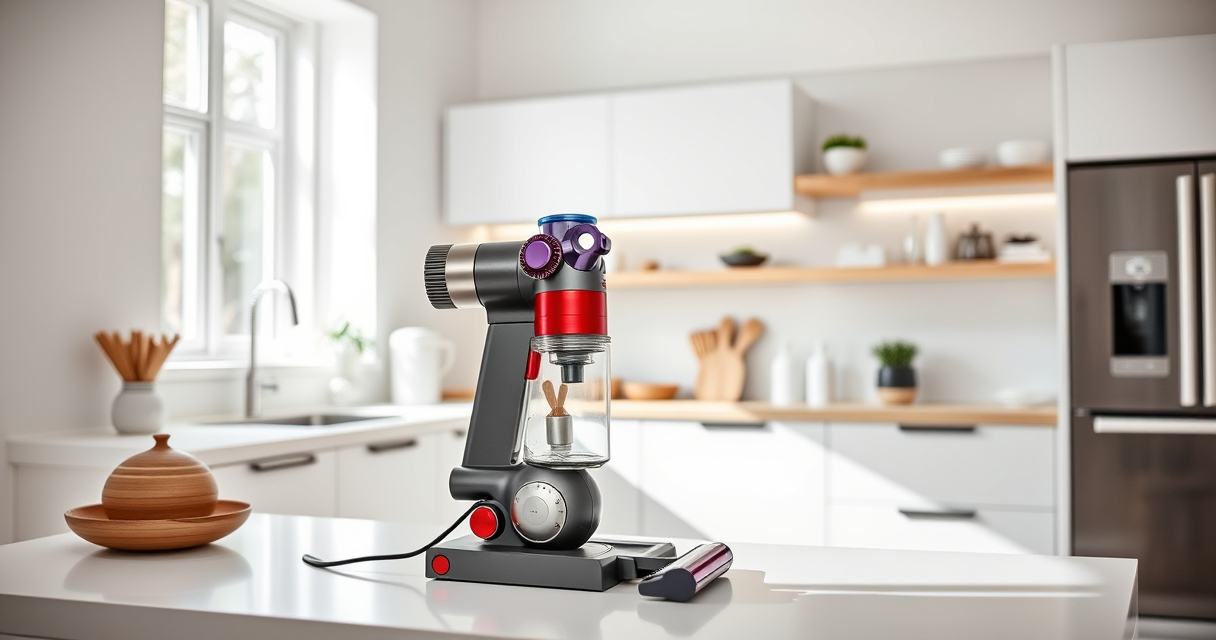
If your Dyson V15 Detect™ Origin cordless vacuum is losing battery life quickly, it can be frustrating and hinder your cleaning routine. Fortunately, many common issues can be resolved with simple troubleshooting and maintenance steps. This guide offers practical, step-by-step instructions to help restore your vacuum’s battery efficiency and ensure optimal performance.

Get cleaning gear delivered free with Prime
- Fast, free delivery on millions of items
- Prime Video, Amazon Music and more included
- Member-only deals all year
Before diving into complex repairs, check and replace filters, clean components, and verify usage habits. Proper maintenance can significantly extend your vacuum’s run time and maintain its powerful cleaning capabilities.
Key Takeaways
| Battery health matters | Battery age and usage heavily influence run time. |
| Filter maintenance | Dirty filters reduce suction and battery efficiency. |
| Cleaning components | Obstructions and dust can drain battery faster. |
| Proper use | Maximize battery life by using the power trigger efficiently. |
Check and Replace the Pre-Filter
- Locate the pre-filter on your Dyson V15 Detect™ Origin. It is typically at the cyclone inlet.
- Remove the filter gently, then rinse it under cold water until clean.
- Let the filter air dry completely, ideally for 24 hours, before reinstalling.
- Replace the filter if it shows signs of damage or prolonged wear.
Clean the Vacuum’s Dustbin and Cyclone
- Empty the dustbin to remove accumulated debris that can block airflow.
- Check the cyclone for dust buildup; clean with a soft brush or compressed air if necessary.
- Ensure all parts are dry before reassembling to prevent moisture damage.
Inspect and Clean the Battery Contacts
Power off the vacuum and remove the battery if possible. Wipe the metal contacts with a dry cloth to remove dust or corrosion. Reinsert the battery firmly, ensuring proper connection.
Optimize Usage and Charging Habits
- Avoid letting the battery fully discharge regularly; keep it charged between 20-80% for longevity.
- Use the power trigger efficiently—only engage full power when necessary.
- Charge the vacuum in a cool, dry place and avoid overcharging.
Replace Worn-Out Filters and Components
If cleaning doesn’t improve run time, consider replacing filters or other worn parts. Use compatible replacements like the 3Pack Pre Filters or V10 Filters as needed.
The Products in This Guide

Dyson V15 Detect™ Origin Cordless Vacuum
- ✔ Weight: 6.8 lbs
- ✔ Charge Time: 3.5 hours
- ✔ Filter Type: HEPA

LANMU Crevice Tool Vacuum Attachments Compatible
- ✔ Weight: 0.3 lbs
- ✔ Dimensions: 12 x 2 x 2 inches
- ✔ Compatibility: Wide range of Dyson models
Dyson V15 Detect™ Origin Cordless Vacuum
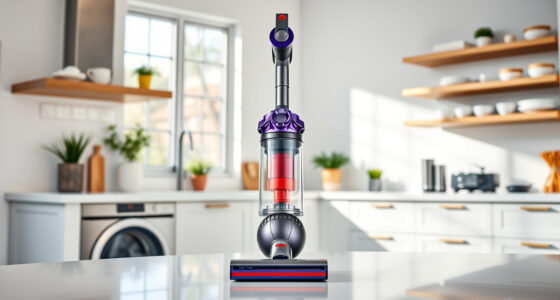
The Dyson V15 Detect™ Origin Cordless Vacuum offers powerful, intelligent cleaning with features like a laser dust reveal and LCD screen. Its battery life of up to 60 minutes makes it suitable for whole-home cleaning, but regular maintenance is key to keeping it performing at its best.
Pros:
- Powerful suction
- Intelligent debris detection
- Long battery life
- Versatile attachments
Cons:
- Battery can degrade over time
- Filters need regular cleaning or replacing
- Higher price point
Best for: Deep cleaning homes with pets and hard-to-reach areas
Not ideal for: Light cleaning tasks or budget-conscious users
Bottom line: Regular maintenance and filter replacements keep this Dyson performing optimally.
LANMU Crevice Tool Vacuum Attachments Compatible
The LANMU Crevice Tool Vacuum Attachments are compatible with various Dyson models, including the V15. Its slender design allows easy access to tight corners and delicate areas, making it a valuable addition for thorough cleaning.
Pros:
- Narrow nozzle for tight spaces
- Flexible and easy to maneuver
- Compatible with multiple Dyson models
- Effective on upholstery and car interiors
Cons:
- Requires additional attachment storage
- Not compatible with V6 or canister models
Best for: Cleaning corners, edges, and small crevices
Not ideal for: Large surface cleaning or heavy debris
Bottom line: A versatile tool that makes reaching tricky spots much easier.
Frequently Asked Questions
How do I know if my battery needs replacing?
If your vacuum’s run time has significantly decreased despite proper maintenance, and it no longer holds a charge, the battery may need replacement. Always check the battery’s health and consider replacing it if necessary.
Can I clean the filters without replacing them?
Yes, filters can be rinsed with water and dried thoroughly. Regular cleaning helps maintain suction and prolongs filter life, but eventually, filters may need replacement for optimal performance.
What should I do if my vacuum still drains quickly after cleaning?
Ensure all filters and cyclone components are clean and dry. Check the battery contacts and replace the filters if they are worn out. If issues persist, the battery or internal components may need professional servicing.
Is it safe to use third-party replacement filters?
While some third-party filters are compatible, using genuine Dyson filters ensures optimal performance and avoids potential damage. Always verify compatibility before use.
Keep Your Dyson V15 Detect™ Powerhouse Running Smoothly
Regular maintenance, including cleaning filters and the cyclone, inspecting the battery, and using recommended accessories, can significantly extend the life and performance of your Dyson cordless vacuum. Addressing quick battery drain early prevents bigger issues and keeps your cleaning routine efficient and effective.
Affiliate disclosure: As an Amazon Associate we earn from qualifying purchases. Prices and availability are accurate as of the time of publishing.
Halloween Picks
halloween
As an affiliate, we earn on qualifying purchases.