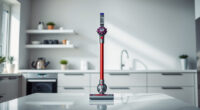
If your Dyson V15 Detect™ Origin cordless vacuum is pulsing on and off during use, it can be frustrating and affect your cleaning. This common issue often relates to power, clogging, or filter problems. Fortunately, many causes are simple to diagnose and fix with the right steps.
In this guide, you’ll find practical, safe, and detailed instructions to troubleshoot and resolve pulsing issues, helping your Dyson vacuum perform at its best again.
Key Takeaways
| Power fluctuations | Pulsing may be caused by power or battery issues. |
| Clogged filters or airflow | Blocked filters or obstructions reduce suction and cause pulsing. |
| Obstructions in the wand or cleaner head | Debris in the hose or head can disrupt airflow. |
| Overheating protection | The vacuum may pulse if it overheats and needs to cool down. |

Dyson V15 Detect™ Origin Cordless Vacuum
Powerful and intelligent for whole-home deep cleaning. Reveals invisible dust.
As an affiliate, we earn on qualifying purchases.
Check the Battery and Power Settings
- Ensure the battery is fully charged. Plug in and charge for at least 3-4 hours if needed.
- Press the power trigger firmly and consistently to avoid partial engagement.
- Switch between different power modes via the LCD screen to see if pulsing occurs in specific modes.

LANMU Crevice Tool Vacuum Attachments Compatible with Dyson V15 V12 V11 V10 V9 V8 V7 Gen5 Outsize Vacuum Cleaner, Narrow Nozzel Replacement Parts for Hard-to-Reach Space
Wide Compatibility: This crevice tool attachment is compatible with V15 V12 V11 V10 V9 V8 V7 Gen5 G5...
As an affiliate, we earn on qualifying purchases.
Inspect and Clear Clogs and Obstructions
- Detach the wand and cleaner head to check for blockages.
- Remove any debris or tangled hair from the brush bar and airflow pathways.
- Use the crevice tool to clear narrow passages or hard-to-reach areas.
Check and Clean the Filters
- Remove the pre-filters and filters from the vacuum according to the user manual.
- Wash the filters with water and let them air dry completely—usually 24 hours—before reinstalling.
- Replace filters if they are damaged or excessively dirty, ideally every 2-3 months.
Reset and Test the Vacuum
- After cleaning filters and removing obstructions, turn off the vacuum and unplug it.
- Press and hold the power trigger for 10-15 seconds to reset the system.
- Turn on the vacuum and test whether pulsing persists in different modes or attachments.
Additional Tips and Warnings
- Always disconnect from power before cleaning or inspecting parts.
- Regular maintenance, including filter cleaning and checking for blockages, prolongs your vacuum’s lifespan.
- If pulsing continues despite these steps, contact Dyson customer support for professional assistance.
The Products in This Guide

Dyson V15 Detect™ Origin Cordless Vacuum
- ✔ Model: V15 Detect™ Origin
- ✔ Charge time: Approximately 4 hours
- ✔ Weight: Less than 7 pounds

LANMU Crevice Tool Vacuum Attachments Compatible
- ✔ Length: Approx. 15 inches
- ✔ Compatibility: Multiple Dyson models
- ✔ Material: Plastic
Dyson V15 Detect™ Origin Cordless Vacuum
The Dyson V15 Detect™ Origin offers powerful suction, intelligent debris detection, and a variety of attachments for comprehensive cleaning. Its LCD screen provides real-time feedback, making troubleshooting easier. Reliable and efficient, it’s ideal for whole-home cleaning.
Pros:
- Powerful 100% more suction
- Intelligent debris detection
- Long 60-minute runtime
- Versatile with multiple heads
Cons:
- Higher price point
- Requires regular filter maintenance
- Battery may degrade over time
Best for: Whole-home deep cleaning and pet hair removal
Not ideal for: Heavy-duty commercial cleaning or very long continuous use
Bottom line: The Dyson V15 Detect™ Origin combines power, intelligence, and versatility for superior cleaning performance.
LANMU Crevice Tool Vacuum Attachments Compatible
The LANMU Crevice Tool Vacuum Attachments are compatible with Dyson V15 and other models, providing narrow, flexible access to tight spaces. It’s perfect for car interiors, corners, and baseboards, enhancing your cleaning versatility.
Pros:
- Narrow, flexible nozzle
- Easy to attach and use
- Effective in tight spaces
- Compatible with multiple Dyson models
Cons:
- Only useful for specific tasks
- Requires additional attachments for broad cleaning
- May be fragile if mishandled
Best for: Reaching narrow corners and between furniture
Not ideal for: Large surface cleaning or heavy debris removal
Bottom line: A versatile crevice tool that makes detailed cleaning in tight spots effortless.
Frequently Asked Questions
Why does my Dyson vacuum pulse on and off during use?
Pulsing often indicates airflow restrictions, filter issues, overheating, or battery problems. Following troubleshooting steps can help identify the cause.
How often should I clean or replace the filters?
Filters should be washed with water every 1-3 months and replaced if damaged or heavily clogged. Replacing filters ensures optimal suction and performance.
Can I still use my Dyson if it overheats?
No, the vacuum has an automatic overheating protection. Turn it off, unplug, and allow it to cool down before resuming use.
What should I do if cleaning filters and removing obstructions doesn’t fix pulsing?
Contact Dyson customer support for further diagnostics or professional repairs. Persistent issues may indicate internal component problems.
Keep Your Dyson V15 Detect™ in Top Shape
Regular maintenance, including cleaning filters and checking for blockages, is key to preventing pulsing issues. With these troubleshooting steps, you can quickly restore your vacuum’s optimal performance and enjoy thorough cleaning every time.
Affiliate disclosure: As an Amazon Associate we earn from qualifying purchases. Prices and availability are accurate as of the time of publishing.