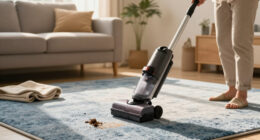
If your Dyson V15 Detect™ Origin cordless vacuum is losing power quickly or the battery isn’t holding a charge, it can be frustrating. This guide helps you identify common causes and provides safe, practical steps to restore optimal battery performance. Regular maintenance and understanding the factors that drain your battery can extend its lifespan and ensure efficient cleaning.

Get cleaning gear delivered free with Prime
- Fast, free delivery on millions of items
- Prime Video, Amazon Music and more included
- Member-only deals all year
Follow these steps carefully to troubleshoot, fix, or replace your Dyson vacuum’s battery effectively.
Key Takeaways
| Battery Age & Usage | Older batteries tend to lose capacity over time, reducing run time. |
| Charging Habits | Frequent partial charges and improper charging can degrade battery health. |
| Filters & Maintenance | Dirty filters or clogged components can cause the motor to work harder, draining the battery faster. |
| Power Settings | High power modes consume more energy, shortening run time. |
| Battery Replacement | A worn-out battery may need replacement to restore full capacity. |
Check the Battery Age and Usage
In my experience, batteries naturally lose capacity after about 2-3 years of regular use. If your vacuum’s battery is over this period or has been heavily used, it may be the main cause of rapid draining. Consider how often and how long you’ve used the vacuum.
Ensure Proper Charging Habits
- Always use the original charger supplied with your Dyson V15 Detect™ to prevent over-voltage or under-voltage issues.
- Avoid leaving the vacuum on charge for extended periods once fully charged; unplug after 3-4 hours.
- Charge the vacuum in a cool, dry place to prevent overheating.
Clean and Maintain Filters
Dirty filters can cause the motor to work harder, which drains the battery faster. Remove the pre-filters and filters regularly, rinse with water, and ensure they are completely dry before reinstalling. This maintains airflow and motor efficiency.
Optimize Power Settings
The Dyson V15 Detect™ adapts power based on debris, but using high modes consistently will deplete the battery quickly. Switch to lower power modes when cleaning less demanding surfaces to conserve energy.
Replace the Battery if Needed
If your vacuum is several years old and the run time remains poor despite maintenance, replacing the battery may be necessary. Use genuine replacement batteries and follow the manufacturer’s instructions for installation.
The Products in This Guide

Dyson V15 Detect™ Origin Cordless Vacuum
- ✔ Weight: 6.8 lbs
- ✔ Run Time: Up to 60 mins
- ✔ Charge Time: 3.5 hours

LANMU Crevice Tool Vacuum Attachments Compatible
- ✔ Compatibility: Multiple Dyson models
- ✔ Material: Plastic
- ✔ Design: Slim and flexible
Dyson V15 Detect™ Origin Cordless Vacuum
The Dyson V15 Detect™ Origin offers deep cleaning with intelligent features, but like all cordless vacuums, its battery may degrade over time. Regular maintenance and proper charging habits are key to preserving its run time.
Pros:
- Long 60-minute run time
- Intelligent debris detection
- Powerful suction
- Multiple cleaning heads
Cons:
- Battery may decline with age
- Requires regular filter cleaning
- Higher power modes drain battery faster
Best for: Homeowners seeking deep, intelligent cleaning with longer battery life
Not ideal for: Heavy usage over several years without maintenance
Bottom line: Regular maintenance and mindful charging can prolong your Dyson V15 Detect™ battery life.
LANMU Crevice Tool Vacuum Attachments Compatible
The LANMU Crevice Tool vacuum attachments are compatible with Dyson V15 models and help reach tight corners and narrow gaps. An excellent addition for thorough cleaning, especially if your battery is draining quickly and you want to optimize cleaning efficiency.
Pros:
- Narrow and flexible design
- Suitable for cars and home
- Easy to attach
- Reaches tight spots
Cons:
- Limited to crevice cleaning
- Additional attachment needed
- Not compatible with V6 or canister models
Best for: Detailed cleaning in tight spaces and corners
Not ideal for: Heavy-duty carpet cleaning or large debris
Bottom line: A versatile attachment to help maximize your Dyson vacuum’s cleaning potential.
Frequently Asked Questions
How do I know if my Dyson battery needs replacing?
If your vacuum’s run time has significantly decreased despite cleaning and maintenance, and it no longer reaches its full 60-minute capacity, a battery replacement may be necessary.
Can I charge my Dyson battery overnight?
It is safe to leave the vacuum on charge, but for optimal battery health, avoid extended charging beyond when the battery is full and unplug once charged.
How often should I replace filters on my Dyson V15?
Filters should be cleaned regularly, and replaced approximately every 2-3 months depending on usage to maintain optimal performance.
What should I do if my vacuum’s battery still drains quickly after cleaning filters?
If cleaning filters doesn’t help, and your vacuum is older, consider replacing the battery or consulting Dyson support for further diagnostics.
Maintain and Optimize Your Dyson for Longer Battery Life
Keeping your Dyson V15 Detect™ in good condition through regular filter cleaning, proper charging habits, and timely battery replacement can greatly extend its battery life. If issues persist despite maintenance, replacing the battery ensures you get the full 60-minute runtime and powerful cleaning performance. Proper care ensures your cordless vacuum continues to serve you efficiently for years to come.
Affiliate disclosure: As an Amazon Associate we earn from qualifying purchases. Prices and availability are accurate as of the time of publishing.