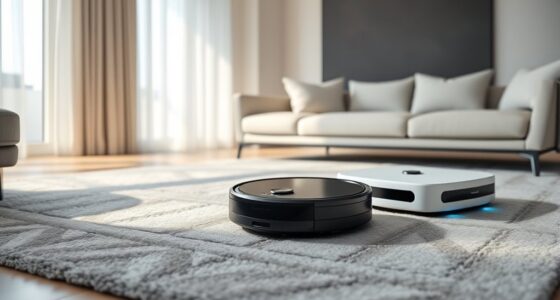
Using a self-empty dock can boost your robotic vacuum’s battery life by providing consistent, efficient charging. It guarantees proper contact alignment, reducing wear on battery connections and avoiding partial charges that degrade capacity over time. Smart technology within the dock monitors and adjusts charging to prevent overheating and overcharging. This steady, optimized power transfer helps maintain the battery’s health longer. To discover all the ways it benefits your vacuum, keep exploring the details explained here.
Key Takeaways
- Properly compatible self-empty docks ensure reliable charging, reducing partial cycles that can degrade battery health.
- Stable and aligned connections prevent charging errors, helping to maintain battery capacity over time.
- Smart charging features monitor and adjust power delivery, minimizing overcharging and overheating risks.
- Consistent, efficient charging routines reduce physical wear on contacts and prevent unnecessary battery stress.
- Overall, optimized docking and charging methods extend the battery’s operational lifespan and performance.
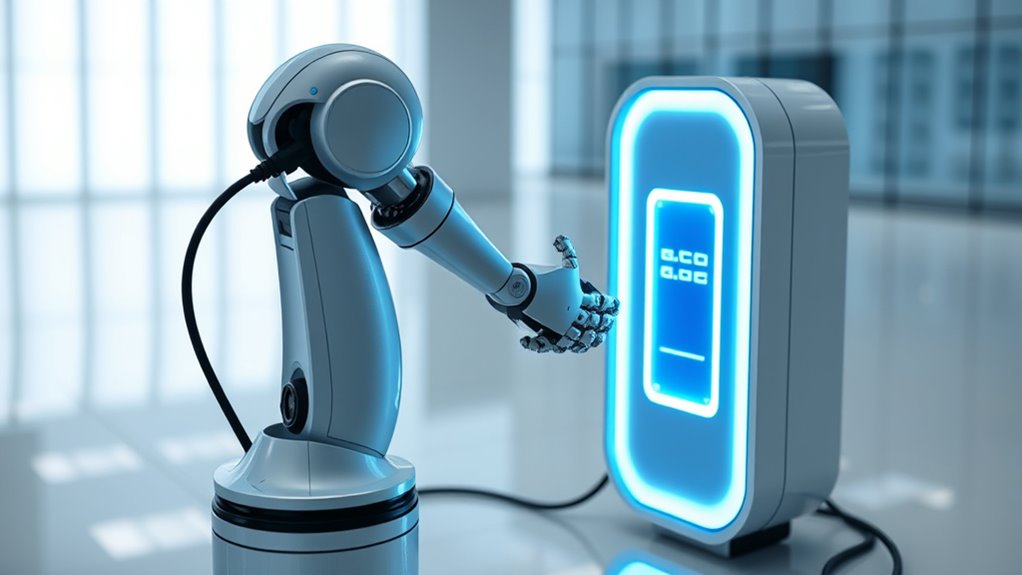
Self-empty docks are transforming how robotic vacuum cleaners manage their charging cycles, offering a significant boost to battery life. By automating the disposal of debris and optimizing recharge routines, these docks help maintain your vacuum’s overall performance and extend its operational lifespan. One of the key ways they do this is by improving charging efficiency. When your vacuum dock connects seamlessly with a compatible self-empty station, it guarantees a more consistent and reliable power transfer. This means the battery spends less time in partial charge states or cycles that could degrade its capacity over time. As a result, your robot’s battery can retain its charge for longer periods and endure more recharge cycles before performance drops noticeably.
Dock compatibility plays a vital role in maximizing these benefits. Not all self-empty docks work with every robotic vacuum, and choosing a model that’s fully compatible guarantees smooth operation. When the dock and vacuum are designed to work together, you reduce the chances of connectivity issues or improper charging sequences that might harm the battery. Compatibility also guarantees that the dock’s charging contacts align properly, which is essential for efficient power transfer and avoiding unnecessary wear on the battery contacts. If you select a dock specifically crafted for your vacuum model, you’ll notice fewer interruptions during the charging process and a more stable, consistent power flow.
Another advantage of self-empty docks is their ability to minimize battery degradation caused by frequent manual handling. When you don’t have to remove and reinsert the vacuum for charging, it reduces physical wear on the battery contacts, which can otherwise impair charging efficiency over time. Additionally, these docks often incorporate smart charging technology that monitors the battery’s health and adjusts charging rates accordingly. This careful management prolongs the battery’s lifespan by preventing overcharging or overheating, common issues that accelerate battery wear.

Shark Navigator Robot Vacuum and Self-Empty Base with Bagless 60-Day Capacity Self-Empty Base, SmartPath Navigation, Powerful Pet Hair Pickup, Anti-Hair Wrap, For Carpets & Hard Floors, Grey, RV2120AE
POWERFUL SHARK PERFORMANCE: Up to 50% more suction* and designed for carpets and hard floors. (*vs. competitor robot…
As an affiliate, we earn on qualifying purchases.
As an affiliate, we earn on qualifying purchases.
Frequently Asked Questions
Do Self-Empty Docks Work With All Battery Types?
Self-empty docks don’t work with all battery types. You need to check battery compatibility first, as some batteries might not support automatic docking or effective charging. When compatible, these docks improve charging efficiency by automatically managing power, but using incompatible batteries can cause poor charging or damage. Always verify your battery’s specifications to guarantee it works smoothly with a self-empty dock and maintains ideal charging performance.
How Often Should I Check My Battery After Using a Self-Empty Dock?
You should check your battery after using a self-empty dock every few charges—because apparently, even batteries crave a little TLC. Regular battery monitoring helps you spot issues early, ensuring peak performance. Keep an eye on charging frequency, and don’t let your battery become a drama queen. By doing this, you extend its life and avoid unexpected failures, proving even batteries appreciate a bit of attentive care.
Can Self-Empty Docks Prevent Battery Overcharging?
Self-empty docks help prevent overcharging by improving battery management and optimizing charging efficiency. They automatically stop charging once the battery reaches full capacity, reducing the risk of overcharge damage. This means you don’t have to worry about manually unplugging your device or risking battery degradation. By ensuring proper charging cycles, self-empty docks extend your battery’s lifespan and keep it working at peak performance longer.
Are There Safety Risks Associated With Self-Empty Docks?
Self-empty docks do pose safety risks, especially regarding battery spill risks and fire hazard concerns. If a battery leaks, it could cause chemical exposure or damage the dock’s components. Additionally, mishandling or faulty safety features might lead to overheating or fires. Always guarantee proper maintenance and safety protocols when using self-empty docks to minimize these risks and protect yourself and your equipment.
Do Self-Empty Docks Require Special Maintenance or Calibration?
Imagine your self-empty dock as a finely tuned compass, guiding your robot smoothly. You’ll need to perform regular battery maintenance to keep it energized and calibration to guarantee precise docking. Over time, sensors may drift, so recalibrating the dock maintains accuracy. Staying on top of these tasks prevents misalignments, prolongs equipment life, and keeps your robot operating seamlessly, making maintenance essential for peak performance.
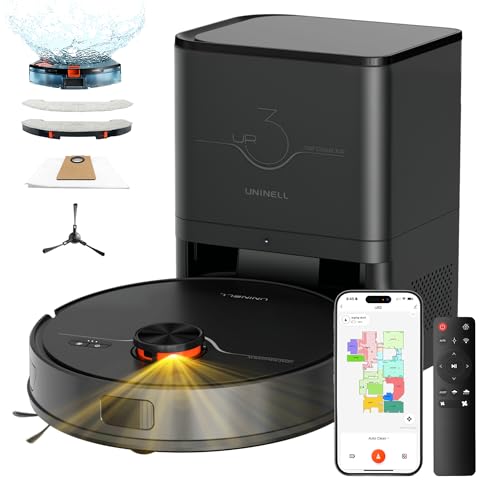
uninell Robot Vacuum and Mop Combo with Self-Emptying, Robotic Vacuum Cleaner 7000Pa & LiDAR Navigation, 180 Mins,90 Days Capacity, Home Mapping, for Pet Hair/Hard Floors/Carpets, App/Alexa Control
【90 Days of Hands-Free Cleaning & Tangle-Free Design】Our 3.5L oversized self-emptying station of the robot vacuum seals and…
As an affiliate, we earn on qualifying purchases.
As an affiliate, we earn on qualifying purchases.
Conclusion
Understanding how self-empty docks affect your battery life shows you there’s more than meets the eye. While they may seem convenient, they can drain your battery faster if not managed properly. Don’t let the situation fool you—it’s a double-edged sword. Staying aware helps you avoid being caught off guard, ensuring your device stays powered when you need it most. Remember, a little knowledge goes a long way in keeping your tech running smoothly.

Clean Base Automatic Dirt Disposal Charging Dock Compatible Replacement for iRobot Roomba I & J-Series Robot Vacuums i3+, i4+, i7+, j5+, j6+, j7+, j8+, j9+ Plus
Compatible Models: Designed as a replacement Clean Base for i and j series including i1+, i3+, i4+, i5+,…
As an affiliate, we earn on qualifying purchases.
As an affiliate, we earn on qualifying purchases.
Clean Base Automatic Dirt Disposal Charging Dock Compatible Replacement for iRobot Roomba I & J-Series Robot Vacuums i3+, i4+, i7+, j5+, j6+, j7+, j8+, j9+ Plus
Compatible Models: Designed as a replacement Clean Base for i and j series including i1+, i3+, i4+, i5+,…
As an affiliate, we earn on qualifying purchases.
As an affiliate, we earn on qualifying purchases.