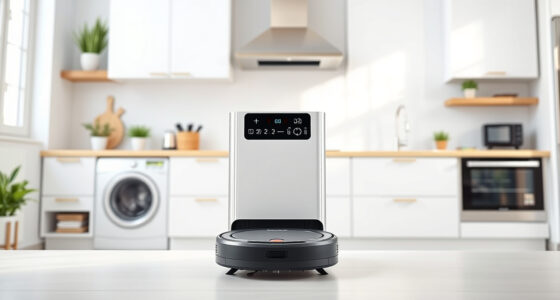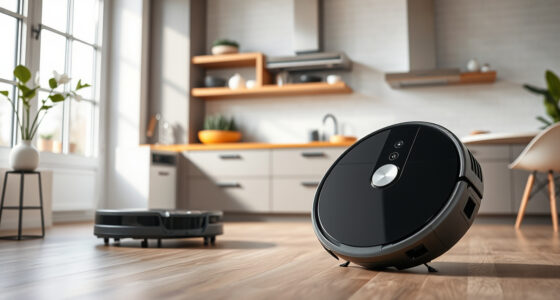
Getting your new Roborock Q7 M5+ ready for cleaning is straightforward when you follow these clear steps. Proper setup ensures optimal performance, longer device lifespan, and a cleaner home. Whether you’re new to robotic vacuums or upgrading from a previous model, this guide will walk you through the process safely and efficiently.

Get cleaning gear delivered free with Prime
- Fast, free delivery on millions of items
- Prime Video, Amazon Music and more included
- Member-only deals all year
We’ll cover unboxing, initial configuration, app setup, and maintenance tips to help you get the most out of your new device. Let’s start by gathering what you need before beginning the setup process.
Key Takeaways
| Easy unboxing | Unpack the vacuum and accessories carefully. |
| Initial setup | Charge and connect your device via the app. |
| Navigation | PreciSense LiDAR ensures precise mapping. |
| Maintenance | Regular filter and mop pad replacements keep it running smoothly. |
| Troubleshooting | Follow steps for common setup issues. |
Unboxing and Preparing Your Roborock
- Carefully remove the Roborock Q7 M5+ from its packaging, along with the charging dock, filters, mop pads, and accessories.
- Place the charging dock against a wall in an open area, ensuring the power cable is accessible.
- Charge the robot fully before first use, placing it on the dock until the indicator shows a full charge.
Initial Device Setup
- Press the power button on the robot to turn it on.
- Download and install the Roborock app on your smartphone.
- Create or log into your account, then follow the app prompts to connect the robot via Wi-Fi (2.4 GHz network recommended).
- Ensure the robot is placed on the dock and powered on during setup.
Configuring Navigation and Cleaning Preferences
- Use the app to map your home with PreciSense LiDAR navigation, which provides precise room mapping.
- Set cleaning zones, schedules, and preferences such as vacuum power (up to 10,000Pa suction) and mop settings.
- Activate the dual anti-tangle system to prevent pet hair and carpet tangling.
Maintenance and Accessories
- Replace or wash mop pads regularly; the VIEWALL 6 Pack Reusable Mop Pads are recommended for frequent cleaning.
- Check and replace the washable filters (such as the 4 Pack Washable Filter) every 1-3 months for optimal filtration.
- Empty the self-empty dust bag (2.7L capacity) as needed, typically every 7-9 weeks depending on usage.
- Inspect brushes and sensors periodically for debris buildup.
Troubleshooting Common Setup Issues
- If the robot doesn’t connect to Wi-Fi, restart your router and ensure your phone is on the 2.4 GHz band.
- If the robot doesn’t charge, check the dock alignment and power connection.
- In case of navigation errors, reset the map in the app and rerun the mapping process.
The Products in This Guide

roborock Q7 M5+ Robot Vacuum and Mop
- ✔ Model: Roborock Q7 M5+
- ✔ Navigation: PreciSense LiDAR
- ✔ Suction: 10,000Pa

4 Pack Washable Filter
- ✔ Pack Size: 4 Filters
- ✔ Material: HEPA
- ✔ Compatibility: Multiple Roborock models
roborock Q7 M5+ Robot Vacuum and Mop
The Roborock Q7 M5+ offers up to 9 weeks of self-emptying, 10,000Pa suction, and advanced PreciSense LiDAR navigation. It’s a reliable choice for pet owners and busy households seeking a thorough clean.
Pros:
- Up to 9 weeks of self-emptying capacity
- Strong 10,000Pa suction power
- Advanced LiDAR navigation for precise mapping
- Dual Anti-Tangle System for pet hair
Cons:
- Requires initial Wi-Fi setup and app configuration
- Mop pads need regular washing or replacement
- Higher price point compared to basic models
Best for: Homes with pets, large areas, and allergy sufferers
Not ideal for: Users seeking a budget-friendly, non-mopping vacuum
Bottom line: A high-performance robot vacuum that combines power, navigation, and convenience for busy households.
4 Pack Washable Filter
This 4 Pack Washable Filter offers a cost-effective way to maintain your Roborock’s filtration system, ensuring high performance and clean air in your home.
Pros:
- Compatible with multiple Roborock models
- Washable and reusable, saving money
- Easy to install with perfect fit
- Maintains high filtration efficiency
Cons:
- Not OEM, but performs similarly
- Requires regular washing for best results
- Replacement every 1-3 months recommended
Best for: Long-term filter maintenance and allergy sufferers
Not ideal for: Users seeking OEM filters only
Bottom line: A reliable, washable filter that keeps your vacuum performing at its best over time.
Frequently Asked Questions
How do I update the firmware of my Roborock Q7 M5+?
Open the Roborock app, connect to your device, and check for firmware updates in the device settings. Follow prompts to update if available.
Can I use the robot vacuum on hardwood and carpet?
Yes, the Roborock Q7 M5+ is designed to handle both sealed hard floors and carpets, with adjustable suction power for different surfaces.
What should I do if the robot gets stuck or doesn’t start?
Check for obstacles or tangled hair around the brushes and wheels. Clear any debris, ensure the robot is charged, and restart the device via the app.
How often should I replace the mop pads?
It’s best to replace or wash the mop pads every 1-3 months, depending on usage frequency and dirt levels, to ensure effective cleaning.
Getting the Most from Your Roborock Q7 M5+
With proper setup and regular maintenance, your Roborock Q7 M5+ will deliver reliable cleaning for your home. Using the app to customize your cleaning schedule and zones maximizes efficiency. Keep filters and mop pads fresh for optimal performance, and enjoy a cleaner, healthier living space with minimal effort.
Affiliate disclosure: As an Amazon Associate we earn from qualifying purchases. Prices and availability are accurate as of the time of publishing.
Fall Picks
fall essentials
As an affiliate, we earn on qualifying purchases.