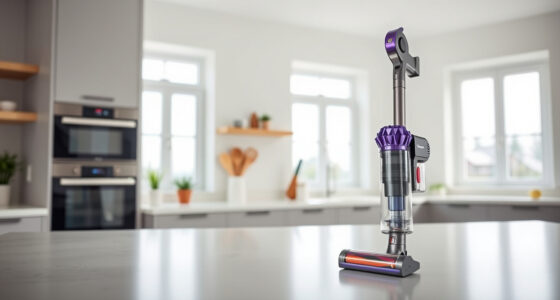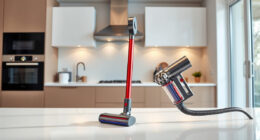
Keeping your Dyson V15 Detect in top condition ensures it performs at its best. Regular cleaning of filters, brushes, and other components helps maintain suction power and prolongs the lifespan of your vacuum. This guide provides clear, practical steps to clean your Dyson V15 Detect safely and effectively.
Follow these instructions carefully to avoid damage and ensure your vacuum continues to reveal invisible dust and deliver powerful cleaning.
Key Takeaways
| Regular maintenance | Clean filters and brushes frequently to sustain suction. |
| Proper disassembly | Always turn off and unplug before cleaning parts. |
| Use recommended tools | Utilize specific attachments for hard-to-reach areas. |
| Avoid water damage | Wash filters with water only when specified and dry completely. |
| Routine filter replacement | Change filters every 2-3 months for optimal performance. |

Dyson V15 Detect Total Clean Extra (Renewed Premium)
Pioneering Dyson technology, refurbished by our dedicated team of experts. Inspected, tested, and renewed. Guaranteed to our uncompromising...
As an affiliate, we earn on qualifying purchases.
Step 1: Turn Off and Unplug Your Dyson V15 Detect
Before cleaning, ensure the vacuum is powered off and unplugged from the charging station or power outlet. This prevents accidental activation and ensures safety during maintenance.

LANMU Crevice Tool Vacuum Attachments Compatible with Dyson V15 V12 V11 V10 V9 V8 V7 Gen5 Outsize Vacuum Cleaner, Narrow Nozzel Replacement Parts for Hard-to-Reach Space
Wide Compatibility: This crevice tool attachment is compatible with V15 V12 V11 V10 V9 V8 V7 Gen5 G5...
As an affiliate, we earn on qualifying purchases.
Step 2: Remove and Clean the Filter
- Detach the pre-filter from the main body of the vacuum.
- Rinse the filter under lukewarm water until the water runs clear. Do not use detergents.
- Allow the filter to air dry completely, usually for at least 24 hours, before reinstalling.
Step 3: Clean the Bin and Brush Bar
- Empty the dust bin into a trash bag or bin. Tap gently to remove loose dust.
- Use a damp cloth to wipe the interior of the bin if necessary.
- Remove the brush bar and clear any hair or debris wrapped around it. Use scissors carefully if needed.
Step 4: Check and Clean Attachments
Detach attachments such as the crevice tool and clean with a damp cloth. For stubborn debris, use a small brush or the LANMU Crevice Tool Vacuum Attachments to reach tight spots.
Step 5: Reassemble and Test
Once all parts are dry and clean, reassemble your vacuum. Turn it on briefly to ensure it operates smoothly and that all components are properly fitted.
The Products in This Guide
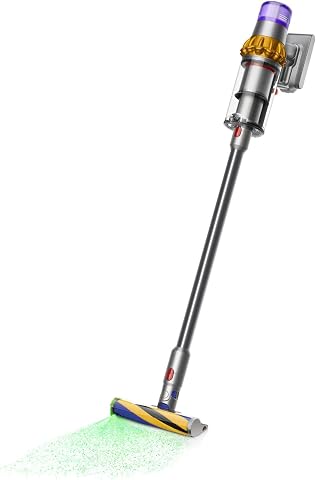
Dyson V15 Detect Total Clean Extra
- ✔ Battery Life: 60 mins
- ✔ Filter Type: Pre-filter
- ✔ Weight: 6.8 lbs

LANMU Crevice Tool Vacuum Attachments Compatible
- ✔ Length: 12 inches
- ✔ Compatibility: Most Dyson cordless models
- ✔ Material: Plastic
Dyson V15 Detect Total Clean Extra
The Dyson V15 Detect Total Clean Extra offers powerful and intelligent cleaning, revealing invisible dust with a 100% increase in power. Regular cleaning and filter maintenance ensure its peak performance.
Pros:
- Powerful suction
- Smart LCD display
- Long battery life
- Refurbished to high standards
Cons:
- Filters require regular cleaning
- Can be heavy for extended use
- Parts can be sensitive to water if not dried properly
Best for: Whole-home deep cleaning and allergy sufferers
Not ideal for: Light-duty quick cleans or very small spaces
Bottom line: A highly capable vacuum ideal for thorough, intelligent cleaning.
LANMU Crevice Tool Vacuum Attachments Compatible
The LANMU Crevice Tool Vacuum Attachments are compatible with Dyson V15 models, making it easier to reach tight spaces, corners, and car interiors for a thorough clean.
Pros:
- Narrow and flexible design
- Easy to attach
- Ideal for cars and furniture
- Durable construction
Cons:
- Not compatible with V6 or DC series
- Requires careful handling
- May need additional accessories
Best for: Cleaning corners, keyboards, and car interiors
Not ideal for: Heavy-duty cleaning of large surfaces
Bottom line: An essential tool for detailed, hard-to-reach cleaning.
Frequently Asked Questions
How often should I clean the filters on my Dyson V15 Detect?
It is recommended to wash the filters every 1-3 months, depending on usage, and replace or thoroughly clean filters that are heavily soiled.
Can I wash all parts of my Dyson V15 Detect?
Only washable parts like filters should be rinsed with water. Do not immerse the motor or electronic components in water.
What should I do if my vacuum isn’t picking up debris effectively?
Check and clean the filters, empty the dust bin, and inspect the brush bar for hair or debris. Replacing filters periodically also helps maintain suction.
How long does it take for the filters to dry completely?
Filters typically take at least 24 hours to air dry fully. Ensure they are completely dry before reinstalling to avoid mold or damage.
Keep Your Dyson V15 Detect Performing at Its Best
Regular cleaning and maintenance of your Dyson V15 Detect are essential for optimal performance. Follow these steps and tips to ensure your vacuum continues to deliver powerful, intelligent cleaning for your home. Proper care extends the lifespan of your device and keeps it functioning like new.
Affiliate disclosure: As an Amazon Associate we earn from qualifying purchases. Prices and availability are accurate as of the time of publishing.